Calendar utility · iPhone & iPad
ICS Toolkit
Create and edit events, export calendars to ICS files, and sync calendars locally with CalDAV.
The product
Built around the job.
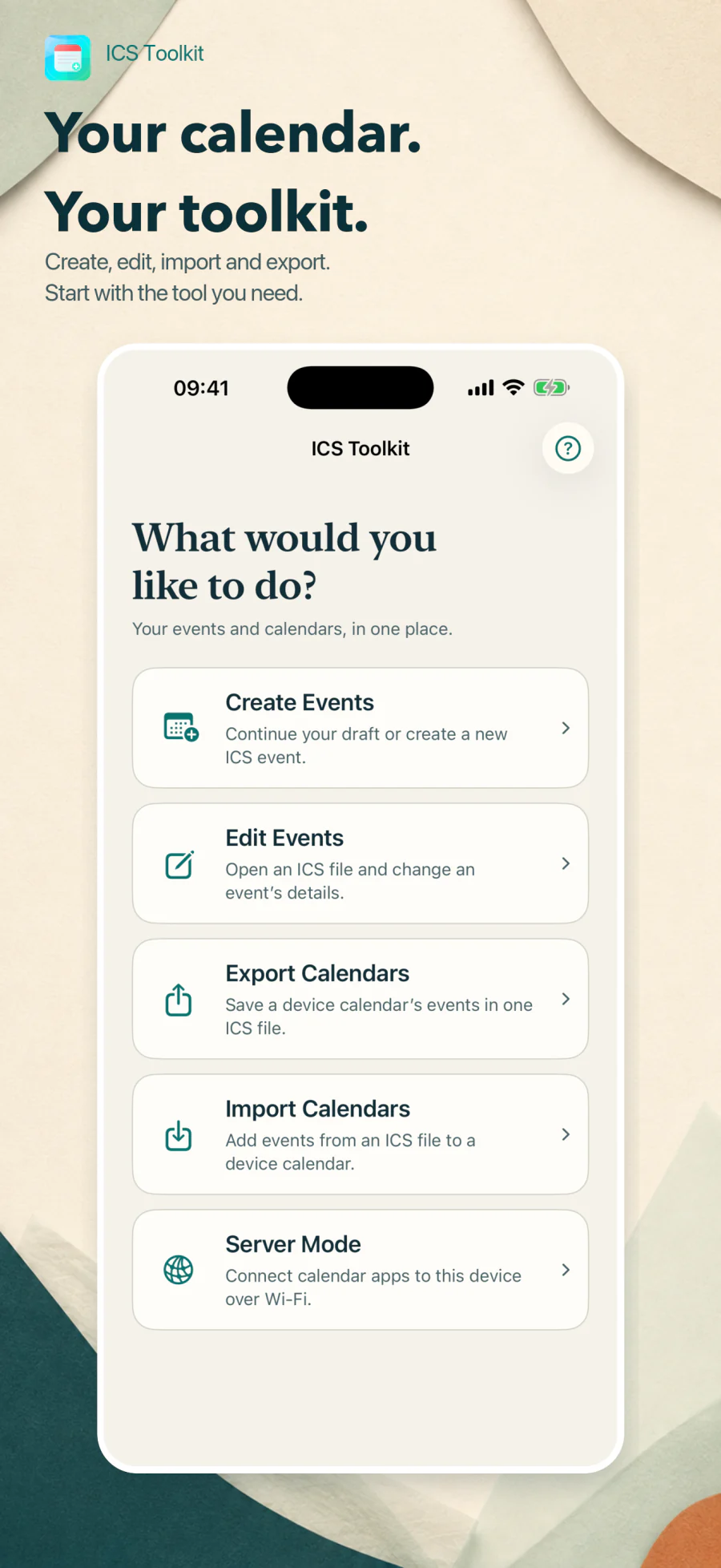
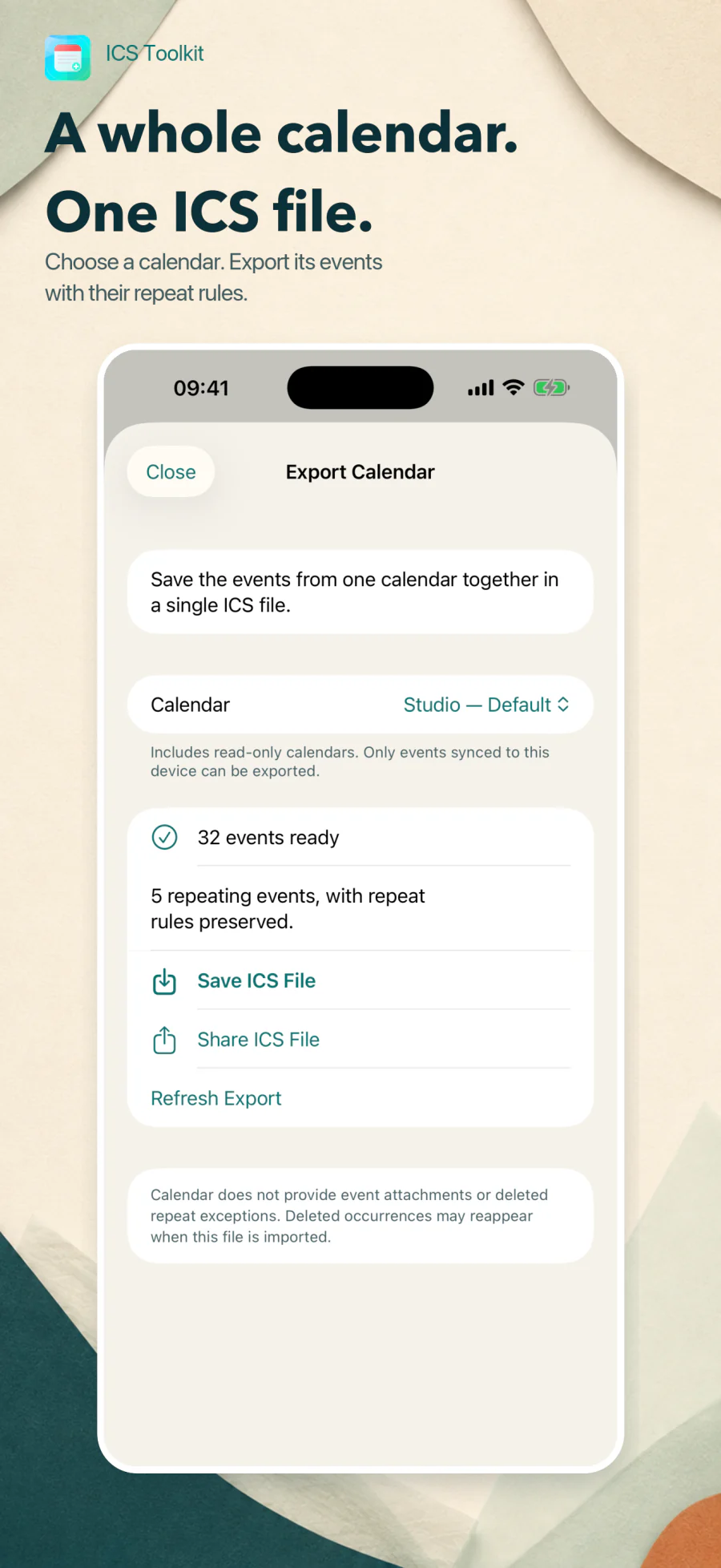
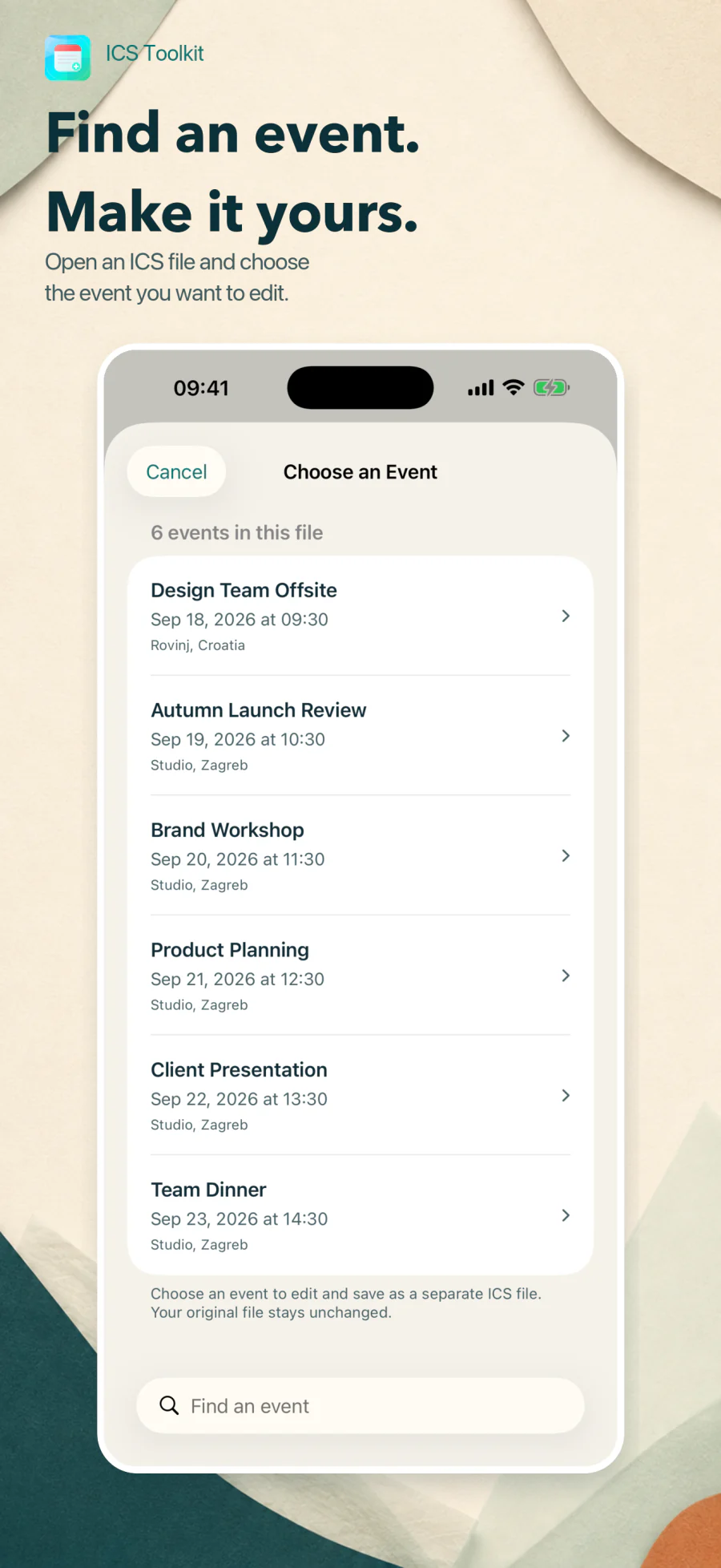
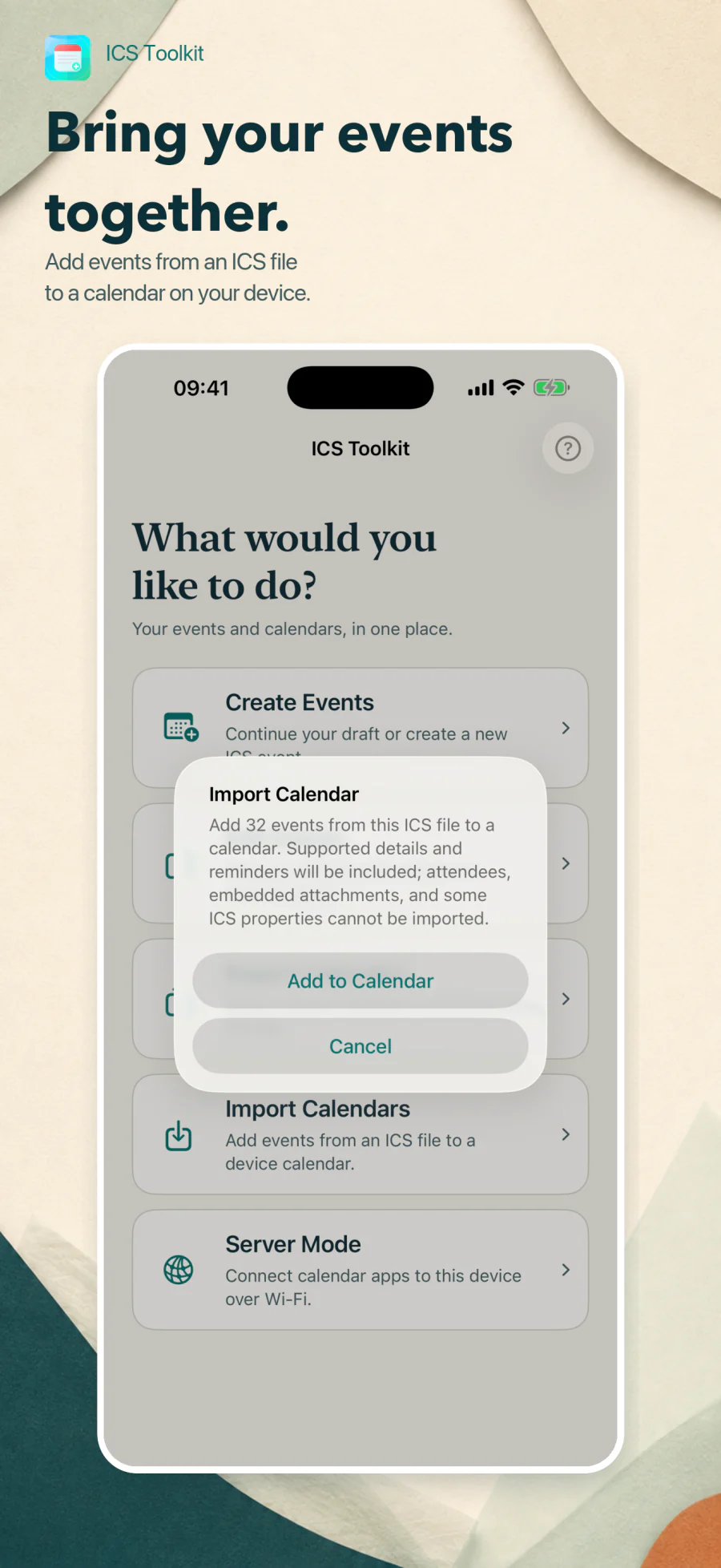
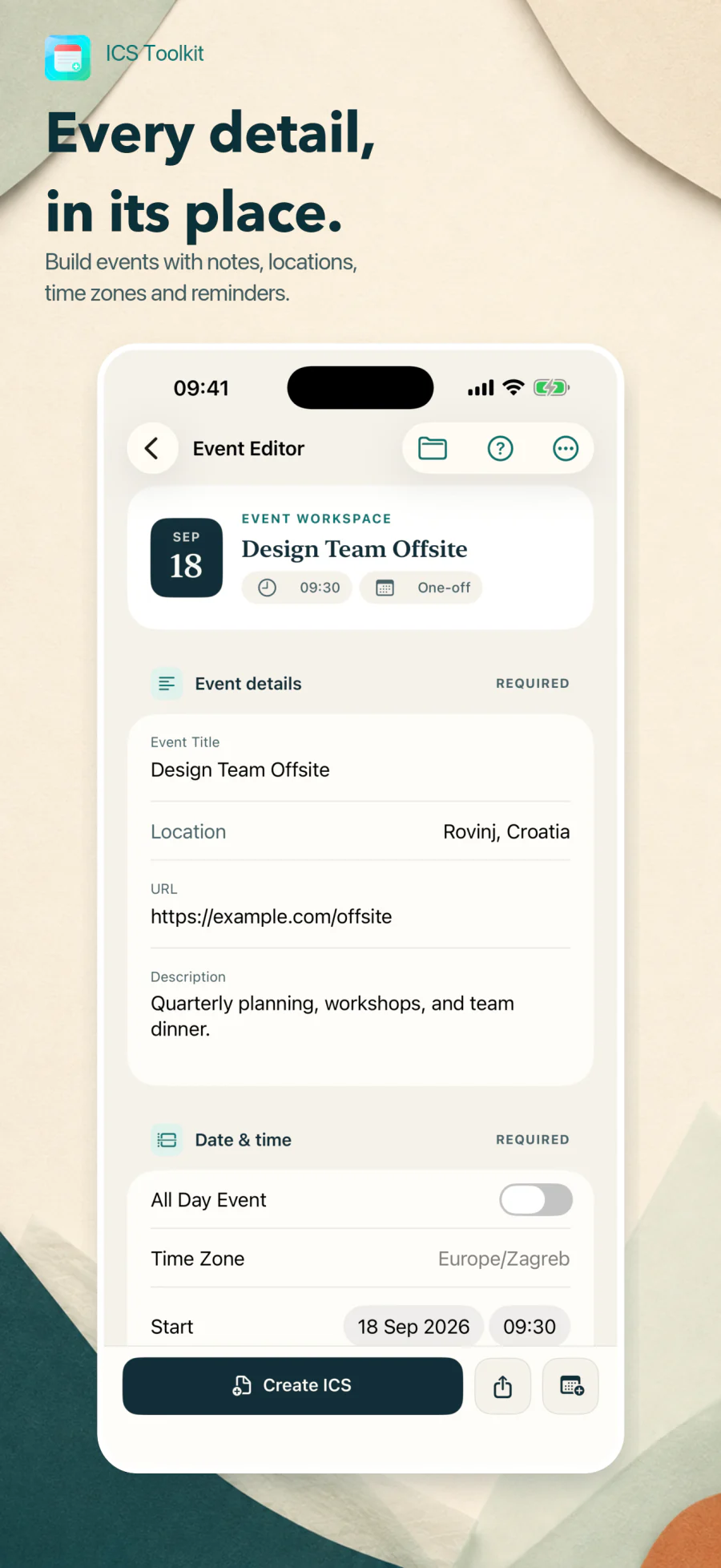
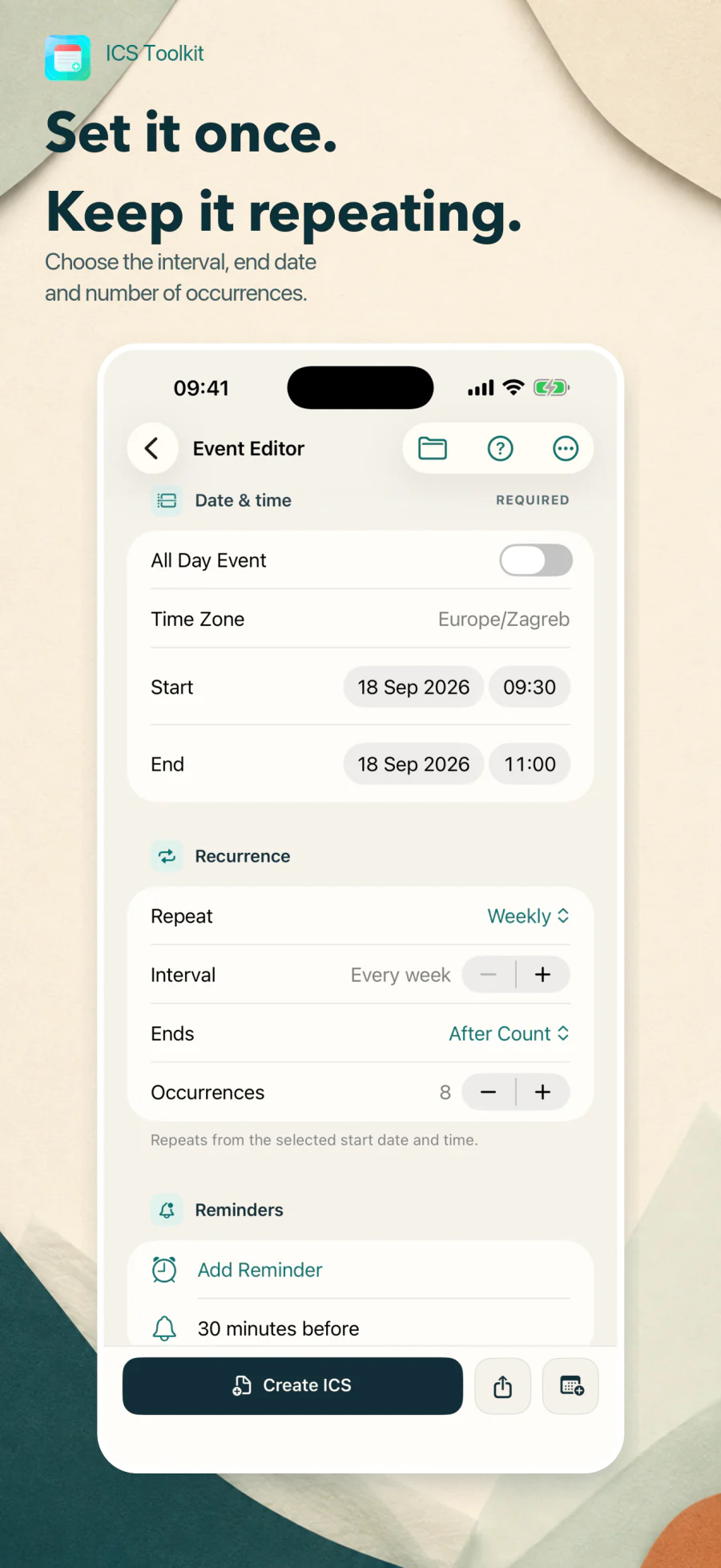
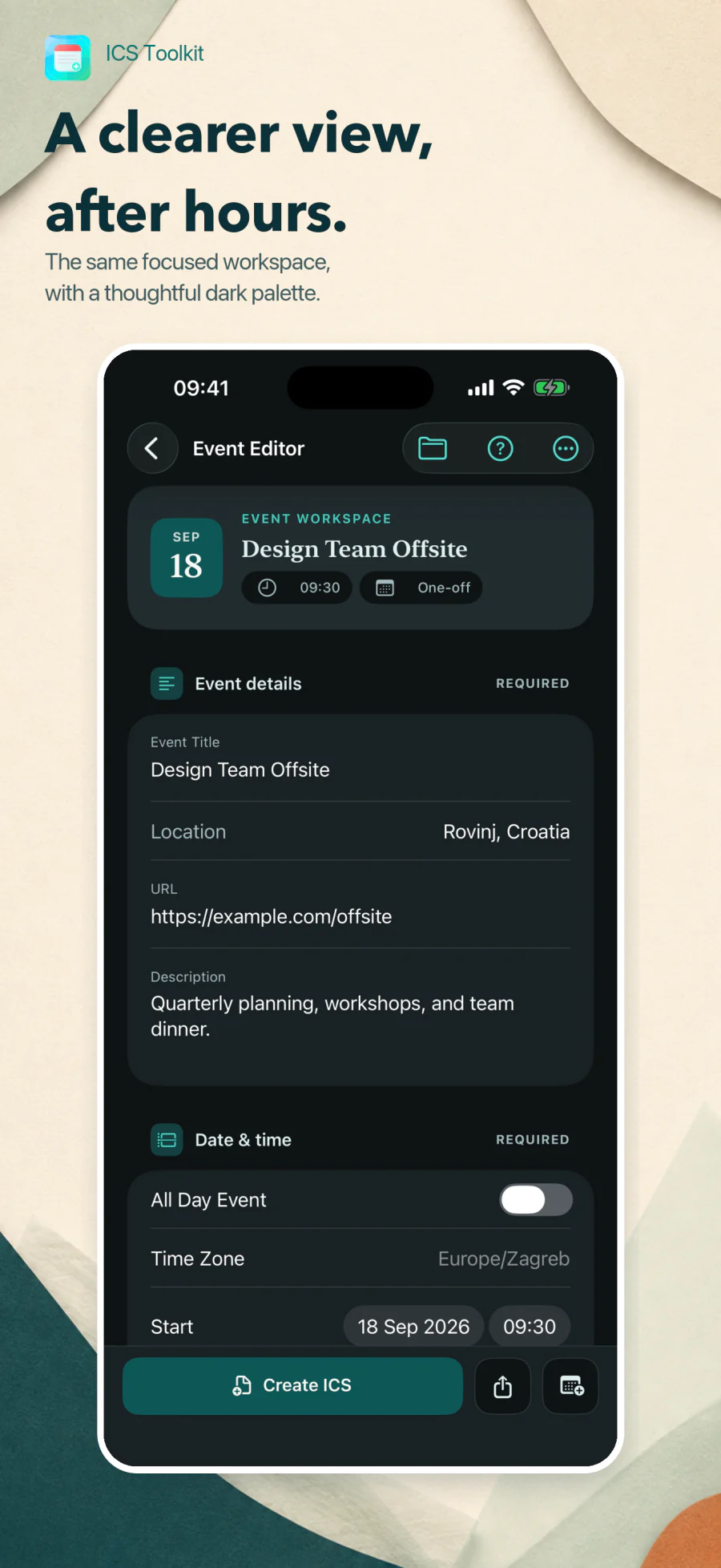
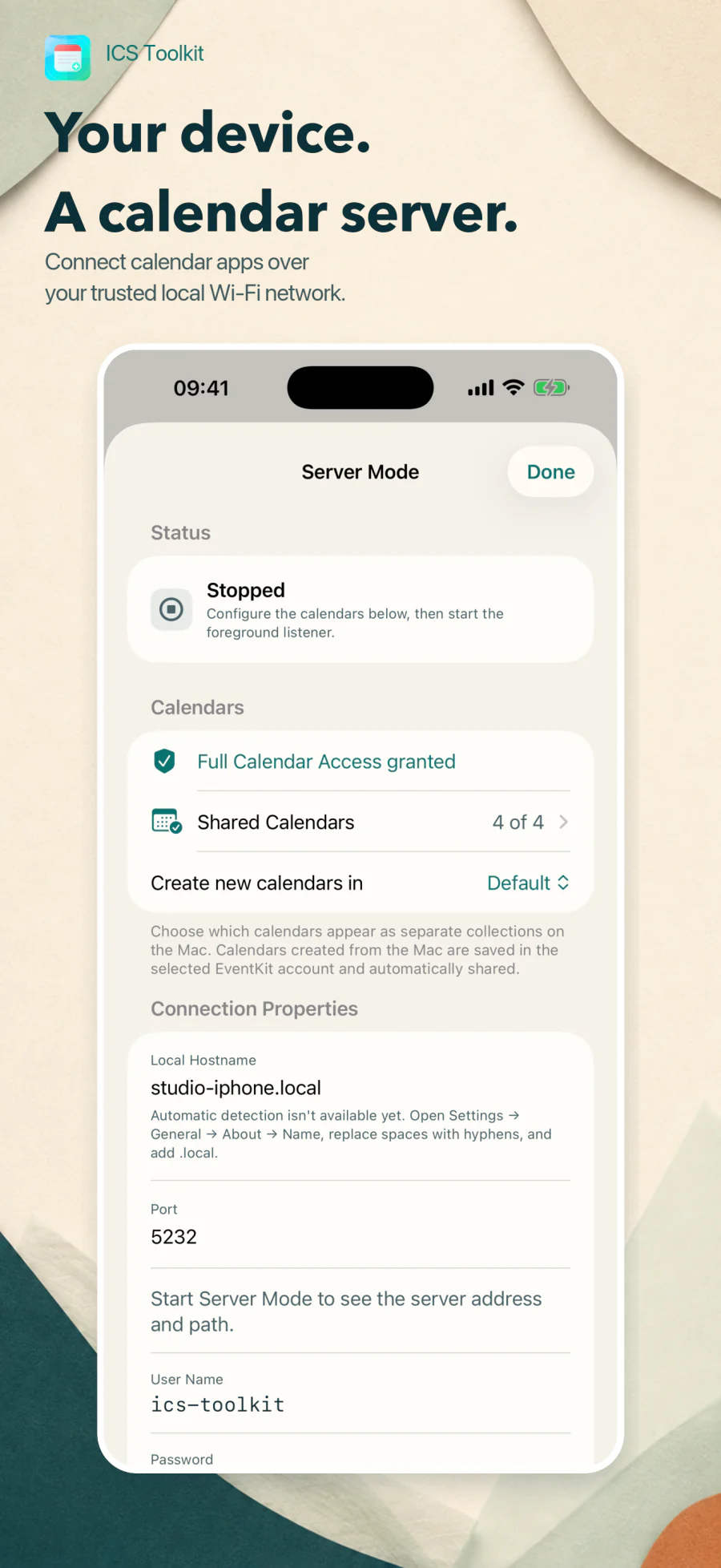
ICS Toolkit is a practical utility for working with universal .ics calendar files on iPhone and iPad. Start with Create Events, Edit Events, Export Calendars, Import Calendars, or Server Mode. Choose a device calendar and export its synced events together in one ICS file, with repeat rules and edited occurrences preserved. Read-only calendars are supported, and exports can be saved to Files or shared with another app. Open a multi-event ICS file to search for an individual event, edit it, and save it separately, or import its events into a device calendar. The editor handles reminders, time zones, invitations, attachments, and reusable templates, with a compatibility review before saving or sharing. Server Mode lets Calendar on a Mac read and write selected device calendars over a trusted local network while the app stays open and active. Calendar export is limited to data available on the device: event attachments and some deleted repeat exceptions are unavailable, so deleted occurrences may reappear after import.
- Role
- Product design & engineering
- Release
- 2026
- Status
- Ongoing
Problem & decisions
The difficult part is the behavior.
The iCalendar format is portable but deceptively complex: recurrence, time zones, invitations, attachments, destination-specific limits, and bidirectional CalDAV changes can turn a simple event into unreliable calendar data.
- 01
Show the exported truth
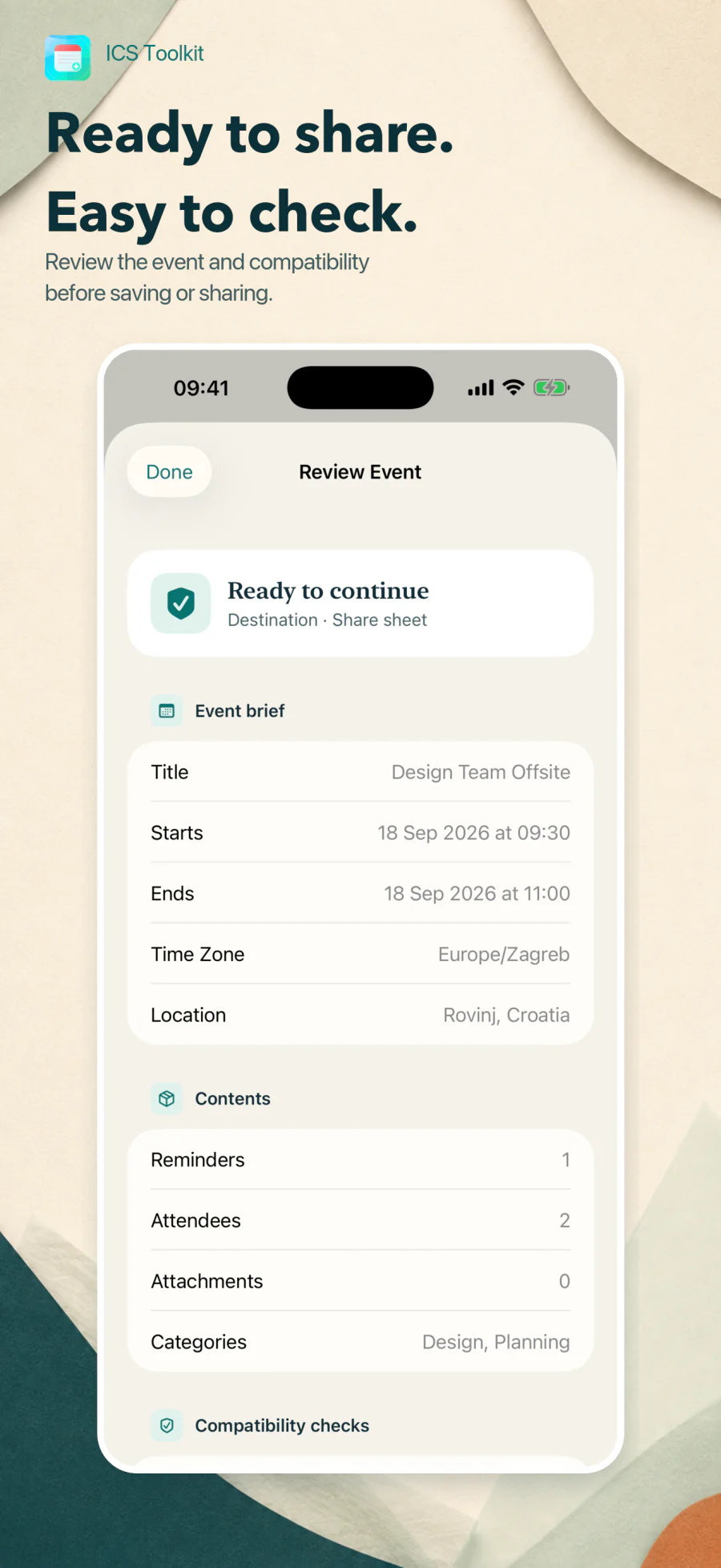
A structured summary and raw ICS preview make the file inspectable before it leaves the device.
- 02
Validate by destination
Universal file rules and Apple Calendar limitations are reported separately so compatibility warnings stay actionable.
- 03
Keep sharing explicit and local
Drafts and files stay on device. Foreground-only Server Mode exposes selected calendars to a Mac on the same trusted network and rejects unsupported or lossy writes.
- Calendar export
- Local CalDAV sync
- Privacy by design
Privacy by design
Your data stays yours.
No analytics or advertising identifiers. Files and drafts stay on device, while opt-in Server Mode shares only selected calendars directly with a Mac on the local network.
Read the full privacy details
ICS Toolkit does not collect personal information, usage analytics, or advertising identifiers.
Your event data
Events, drafts, templates, attachments, and imported files stay on your device unless you explicitly export, share, add them to a calendar, or share selected calendars through Server Mode.
Server Mode
When you start Server Mode, ICS Toolkit runs a foreground-only CalDAV server on your iPhone. A Mac on the same local network can use the displayed credentials to read and write the calendars you select. Calendar traffic goes directly between your devices; it is not sent to or stored by our servers.
Server Mode uses HTTP with Digest authentication. Digest protects the password, but calendar names, events, and other traffic are not encrypted, so Server Mode should be used only on a trusted local network.
System services
When you choose to add an event to Apple Calendar or share a file through another app, that action is handled by the relevant iOS system service and is subject to its privacy policy.
No account required
ICS Toolkit does not require registration or use developer-operated cloud servers to receive your calendar content.
Capabilities
What it handles.
Each capability earns its place by removing effort, reducing ambiguity, or making the product safer to rely on.
-
Create timed or all-day events with explicit time zones
-
Search and edit an individual event from a multi-event ICS file
-
Export a selected calendar to one ICS file with repeat rules and edited occurrences
-
Export synced events from read-only calendars too, then save or share the file
-
Configure daily, weekly, monthly, or yearly recurrence and exceptions
-
Add multiple reminders, categories, status, visibility, and availability
-
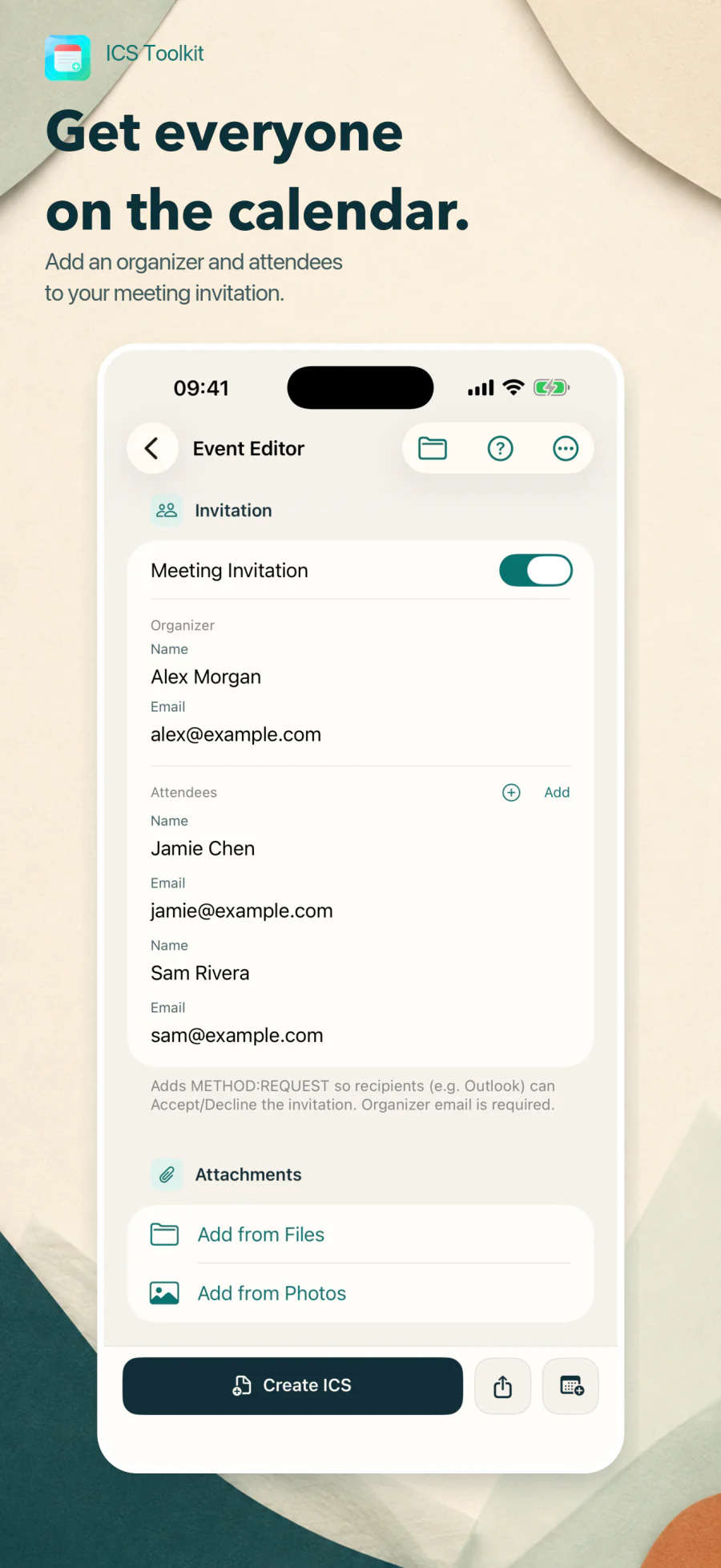
Build meeting invitations with organizers, attendees, and stable event UIDs
-
Embed photos and files with filename and MIME-type metadata
-
Review errors, destination warnings, event summaries, and raw ICS before export
-
Autosave drafts, reuse templates, and import multi-event calendar files
-
Share universal ICS files or add supported event data to Apple Calendar
-
Sync selected iPhone calendars with Calendar on a Mac over a trusted local network
Changelog
What changed.
Product updates, fixes, and behavior changes, listed by version.
-
- Added calendar export: choose a device calendar, including read-only calendars, and save its synced events together in one ICS file or share the file with another app.
- Added a dedicated Export Calendar screen with calendar selection, progress, cancellation, event counts, and Save/Share ICS actions.
- Preserved repeating-event rules and edited occurrences in calendar exports, with stable event identifiers and shared time-zone definitions.
- Introduced a home screen with five prominent actions: Create Events, Edit Events, Export Calendars, Import Calendars, and Server Mode. Templates remain available in the event editor.
- Added search and event selection for multi-event ICS files, so an individual event can be edited and saved separately.
- Improved full-history calendar scanning, absolute reminders, all-day recurrence and exception dates, and historical and future time-zone handling in exported files.
- Updated Help for the new navigation and refreshed iPhone and iPad marketing images.
-
- Recognized Microsoft all-day event markers in incoming CalDAV events and included the compatibility marker when exporting all-day events.
- Fixed all-day event handling when syncing through CalDAV or adding events to Apple Calendar by clearing timed-event time zones and applying dates in the correct order.
- Normalized multiline locations and Apple structured addresses so repeated edits and syncs no longer accumulate escaped line breaks or inconsistent spacing.
-
- Added foreground-only Server Mode so Calendar on a Mac can read, create, update, and delete events in selected iPhone calendars over the same trusted local network.
- Added Bonjour discovery, Digest authentication, stored pairing credentials, calendar selection, connection instructions, live status, and automatic shutdown when the app enters the background.
- Added paged synchronization of historical events and incremental updates and deletions, with stable event identities and protection against stale edits.
- Added event copy and move between calendars, plus calendar creation, renaming, color, and description changes; remote calendar deletion is limited to calendars created through Server Mode.
- Preserved supported recurrence rules, edited occurrences, exclusions, reminders, structured locations, and Apple travel-time metadata during CalDAV sync, while retaining existing values when incoming data cannot be applied safely.
- Improved Apple Calendar pairing, initial event discovery, updates, duplication, and deletion, and corrected the exported end dates of all-day events.
- Refined the event editor, template library, and Server Mode setup, including an explicit local hostname and controls for preventing Auto-Lock.
-
- Renamed ICS Creator to ICS Toolkit and redesigned the event workspace, help screens, and app icon.
- Added daily, weekly, monthly, and yearly recurrence, multiple reminders, explicit time-zone selection, categories, status, visibility, and availability.
- Added compatibility review, destination-specific warnings, an event summary, and raw ICS preview before saving, sharing, or adding events to Apple Calendar.
- Added autosaved drafts and reusable templates, with refreshed dates and event identities when starting from a template.
- Added multi-event ICS import into a chosen writable calendar, with progress reporting, while retaining single-event editing.
- Improved import and export preservation of advanced recurrence, exceptions, alarms, calendar metadata, attachment filenames and MIME types, and unsupported properties that can be carried forward.
- Added meeting validation and stable event UIDs and revision tracking so invitation updates retain their identity.
-
- Added meeting invitations with organizer and attendee names and email addresses, plus RSVP requests for compatible calendar apps.
- Imported organizer and attendee details from existing invitations and exported meeting requests using METHOD:REQUEST.
- Improved Outlook and Exchange compatibility by recognizing Windows time-zone names and exporting recurring daylight-saving definitions, and added guidance for sending invitations.
-
- Started new events at the next full hour, preserved duration when moving the start time, and constrained end dates to valid ranges.
- Fixed imported dates being changed by editor updates and expanded support for folded ICS lines using spaces or tabs.
- Improved ICS compatibility with event UIDs, UTC timestamps, time-zone definitions, CRLF line endings, and UTF-8-aware line folding.
- Added event dates and times to exported filenames and improved focus behavior in location search.
-
- Introduced ICS Creator for iPhone and iPad, with timed and all-day events, titles, descriptions, locations, and links.
- Added ICS file import and export, embedded photo and file attachments, and direct saving to a selected Apple Calendar.
- Added place and address search, a calendar picker, and in-app help.
Product support
Something not behaving?
Include the product version, operating system version, shortest steps to reproduce, and any exact error text. Redact tokens, private URLs, calendar content, and other personal data.
Email support