Shortcuts image toolkit · iPhone & iPad
Shortcut Canvas
A native image-rendering toolkit that turns Apple Shortcuts actions into reusable PNG and PDF workflows.
The product
Built around the job.
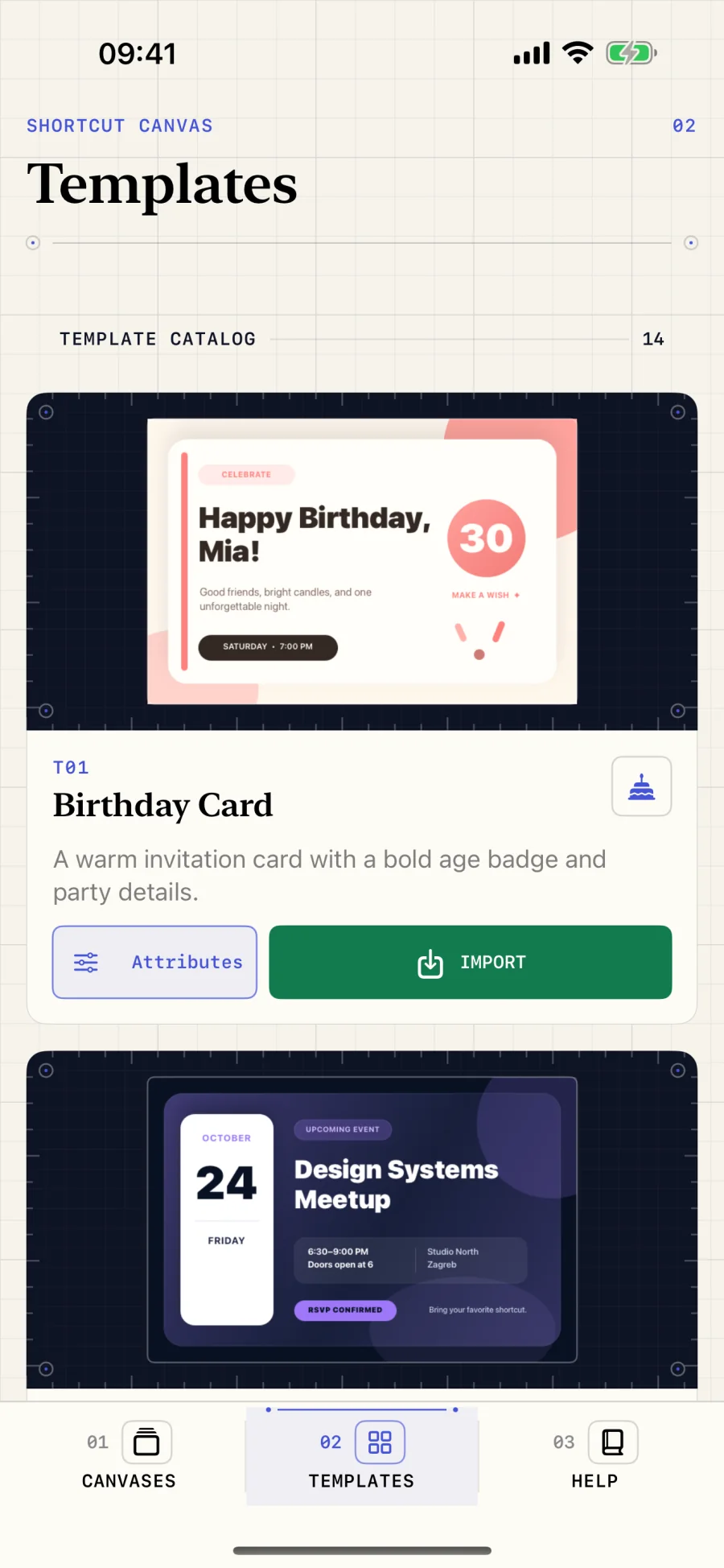
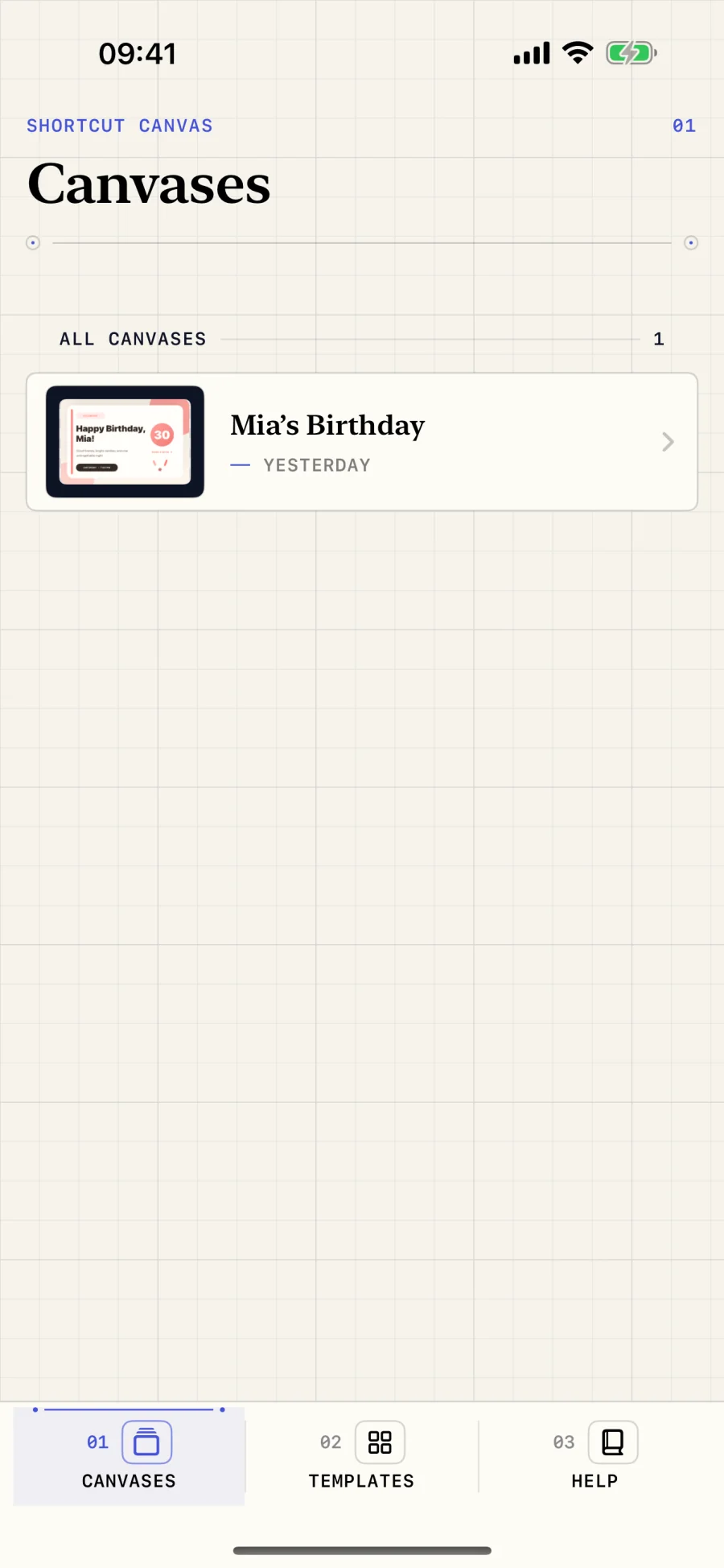
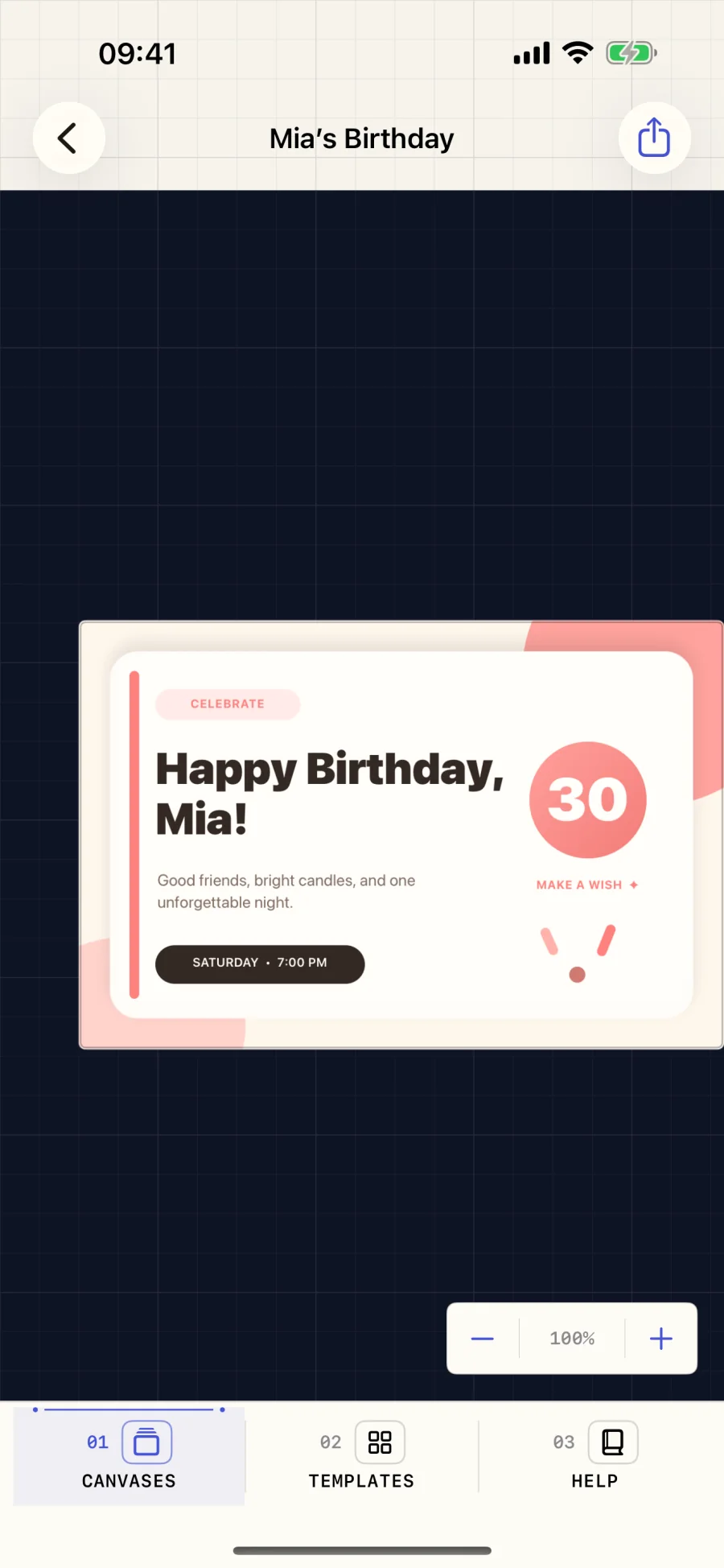
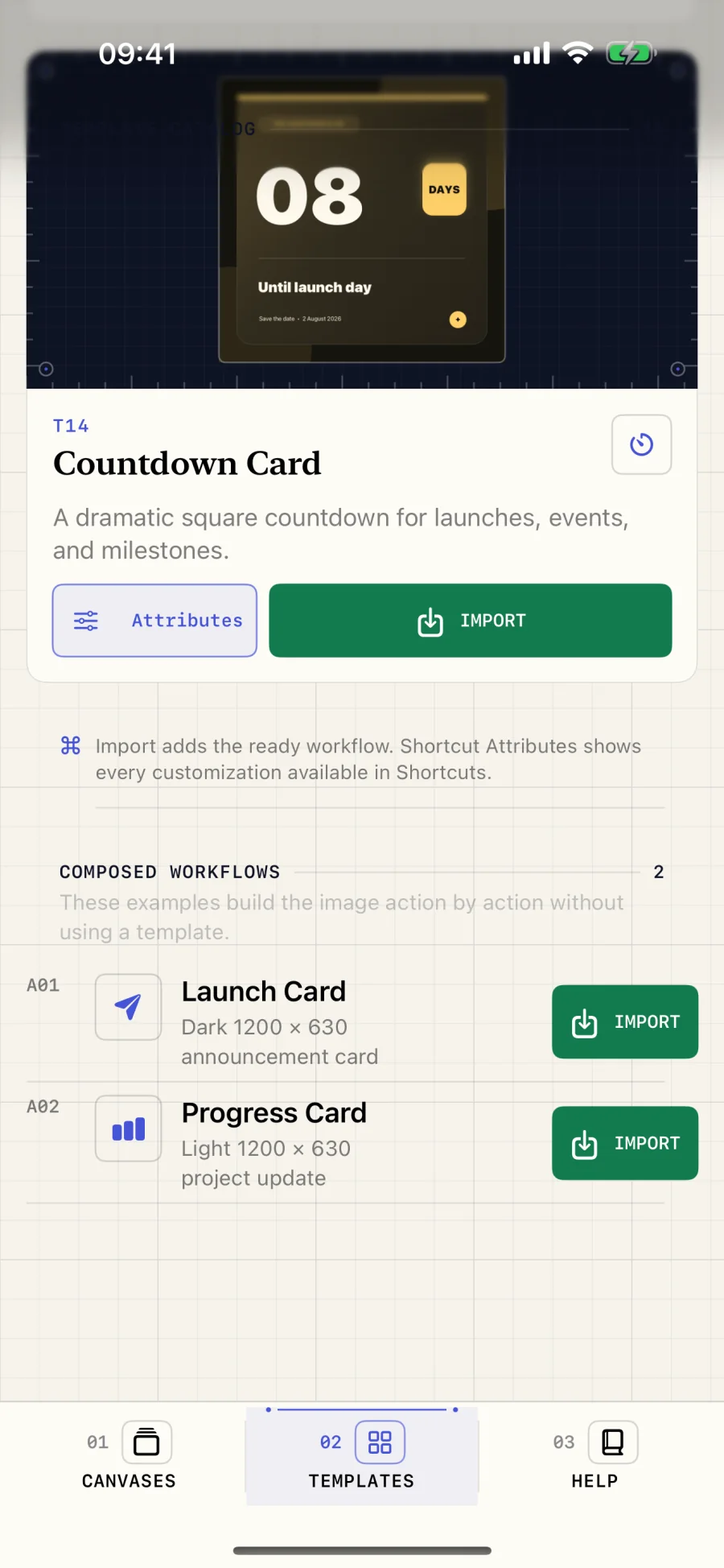
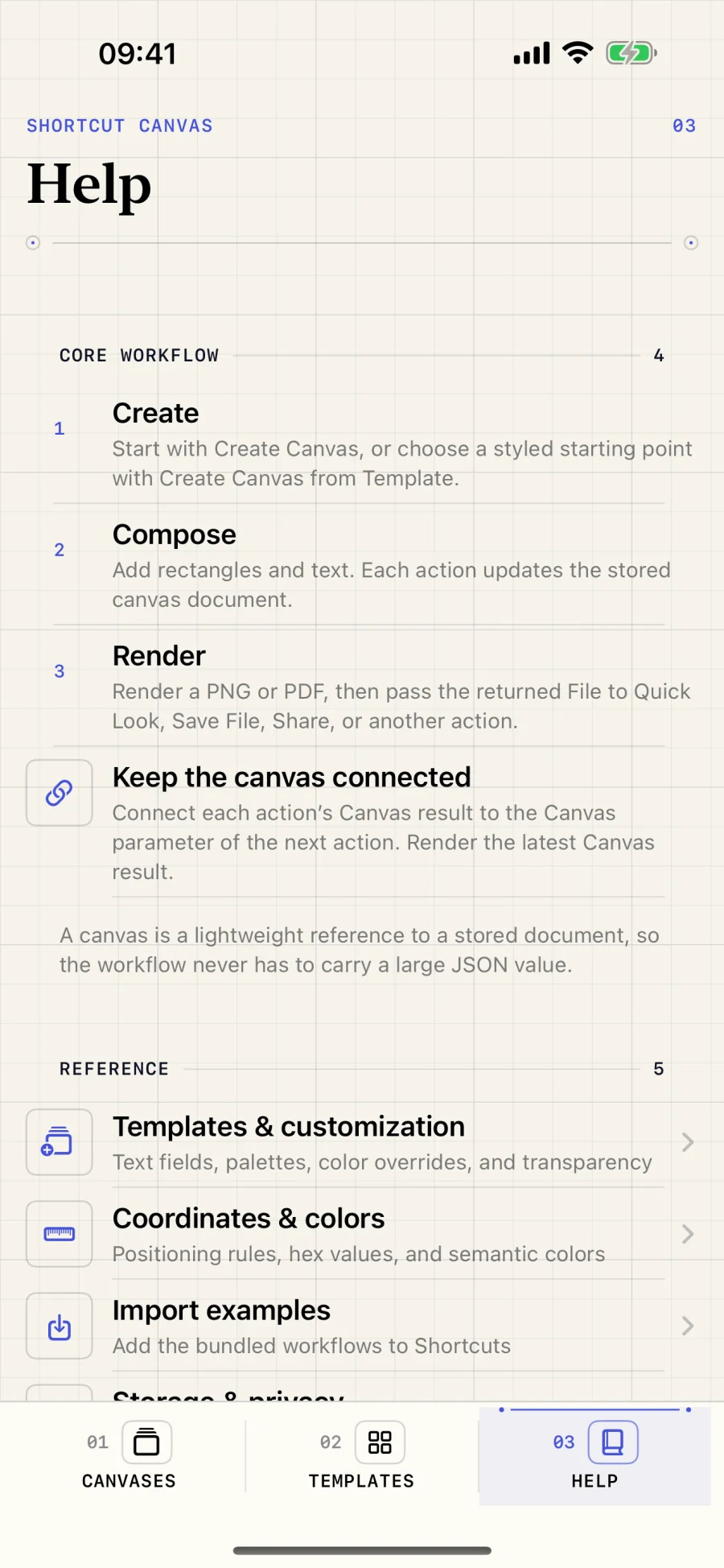
Shortcut Canvas turns actions in Apple Shortcuts into composable image-building blocks. Create a canvas, start from one of 14 customizable templates or add styled rectangles and text yourself, then pass the same canvas between actions before rendering it as a PNG or single-page vector PDF. The companion app keeps every stored canvas in one register with real rendered previews, detailed inspection, zoom, export controls, importable examples, and a practical action reference.
- Role
- Product design & engineering
- Release
- 2026
- Status
- Pending release
Problem & decisions
The difficult part is the behavior.
A multi-step Shortcut needs to build a visual document without losing track of its canvas, while the image shown in the companion app must match the PNG or PDF produced later in the workflow.
- 01
Pass the canvas forward
Each action returns the same lightweight canvas entity for the next action, keeping complex workflows readable and composable.
- 02
Use one drawing path
Companion-app previews, PNG output, and vector PDF export share the same rendering engine so inspection reflects the finished file.
- 03
Keep automation local
Documents live in app-controlled storage, rendering happens on device, and files leave only through an explicit Shortcuts or share action.
- 14 live templates
- PNG + vector PDF
- No network access
Privacy by design
Your data stays yours.
No accounts, analytics, advertising, networking, or third-party SDKs. Canvas documents and exports remain on device until you share them.
Read the full privacy details
Shortcut Canvas does not collect personal information and contains no accounts, analytics, advertising, networking, or third-party SDKs.
Local documents
Canvas documents, imported assets, previews, and exports are handled in app-controlled storage on your device.
Explicit sharing
A file leaves Shortcut Canvas only when you explicitly export or share it, or pass it to another action in a Shortcut.
Shortcuts workflows
The workflows you create or import are managed by Apple’s Shortcuts app and remain subject to the permissions and services you choose to use there.
Capabilities
What it handles.
Each capability earns its place by removing effort, reducing ambiguity, or making the product safer to rely on.
-
Create persistent canvases and pass them between Shortcuts actions
-
Start with 14 customizable templates for cards, tickets, certificates, and more
-
Compose original layouts from styled rectangles and text
-
Render deterministic PNG files or single-page vector PDFs
-
Preview stored documents with the same drawing path used for export
-
Zoom, inspect, export, share, and remove canvases from the companion app
-
Import signed example workflows and follow an in-app action reference
-
Work without accounts, analytics, advertising, networking, or third-party SDKs
Product support
Something not behaving?
Include the product version, operating system version, shortest steps to reproduce, and any exact error text. Redact tokens, private URLs, calendar content, and other personal data.
Email support