API workspace · iPhone & iPad
Visual REST Client for iOS
A native HTTP and GraphQL workspace for iPhone and iPad, with visual JSON editing and portable .rest and .http files.
The product
Built around the job.
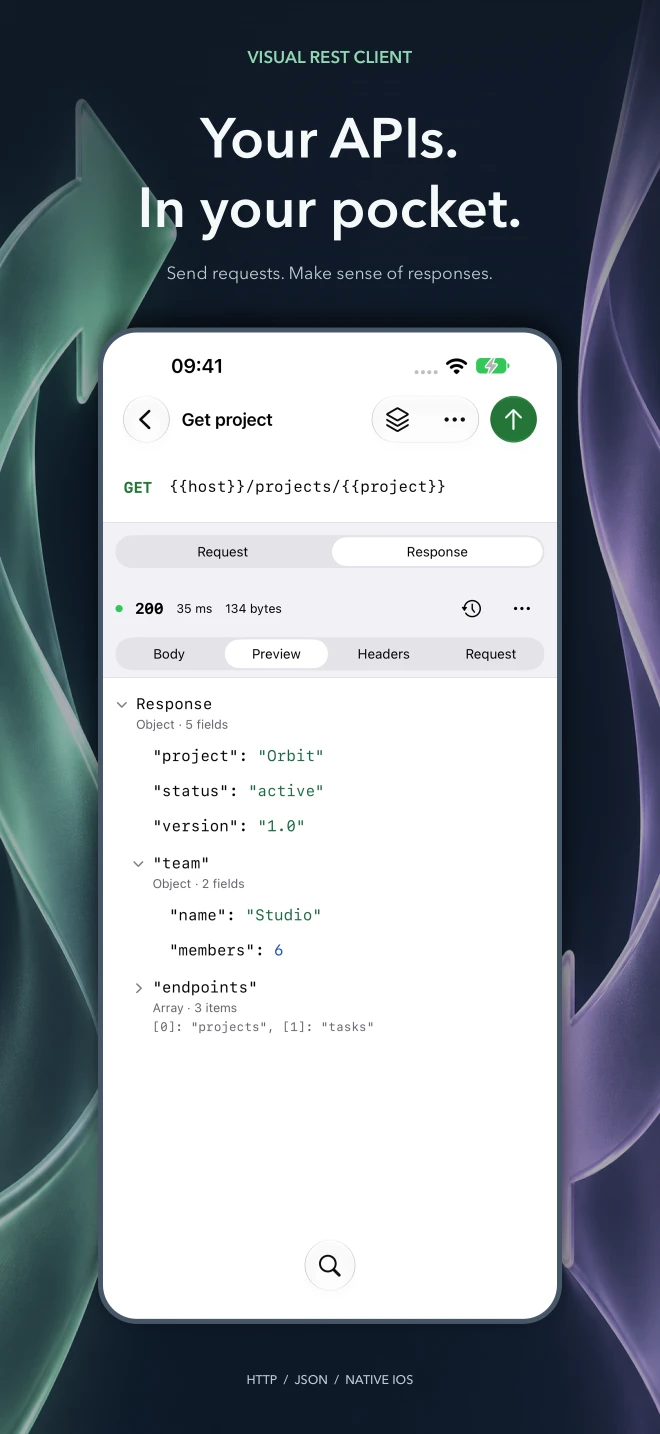
Visual REST Client brings file-based API work to iPhone and iPad. Open .rest and .http documents from Files, organize requests into collections, edit headers and query parameters, and send HTTP or GraphQL requests. A visual JSON editor, searchable responses, expandable previews, and response history help you inspect every exchange. File and environment variables, Keychain-backed secrets, OAuth 2.0 with PKCE, cookie controls, and production confirmations support everyday API workflows. iPad presents files, requests, and the editor together in a native three-column workspace. Version 1.0.0 is in preparation; App Store release is pending.
- Role
- Product design & iOS engineering
- Planned release
- 2026
- Status
- Release pending
Problem & decisions
The difficult part is the behavior.
Developers need to inspect APIs away from their desktop without rebuilding their request collection in a closed format or losing sight of what is sent.
- 01
Keep requests portable
Ordinary .rest and .http files remain the source of truth, with native Files access and imports for existing collections.
- 02
Use the whole device
Native navigation connects files, requests, and responses on iPhone; iPad shows all three columns together.
- 03
Make every exchange inspectable
Visual JSON editing, GraphQL diagnostics, response previews, history, and explicit authentication controls keep API work visible.
- iPhone & iPad
- HTTP + GraphQL
- Portable request files
Privacy by design
Your data stays yours.
No account, advertising, or analytics. Request files stay in the locations you choose; secrets use Keychain and API traffic goes to the services you configure.
Read the full privacy details
Visual REST Client for iOS does not require an app account and includes no advertising, analytics, or tracking SDKs.
Requests and authentication
When you send a request, the app connects to the endpoint you choose and any redirect destinations permitted by your settings. Those services receive the request content and ordinary connection information, including your IP address. OAuth sign-in opens the configured provider in Apple's authentication browser. The provider's privacy policy applies.
Documents and local state
Request documents remain in the file locations you choose. Settings and recovery drafts are stored on device. Files in iCloud Drive or another file provider may synchronize through that provider according to its settings. Explicit secrets and OAuth credentials use the system Keychain.
Sharing
Exporting, copying, or sharing a request or response sends the selected content to the destination you choose. Visual REST Client does not send your workspace to a developer-operated cloud service.
Capabilities
What it handles.
Each capability earns its place by removing effort, reducing ambiguity, or making the product safer to rely on.
-
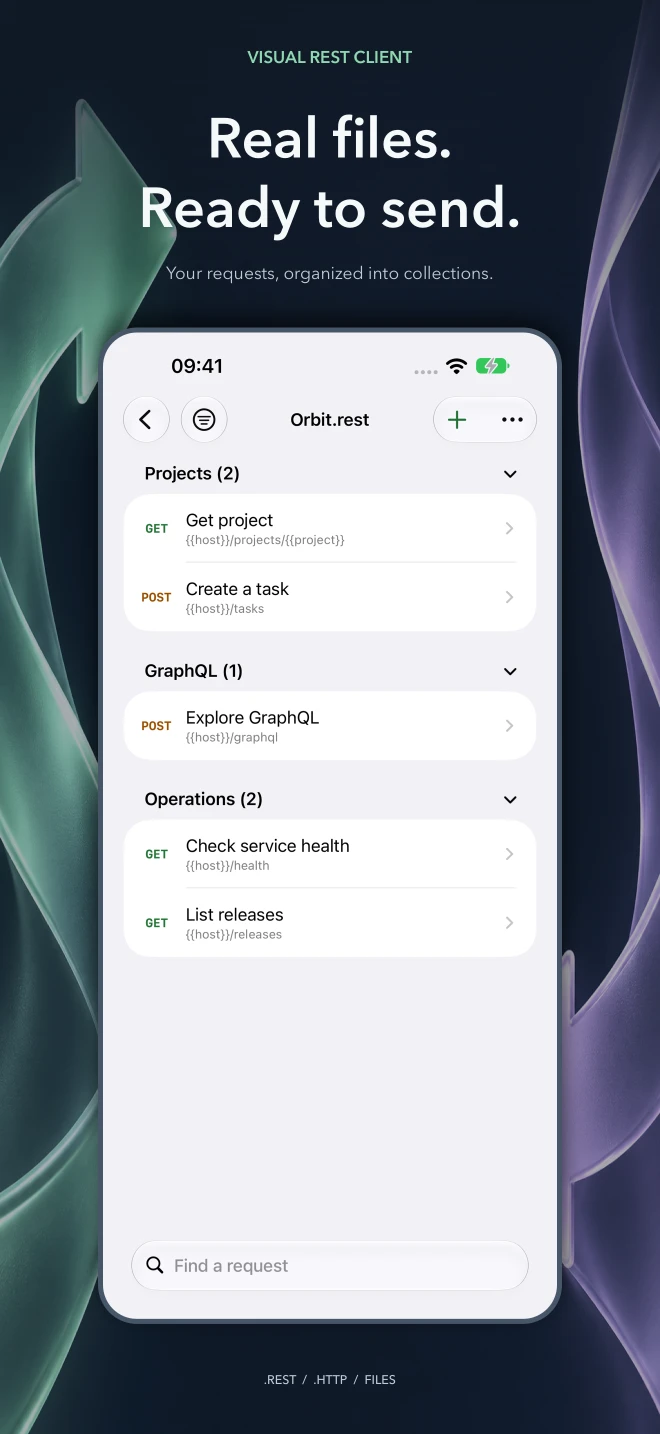
Open and edit .rest and .http documents through native Files and folder access
-
Send HTTP and GraphQL requests with editable URLs, query parameters, headers, and bodies
-
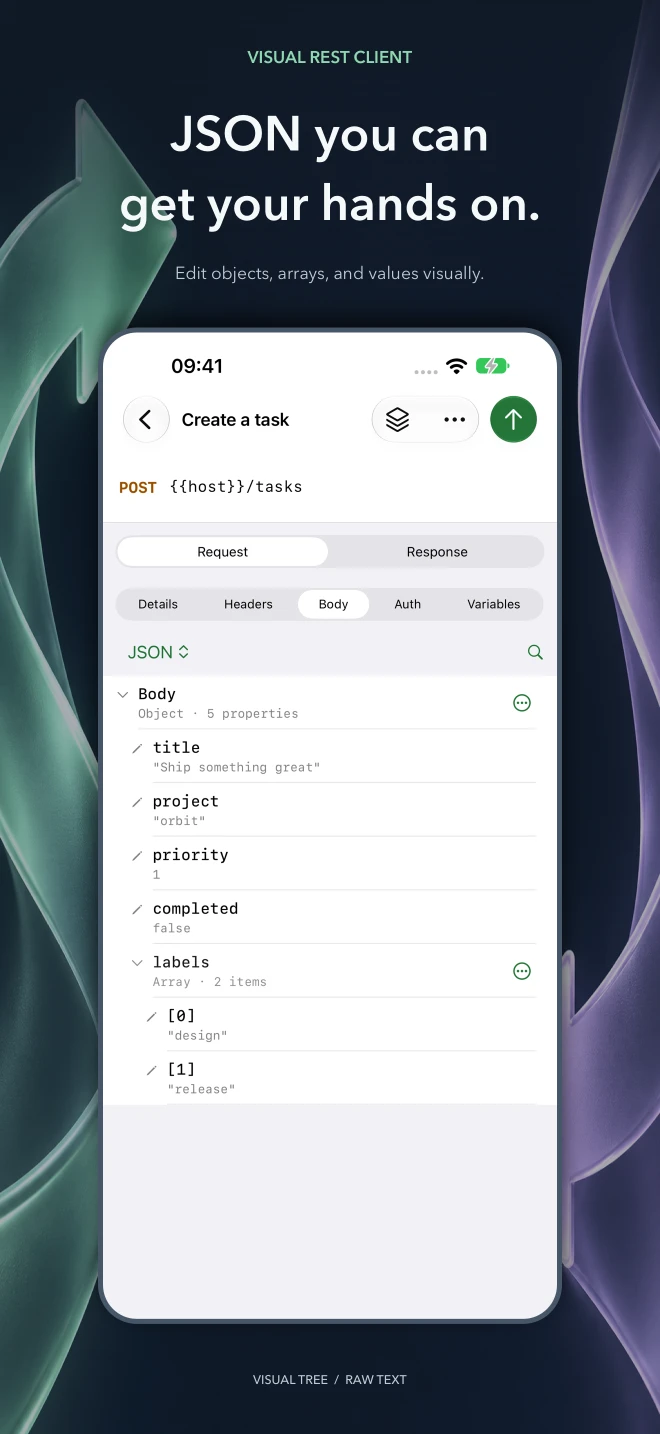
Edit JSON as a tree and switch to raw text when needed
-
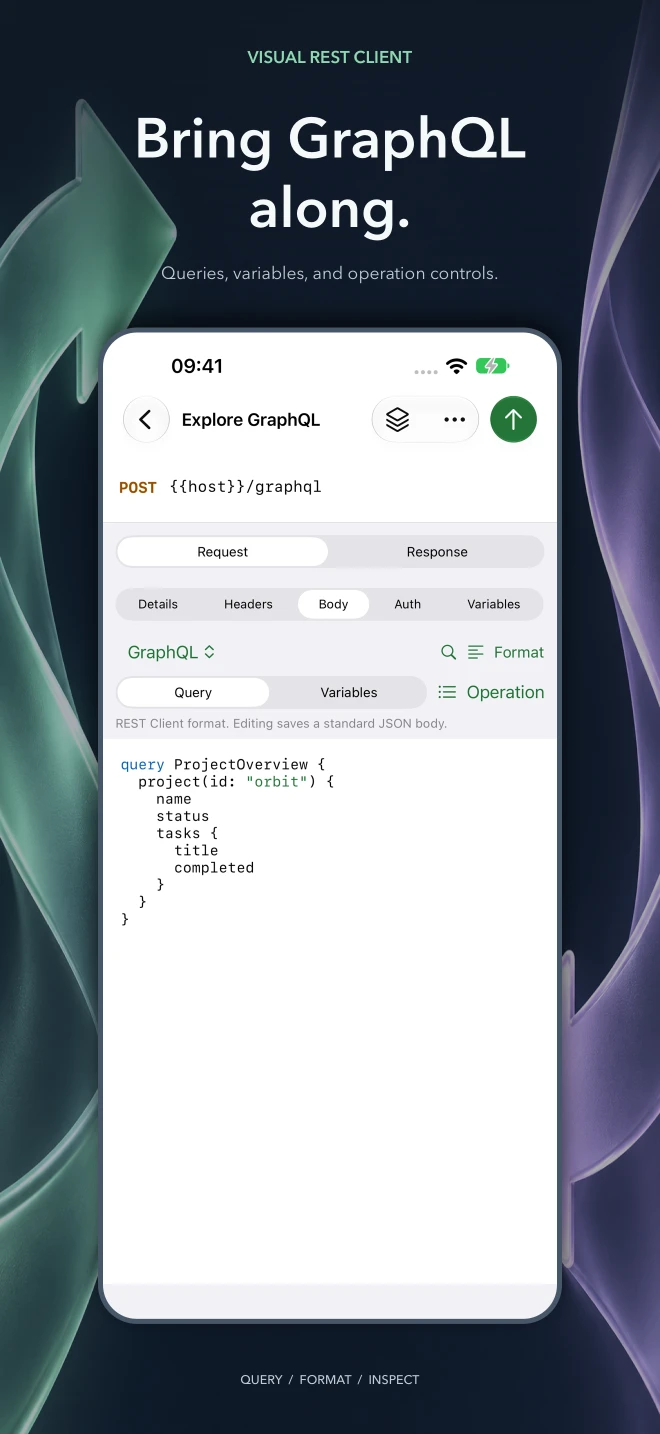
Format GraphQL queries, edit variables, select operations, and inspect data and errors
-
Search response bodies, explore JSON previews, inspect headers, and revisit history
-
Use Basic, Bearer, and OAuth 2.0 authentication with PKCE and Keychain-backed secrets
-
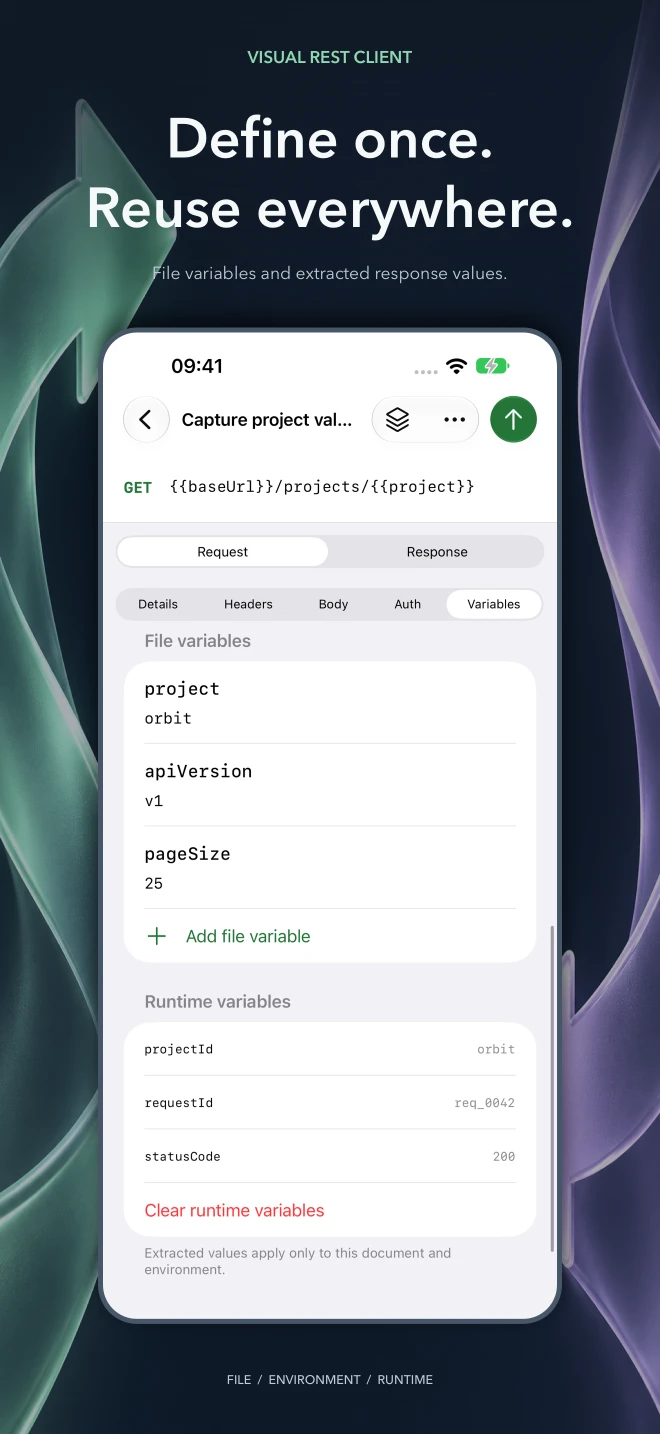
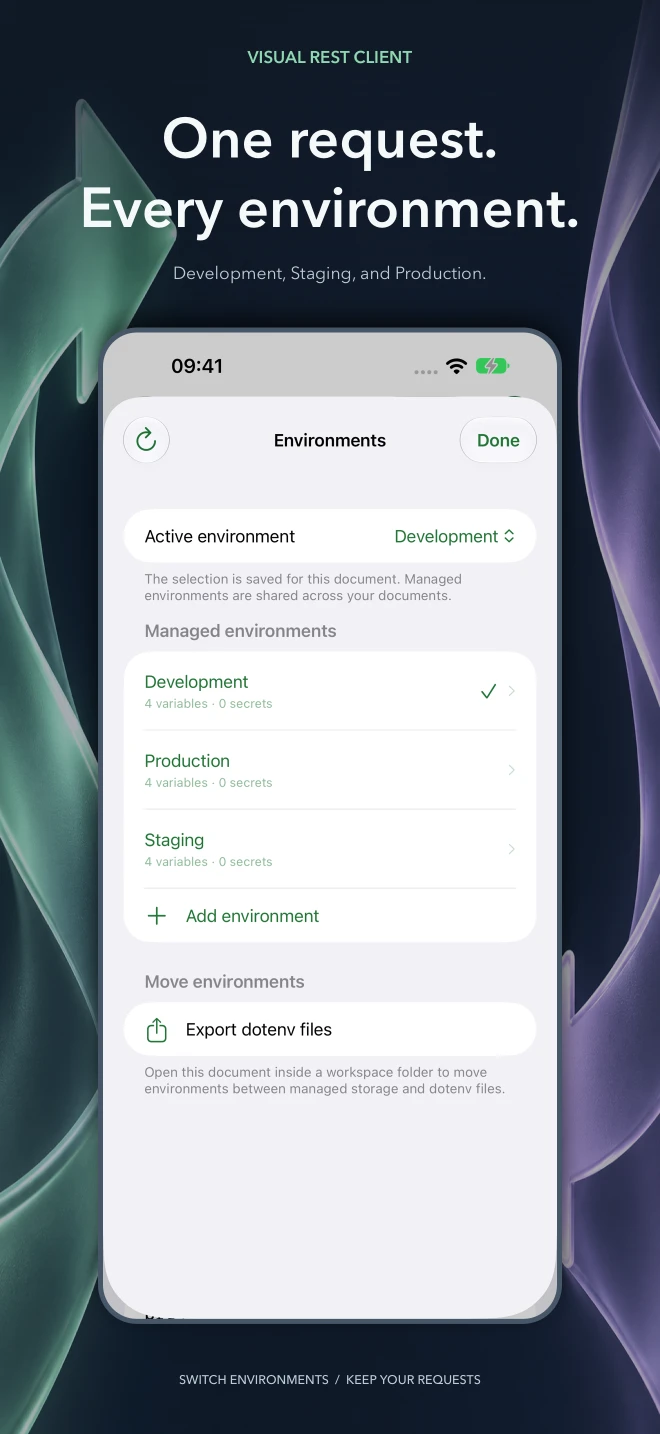
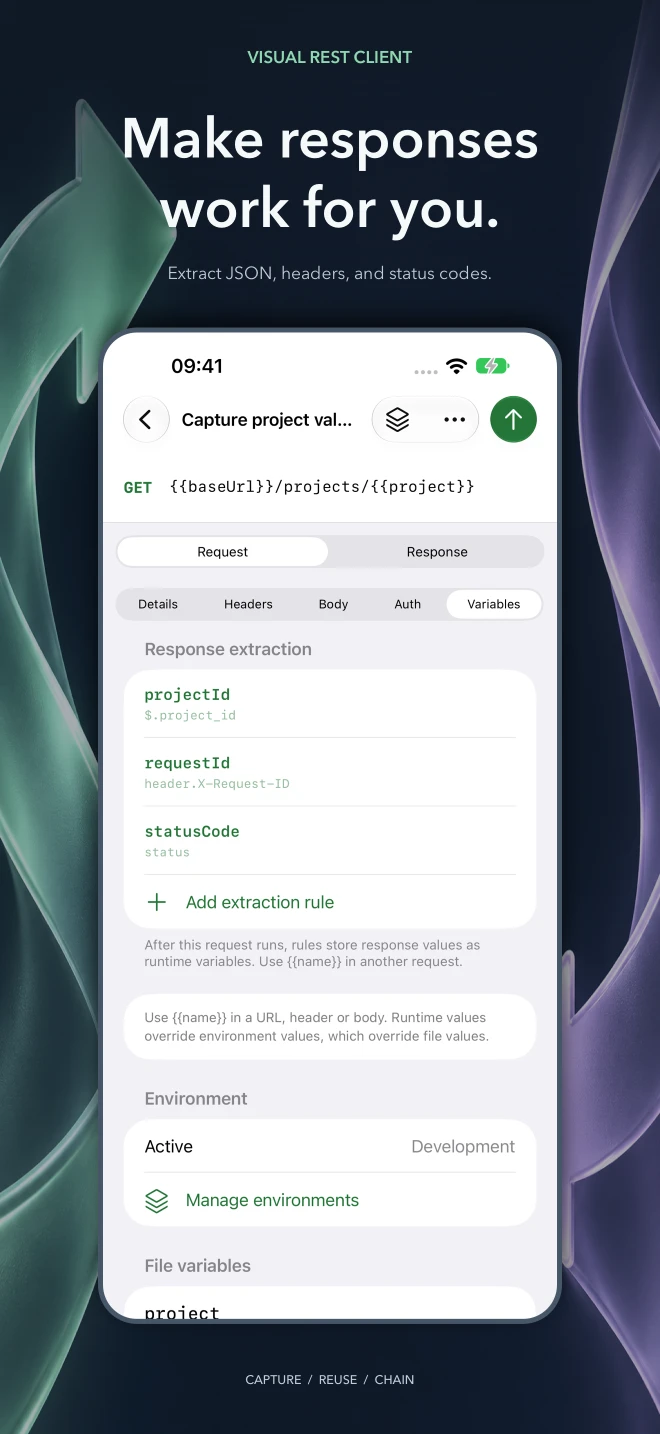
Reuse file and environment variables, extract response values, and manage cookies
-
Import Postman collections and environments, use .env values, and export cURL
-
Work across three native iPad columns with keyboard shortcuts, autosave, and draft recovery
Product support
Something not behaving?
Include the product version, operating system version, shortest steps to reproduce, and any exact error text. Redact tokens, private URLs, calendar content, and other personal data.
Email support