 prawel.pl
Your music & radio · iPhone & iPad
WavVv Music Player
Bring your audio files, personal playlists, and internet radio together. Your music, with every detail in place.
- FLAC
- MP3
- M4A
- AAC
- WAV
- AIFF
 Version 2.2.0
No account needed
Tracklist
11 tracks · Swift · SwiftUI · iOS · AVFoundation
A Your library
- A1
Bring your files
Add individual audio files or scan folders and subfolders while keeping files in their original location
- A2
Playlists
Create playlists, choose custom cover images, and arrange songs in your preferred order
- A3
Radio
Save HLS, direct MP3/AAC streams, and M3U/PLS station links with names and custom artwork
- A4
Browse & search
Browse Songs, Albums, Playlists, and Favorites; search by title, artist, album, or filename
- A5
Tags & artwork
Edit titles, artists, albums, artwork, and other supported tags in writable original files without re-encoding audio
- A6
Lyrics
Follow embedded or local LRC/SRT lyrics, with synchronized lines when available
B Playback
- B1
Lossless and lossy
Play supported FLAC, MP3, M4A, AAC, WAV, and AIFF files, including offline files stored on your device
- B2
Know your file
See format, sample rate, and channels in Now Playing, with bitrate and bit depth where available
- B3
Keep listening
Keep listening in the background, use lock-screen controls, and send audio through AirPlay
- B4
Queue
Use queue controls, repeat, and shuffle, with native light and dark appearances
- B5
CarPlay
Browse and play your library and saved stations in CarPlay, with search, queue controls, shuffle, repeat, and favorites
Listening guide
How to play your own music files offline on iPhone
Add your music files to WavVv, save offline copies, and build a playlist ready for your next trip. Includes screenshots and steps for iPhone.
Read the guide →Inner sleeve
-
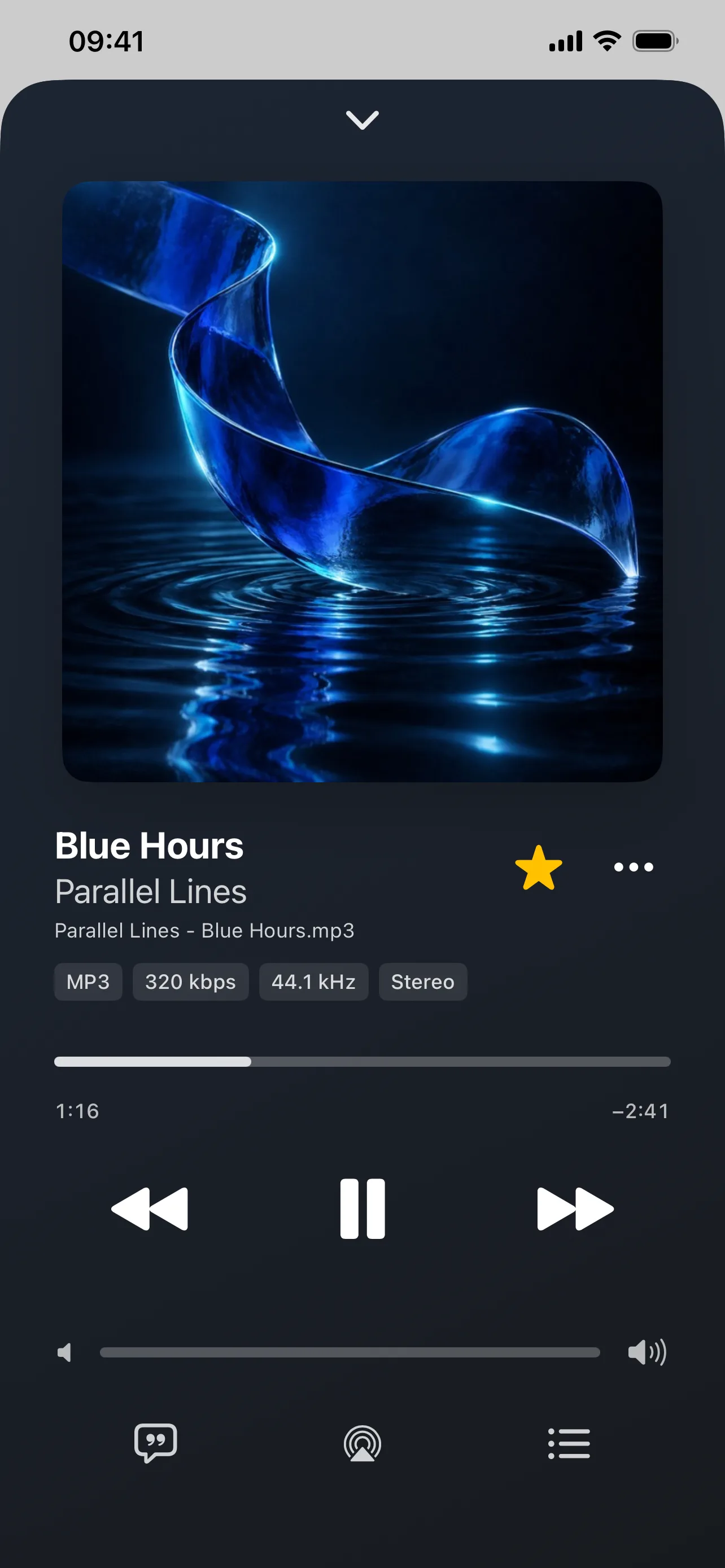 Your music, front and center
 -
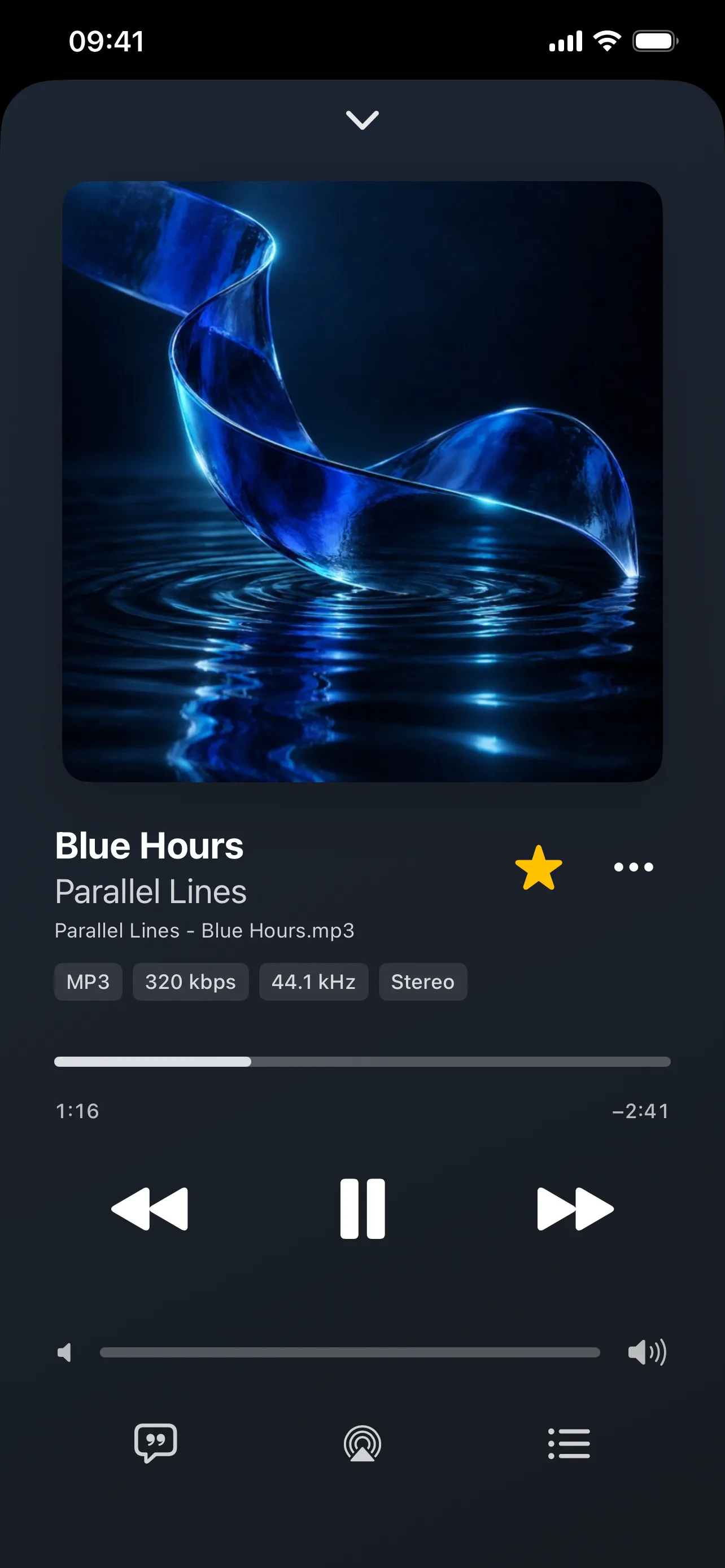 Your music, front and center
 -
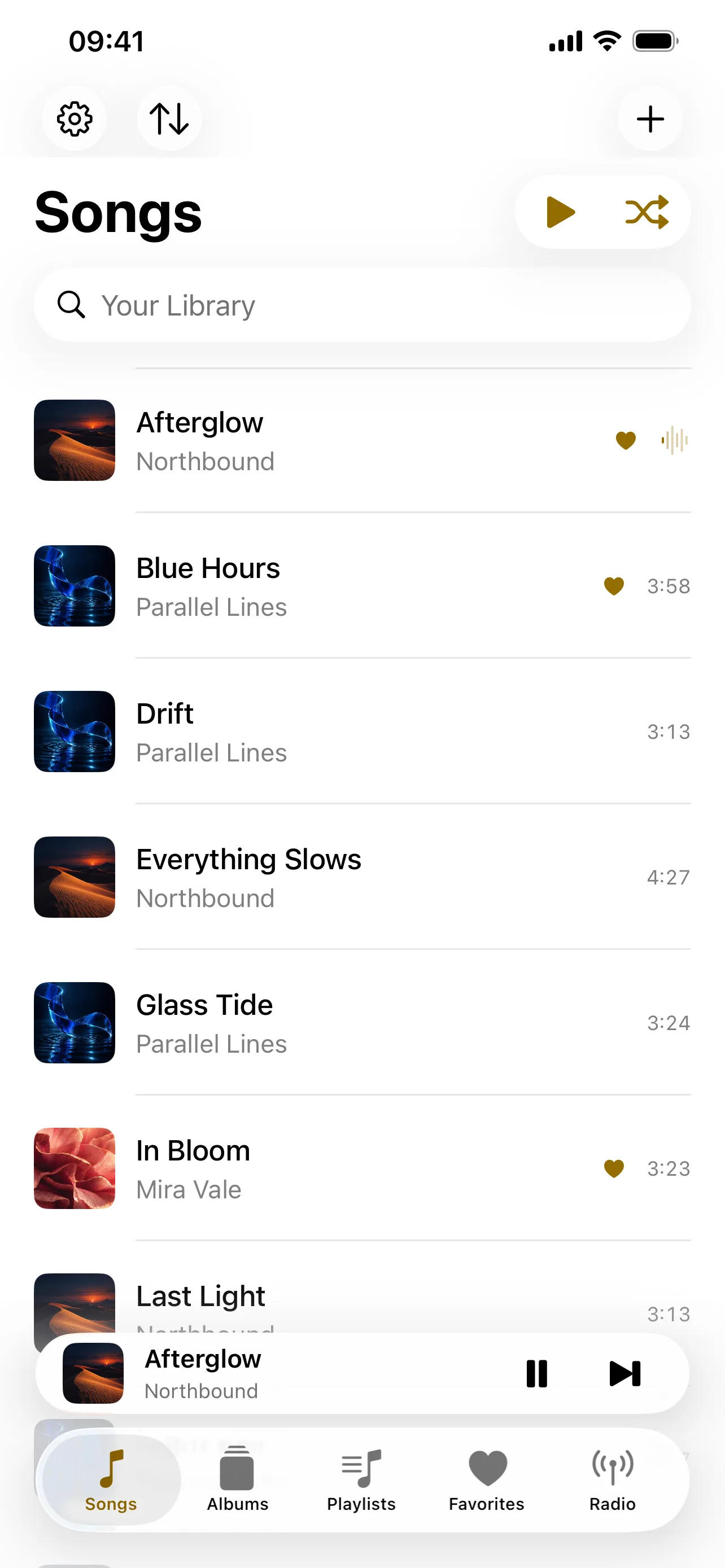 Browse your own music files
 -
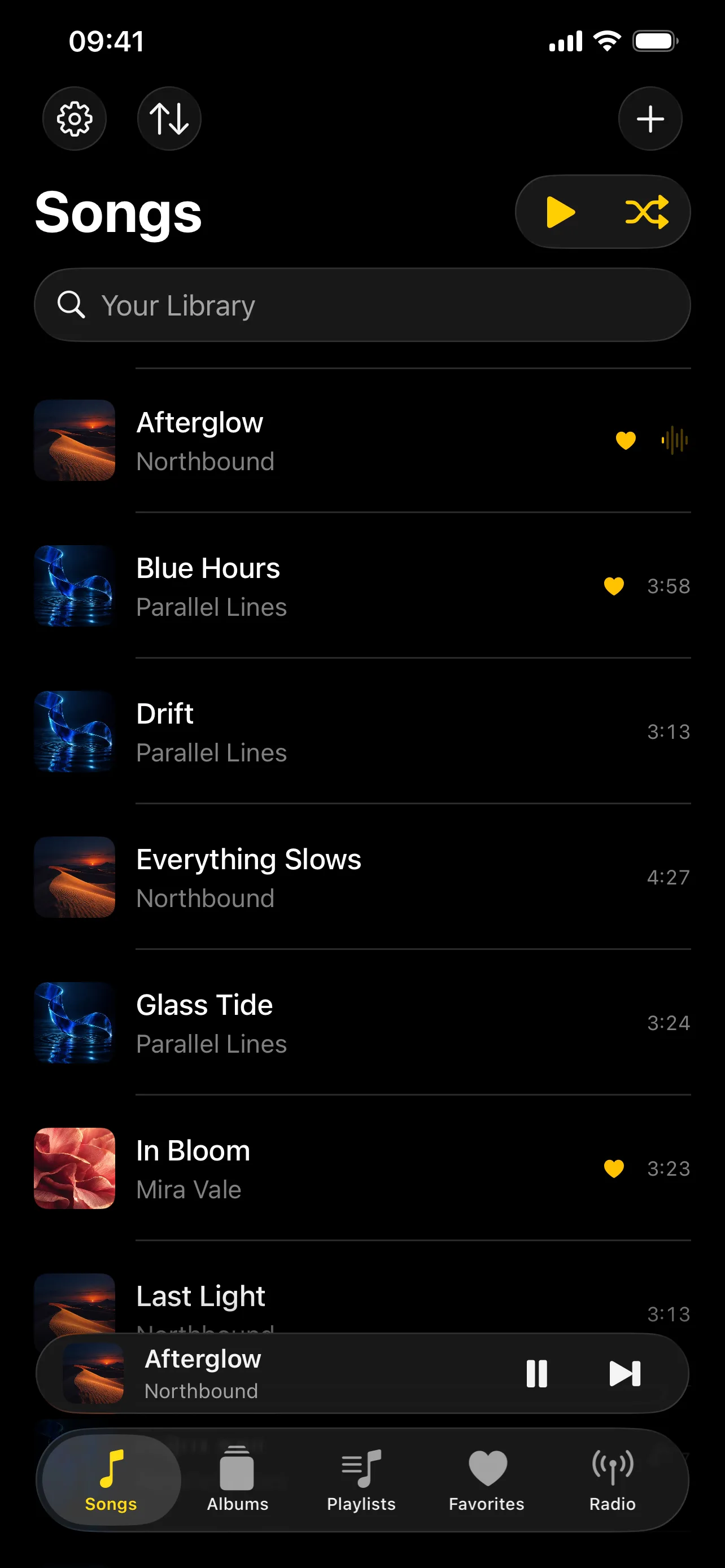 Browse your own music files
 -
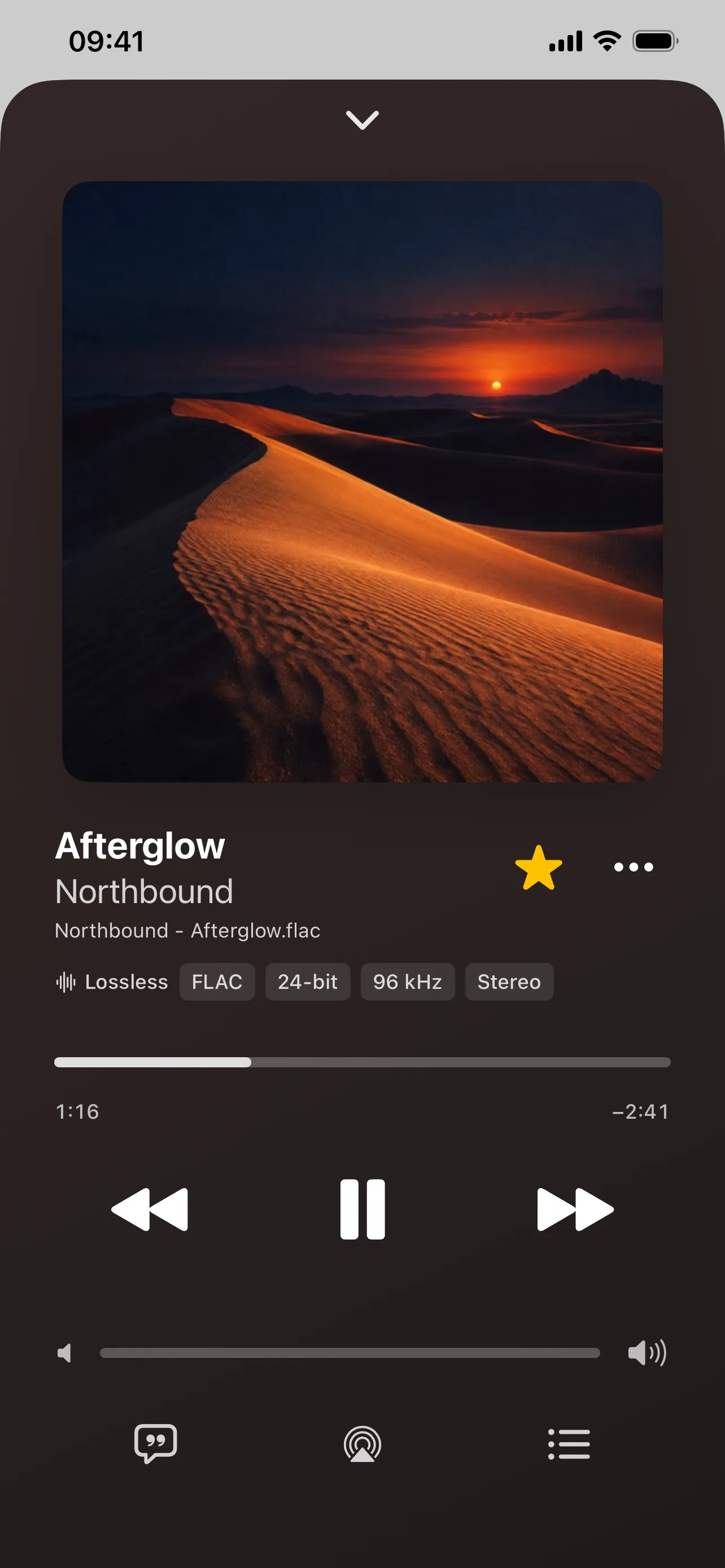 Know what you are listening to
 -
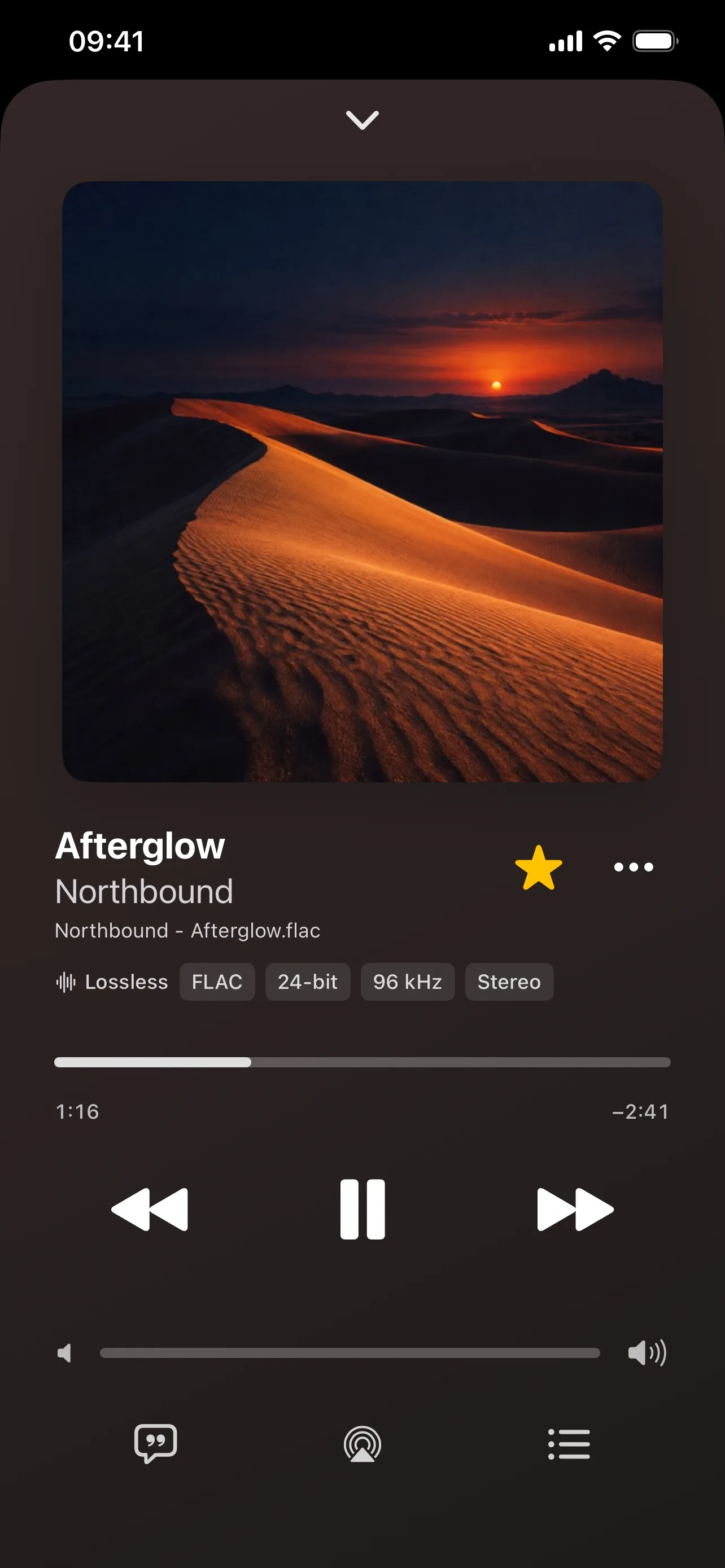 Know what you are listening to
 -
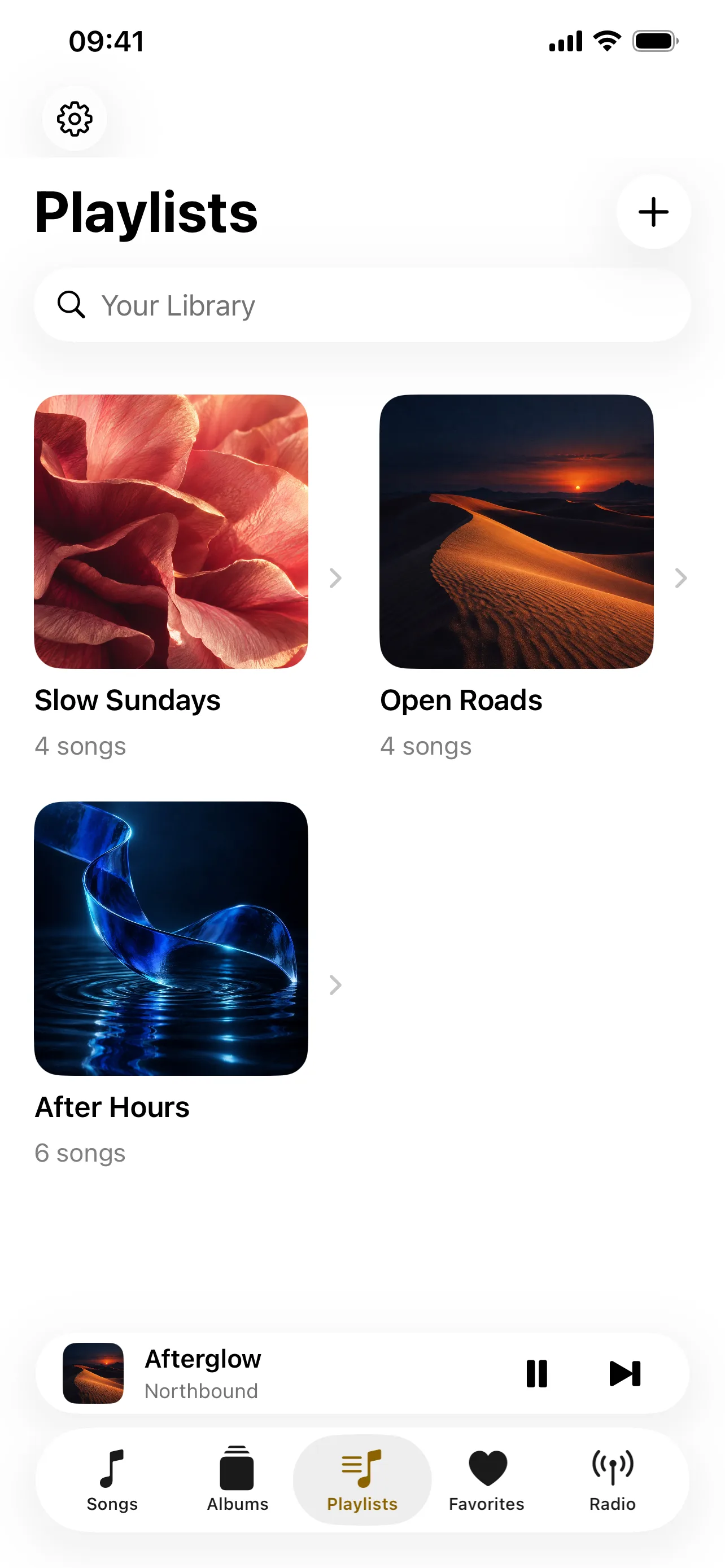 Make every mix your own
 -
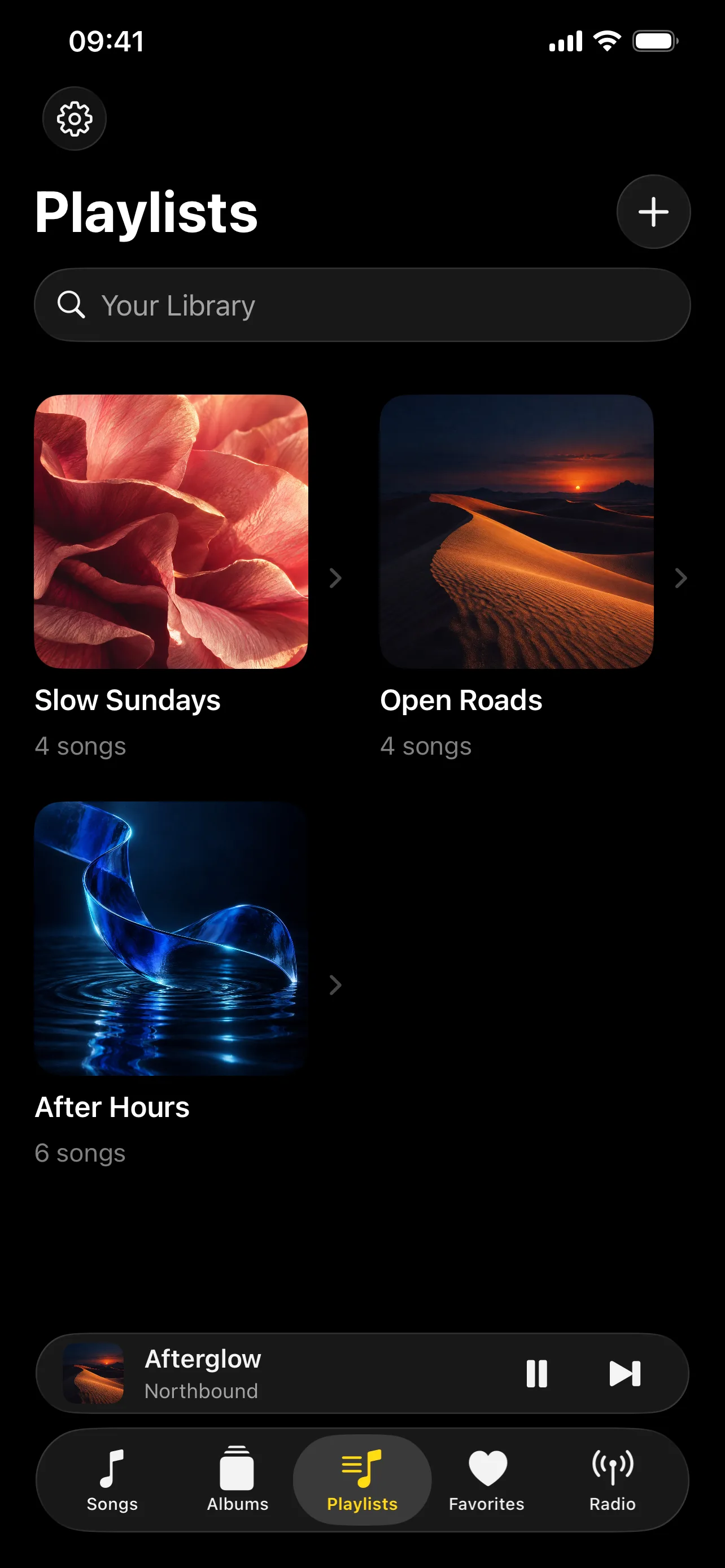 Make every mix your own
 -
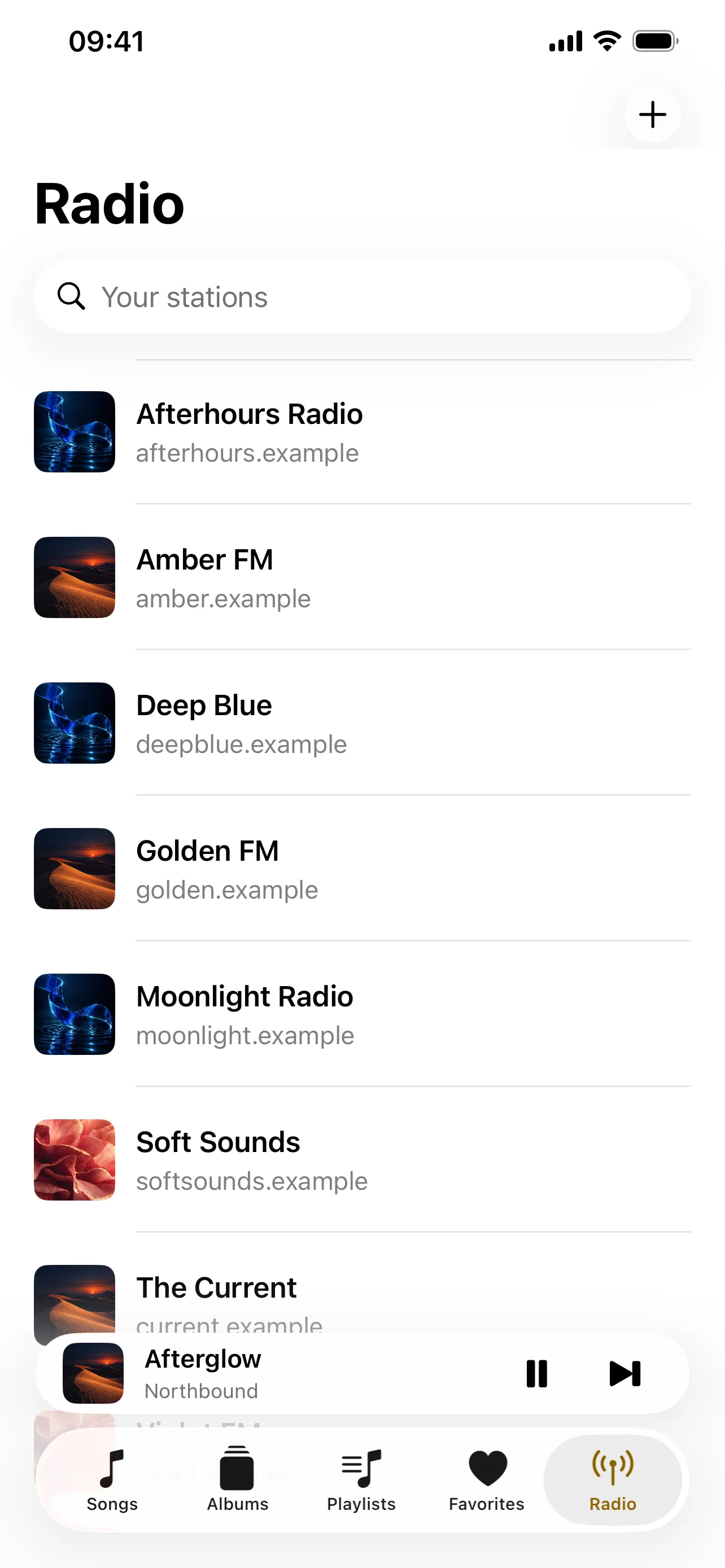 Keep your favorite stations together
 -
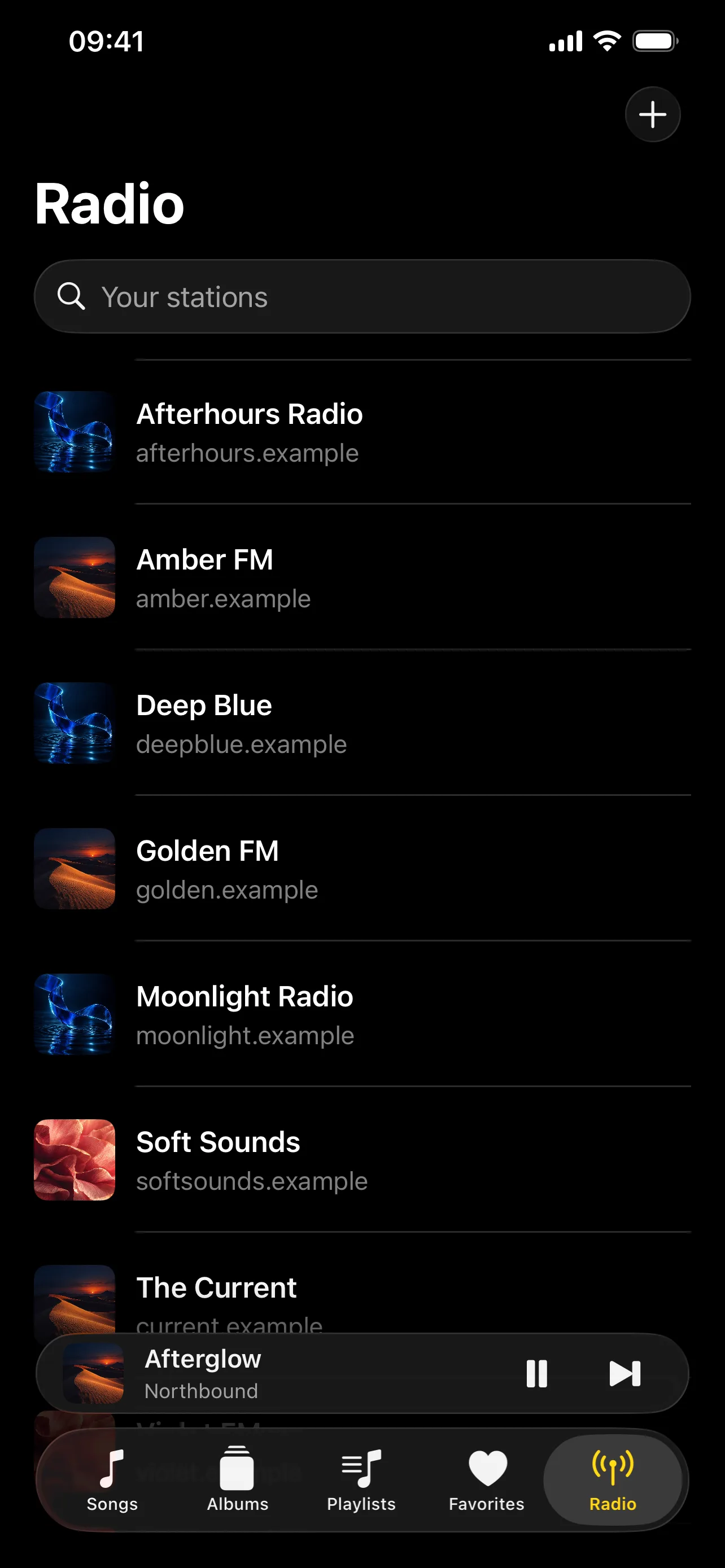 Keep your favorite stations together
 -
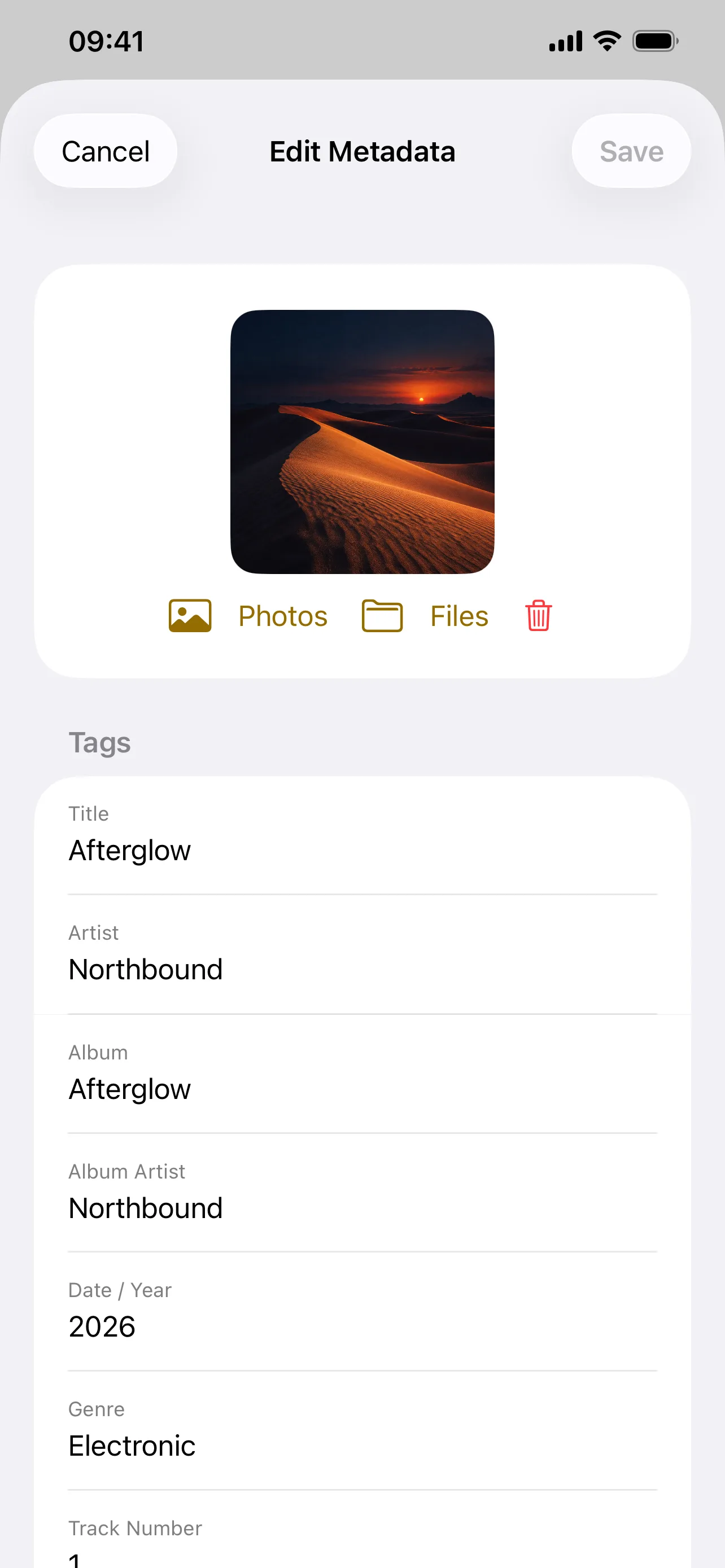 Put the right details in the file
 -
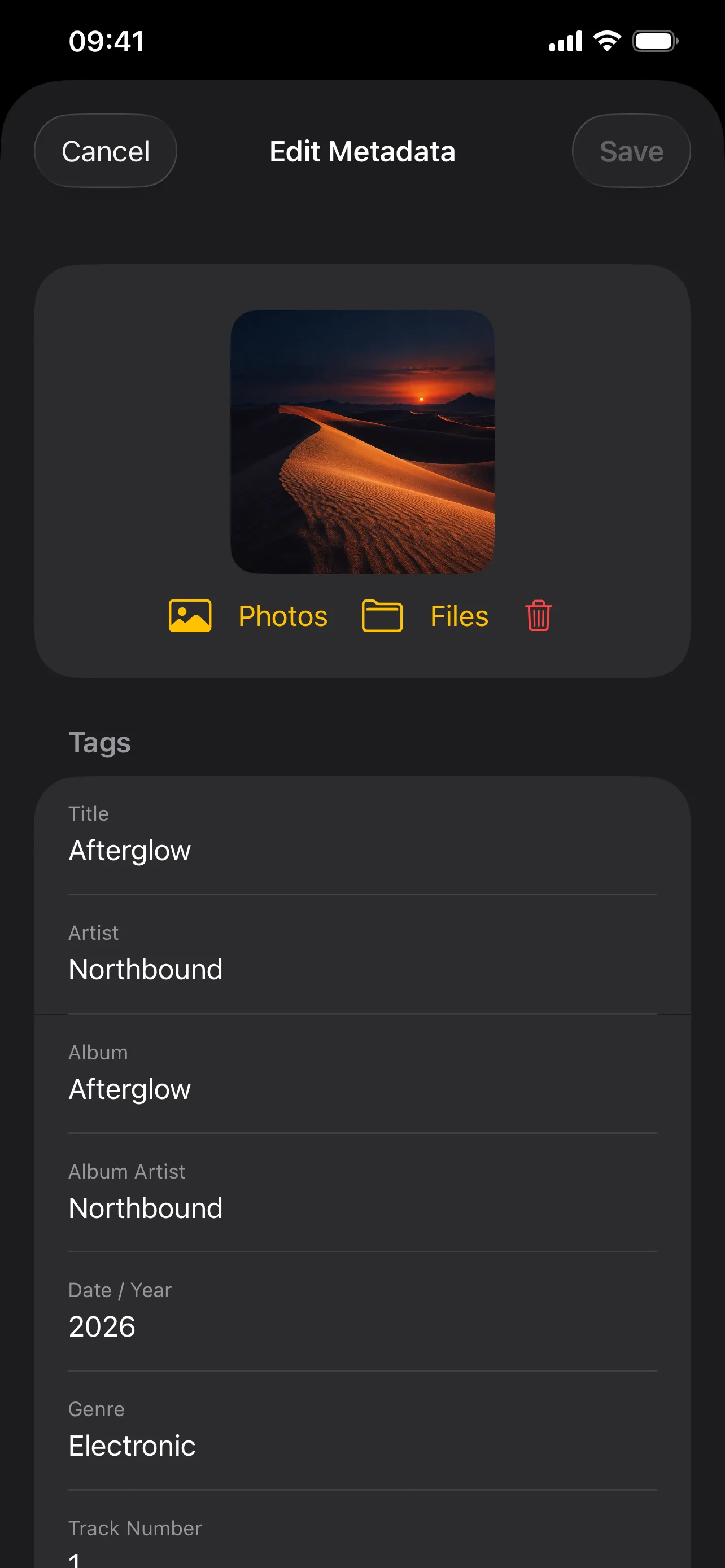 Put the right details in the file
Open any screen to view it full size.
Liner notes
Give your music collection a home on iPhone and iPad. Add songs from Files or scan a folder, then browse your library by song, album, playlist, or favorite. Build mixes with your own cover art, save the radio stations you love, and see the quality of the file you are playing. Fix titles, artists, and artwork directly in writable originals, without re-encoding the audio. A subtle artwork-colored background, synchronized lyrics, and light and dark appearances make the player feel at home with your collection. No account is required, and music available on your device is ready for offline listening.
Credits
WavVv Music Player uses open source code from Petrichor by Kushal Pandya and other open source projects.
- Petrichor by Kushal Pandya · MIT licence
- TagLibSwift by Lody and contributors. Swift access to audio metadata and artwork · MIT licence
- TagLib Audio metadata library · MPL 1.1 licence
- utfcpp UTF-8 support used by TagLib · Boost Software License 1.0
- LRCLIB Lyrics service for optional manual online lookup.
Discography
-
2.2.0 EP
- Use Wavvv in English, German, Polish, Hindi, Simplified Chinese, Spanish, French, or Japanese, including CarPlay, widgets, Shortcuts, accessibility labels, and error messages.
-
2.1.1 Single
2 changes
- Open Now Playing in CarPlay when music or radio starts automatically on connection, including playback that resumes after the car display connects.
- Keep CarPlay shuffle and repeat controls steady when switching songs.
-
2.1.0 EP
3 changes
- Browse Artists in CarPlay, including song artists and album artists. Open an artist's complete albums or All Songs, with Play All and Shuffle for their songs.
- Open Recently Played in CarPlay to revisit your latest listens, using the same history and newest-first order as iPhone and iPad.
- Find Songs, Albums, Artists, and Recently Played in the CarPlay Library tab, alongside dedicated Playlists, Favorites, and Radio tabs.
-
2.0.0 LP
16 changes
- Sync playlists, favorites and listening history between iPhone and iPad through a shared iCloud Drive sync file. Reconnect each device’s music folders while keeping audio and offline copies local.
- Add a configurable Home Screen widget for resuming listening, favorites, playlists or saved stations.
- Resume Listening starts a random accessible song, including offline copies, when there is no previous session. It falls back to a saved radio station if no songs are available.
- Use Shortcuts and Siri app shortcuts to resume listening, play favorites, or choose a saved playlist or radio station.
- Check file availability and keep explicit offline copies inside Wavvv. Manage their storage in Settings; playback can use copies while original files are unavailable.
- Enable Track or Album ReplayGain in Settings to balance tagged music during playback, with peak protection and no changes to original audio files.
- Import M3U playlists with a preview of matched and missing songs, and export playlists as UTF-8 M3U8 files for other players.
- Browse your original folder hierarchy and play, shuffle or queue a folder together with its subfolders.
- Search by several words across titles, artists, albums and filenames. Filter results by category and open artist pages directly from search.
- Create smart playlists that automatically combine favorites, never-played songs, recently added music and songs you have not heard recently.
- Keep the current songs when converting a smart playlist to a regular playlist.
- Select multiple songs to queue, favorite, add to playlists or remove. Edit album tags and artwork across selected original files, with individual save results.
- Play and Shuffle from the top toolbar in albums, artists, folders, playlists and listening collections, keeping more space for your music.
- Confirm before discarding unsaved batch metadata edits, and hear VoiceOver announcements for batch, offline-storage and sync results.
- Open the Songs tab directly and switch between songs, albums, artists, folders and listening collections from its navigation title dropdown.
- Keep unavailable songs in your library and playlists, show their status, and retry or reconnect them. Playback skips inaccessible files without losing favorites or playlist positions.
-
1.0.3 Single
4 changes
- Open Now Playing full screen on iPad, with artwork, song information, and playback controls on the left and lyrics on the right when space allows. Show or hide lyrics with the Lyrics button, and return to the library without stopping playback.
- Switch between the top tab bar and a sidebar on iPadOS 18 and later. The sidebar lists every saved playlist for direct access and includes a New Playlist action; creating, renaming, and deleting playlists updates the list immediately.
- Make iPad lyrics easier to read with larger, bold text and independent scrolling beside the player. Narrow windows retain the single-column player with lyrics available in a sheet.
- Keep each playlist card's context menu separate so editing or deleting a playlist targets the selected card.
-
1.0.2 Single
3 changes
- Enable CarPlay audio support with Apple's approved entitlement. Browse Songs, Albums, Playlists, Favorites, and Radio from the car, with search, cover artwork, and pagination for large libraries.
- Use CarPlay Now Playing for playback, shuffle, repeat, favorites, adding the current song to a playlist, and opening the queue or current album. Play All and Shuffle include the entire selected collection.
- Share the phone's library, stations, and player with CarPlay, including starting the library from CarPlay without opening the phone window.
-
1.0.1 Single
20 changes
- Restore the current song or radio station, playback position, queue, shuffle, and repeat after relaunch. Playback restores paused.
- Edit the play queue: reorder upcoming songs with drag handles, remove individual entries, clear upcoming songs, and save the queue as a playlist.
- Browse artists and their albums and songs, plus Recently Played, Most Played, and Never Played collections. Listening history stays on the device and survives rescans.
- Set a sleep timer for 15, 30, 45, 60, or 90 minutes, or stop at the end of the current song. View, replace, or cancel the active timer from Now Playing.
- Export and restore library backups containing library information, playlists and covers, favorites, listening history, and radio stations. Restore previews and merges entries without duplicating existing items; original audio files must be backed up separately.
- Reconnect restored folders and files while retaining song identities, favorites, listening history, and playlist order.
- Undo the removal of an unavailable song, including its favorite status and playlist positions, from the notice or Settings.
- Automatically reconnect radio streams after failures or prolonged buffering, with connection status in Now Playing and a manual retry when automatic attempts are exhausted.
- Group albums by album artist, falling back to track artist, and play them in disc and track order. Untagged songs use natural filename ordering.
- Prepare the next local audio file before the current song ends to support gapless transitions. Audible continuity still depends on the codec, encoder padding, file availability, and output route.
- Keep the interface responsive during large imports and rescans by moving library matching, reconciliation, metadata processing, and save preparation off the main thread, with throttled progress updates.
- Preserve favorites, listening history, playlist edits, and unavailable-song removals made while a scan is running.
- Improve large-text layouts for song rows, playlist titles, artwork controls, collection playback buttons, and the mini player.
- Expand VoiceOver support with the two-finger double tap for playback, spoken and adjustable playback position, seek actions, queue reordering, and radio and sleep-timer status.
- Add keyboard shortcuts for playback, dismissing player panels, and saving or cancelling playlist and station edits.
- Strengthen Increased Contrast, Reduce Motion, and Reduce Transparency support across playback, library notices, and lyrics.
- Keep library notices and Undo available while VoiceOver or Switch Control is active, announce playlist errors and backup results, and let lyrics open without automatic scrolling.
- Tapping a playlist tile opens one playlist screen; removed the extra disclosure arrow and duplicate navigation.
- Queue drag operations use song identities so a changing queue cannot redirect a move to the wrong row.
- Prevent cancelled scans or failed save preparation from replacing the saved library, and prevent closed file access from being reactivated during app lifecycle changes.
-
1.0.0 LP
36 changes
- Initial release. Native iPhone and iPad app for iOS 17 and later, with no account or sign-in required.
- Add individual audio files, select multiple files, or scan a folder and all its subfolders through Files. Open audio shared with Wavvv from other apps.
- Play music from its original location without copying it into a separate managed library. Support local storage, iCloud Drive, and compatible file providers; offline playback requires files to be available on the device.
- Access Wavvv's Documents folder through Files and Finder file sharing.
- Browse songs and albums, mark favorites, sort the library, and search songs, artists, albums, filenames, playlists, and saved radio stations. Album search results open the complete album.
- Read embedded metadata and cover artwork, with TagLib-based metadata reading and an AVFoundation fallback. Repair supported legacy Polish text-encoding errors in library text without changing source tags.
- Save configured folders and individual files, access bookmarks, metadata, artwork thumbnails, and favorites across launches. Reimporting the same path refreshes its metadata while preserving identity and favorites.
- Manage sources in Settings: rescan one or all sources, inspect song counts and scan issues, reconnect moved folders or files, and remove a source from future scans.
- Reconcile deleted songs after complete folder scans while retaining entries from unavailable or incomplete scans. Report unsupported or broken audio without discarding valid imports.
- Locate moved songs from their saved folder or nearest available parent. Report unavailable files and remove stale entries from the library, playlists, and queue when playback cannot open them.
- Remove songs from the library without deleting their original audio files.
- Play supported MP3, M4A/AAC/ALAC, WAV, AIFF, and FLAC files, including lossless audio where supported by iOS and the file's codec.
- Play, pause, seek, skip tracks, shuffle, repeat one song or the queue, and play or shuffle a collection.
- View the play queue and add songs with Play Next or Play Last.
- Keep playback controls available while browsing with a mini player and an expandable Now Playing screen that can be minimized or swiped down without stopping playback.
- Display cover artwork, an artwork-colored background, song details, a selectable filename, and animated playback indicators.
- Show file-quality badges for format, sample rate, channels, lossy bitrate, and lossless bit depth when available.
- Listen in the background, use lock-screen and Control Center playback controls, adjust system volume, and select an AirPlay output.
- Handle audio interruptions and headphone disconnection.
- Create, rename, and delete playlists; select songs, reorder or remove them, and play or shuffle each playlist.
- Choose custom playlist covers from Photos or Files, or use artwork from the playlist's songs. Save covers for offline use.
- Add songs to playlists from song menus and Now Playing. Preserve playlist membership, song order, artwork, and favorites across launches.
- Save stations with a name, stream URL, and optional custom cover from Photos or Files; edit, delete, and browse stations in name order.
- Support HLS streams, direct MP3/AAC streams, and M3U/PLS station links over HTTP or HTTPS.
- Play radio through the shared player, background audio, AirPlay, and lock-screen controls, with a live indicator, station navigation, and changing track information when supplied by the stream.
- Store station details and artwork locally. Radio playback requires a network connection.
- Edit title, artist, album, album artist, date, genre, track and disc numbers, composer, comments, additional tags, and embedded artwork.
- Write supported MP3, FLAC, and M4A metadata changes to the original file without re-encoding audio, preserving format-specific tags, favorites, and playlist membership.
- Coordinate file access, verify edits before atomic replacement, and report read-only, unavailable, unsupported, or externally changed originals.
- Refresh saved library metadata when opening the editor or playing older entries, including missing audio-quality information.
- Read neighboring LRC, SRT, and TXT lyric files and supported embedded lyrics, including timestamped lyrics inside audio tags. Neighboring files require access to the containing folder.
- Display synchronized lyrics with the current line highlighted, tap a line to seek, scroll manually, and use Follow Song to resume following playback.
- Support plain lyrics, UTF-8 and UTF-16 lyric files, local reloads, and an offline lyrics cache. Load the next song's lyrics when playback changes.
- Adapt to light and dark appearance with artwork-colored collection backgrounds, native navigation and controls, and Liquid Glass where supported.
- Support Dynamic Type, VoiceOver labels, Reduce Motion, and Reduce Transparency, including accessible playback controls and lyrics.
- Provide the Wavvv music-note icon in default, dark, and system-tinted appearances.
https://prawel.pl/projects/wavvv/