 prawel.pl
GET/projects/visual-rest-clientHTTP/1.1
200 OK Content-Type: vscode-extension X-Version: 1.4.0 License: MIT X-Platforms: VS Code, iPhone, iPad
Visual REST Client
A graphical editor and secure, cookie-aware HTTP client for .rest and .http files, built directly into VS Code.

GET/featuresHTTP/1.1
200 OKContent-Type: text/x-rest
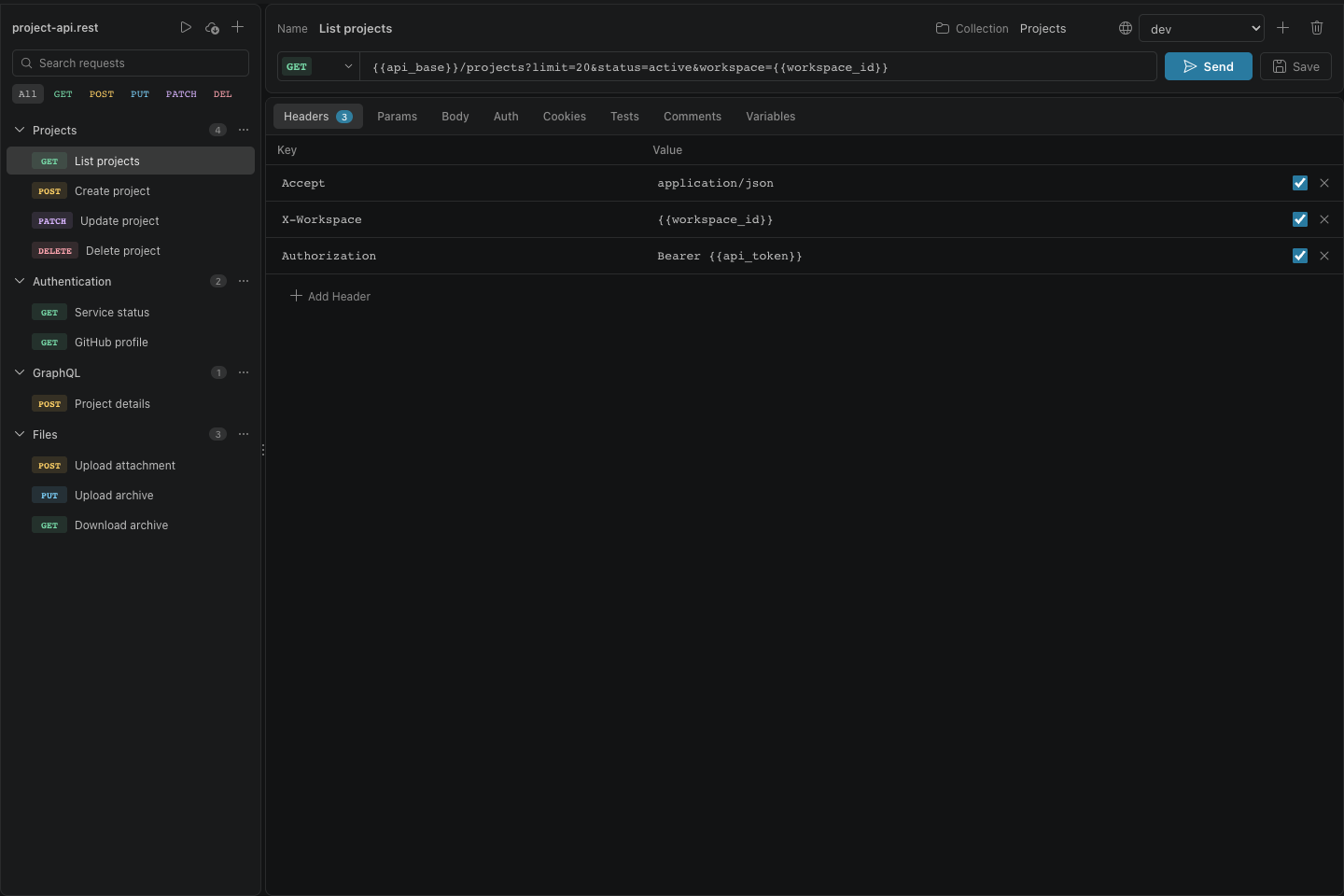
Your .rest files, with a real editor on top
| Key | Value | Included |
|---|---|---|
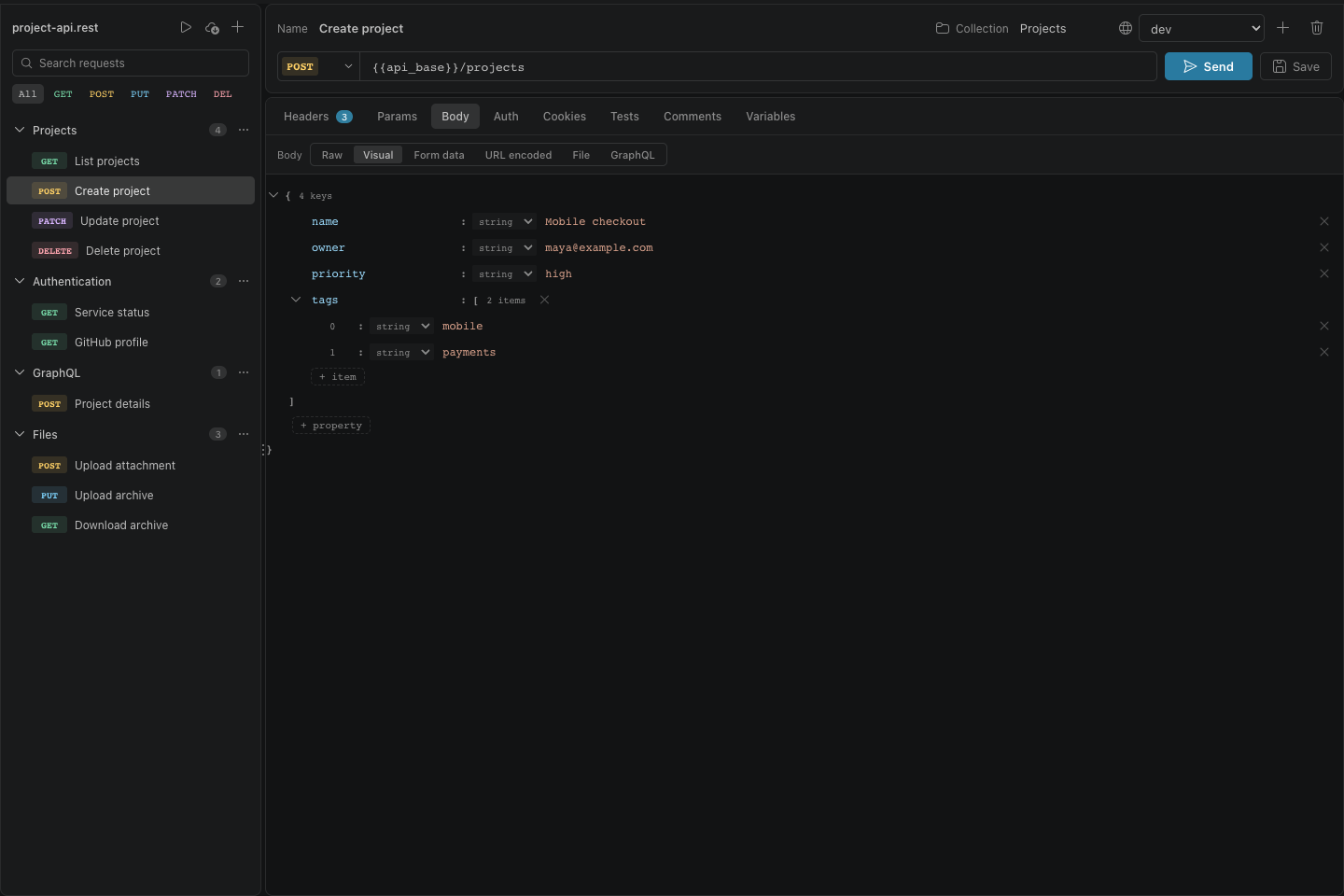
| Visual editing for .rest and .http requests while preserving the source format | ||
| Searchable request sidebar with collections, filters, reordering, and duplication | ||
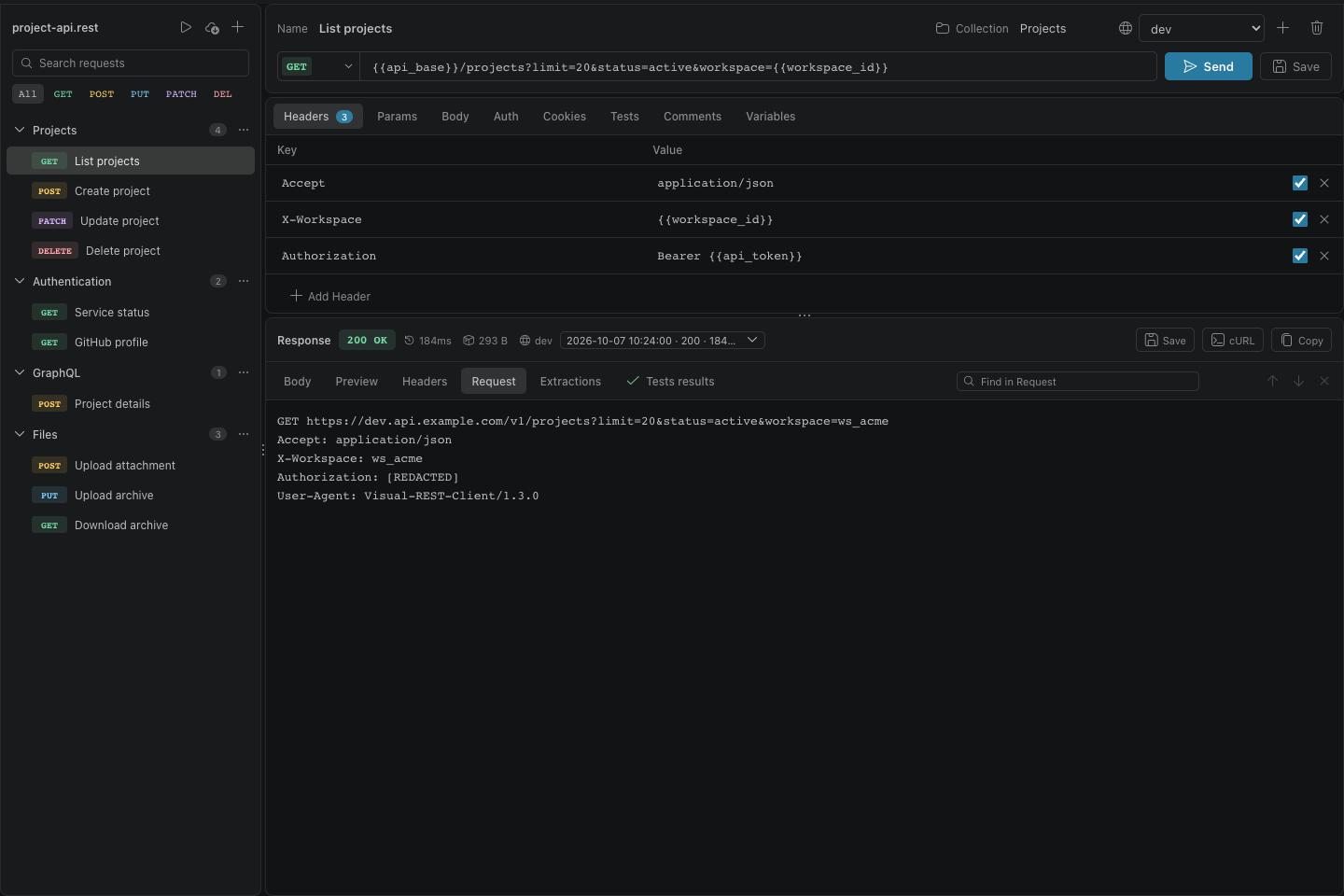
| Built-in sender with automatic cookie reuse, cancellation, redirects, compression, and response limits | ||
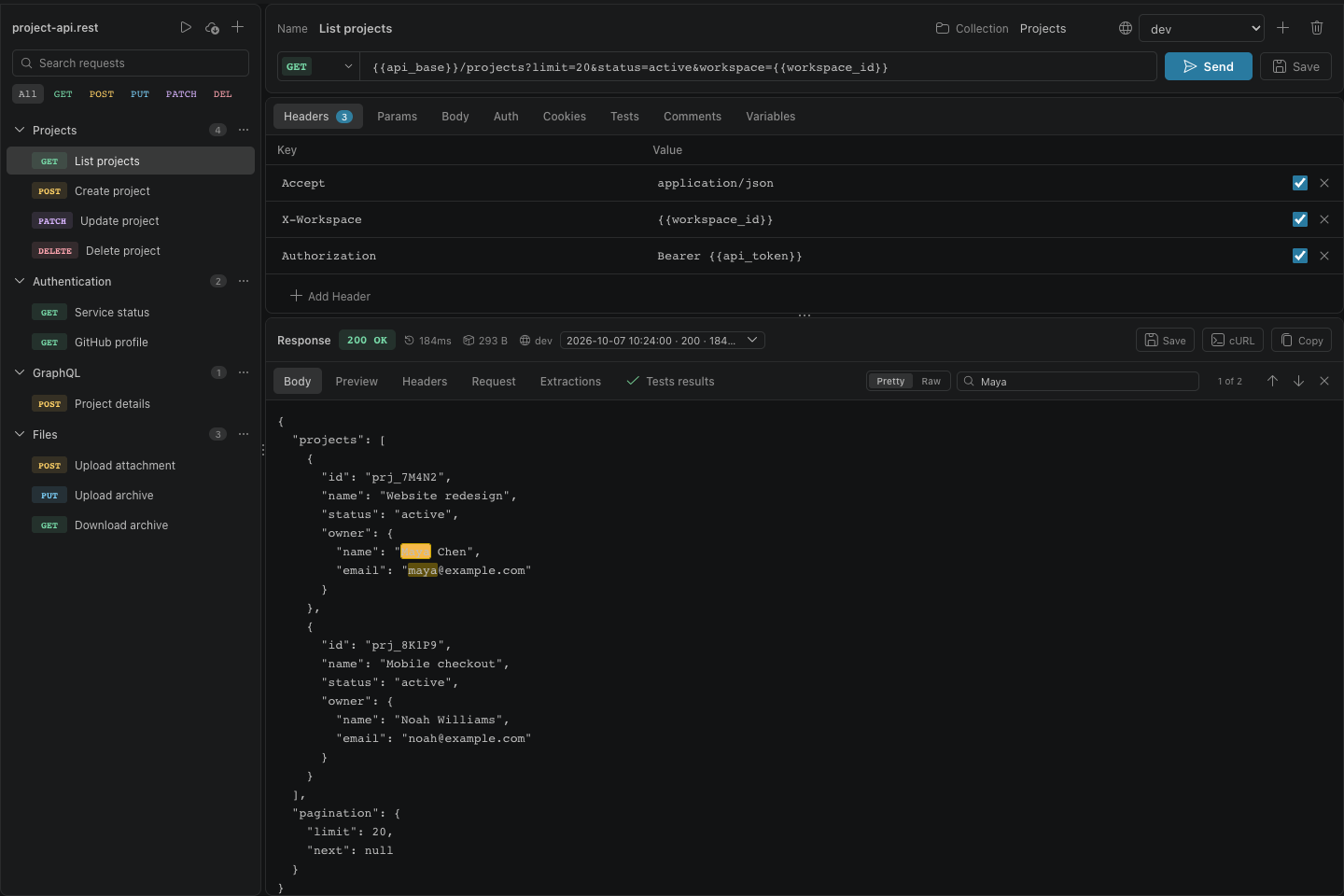
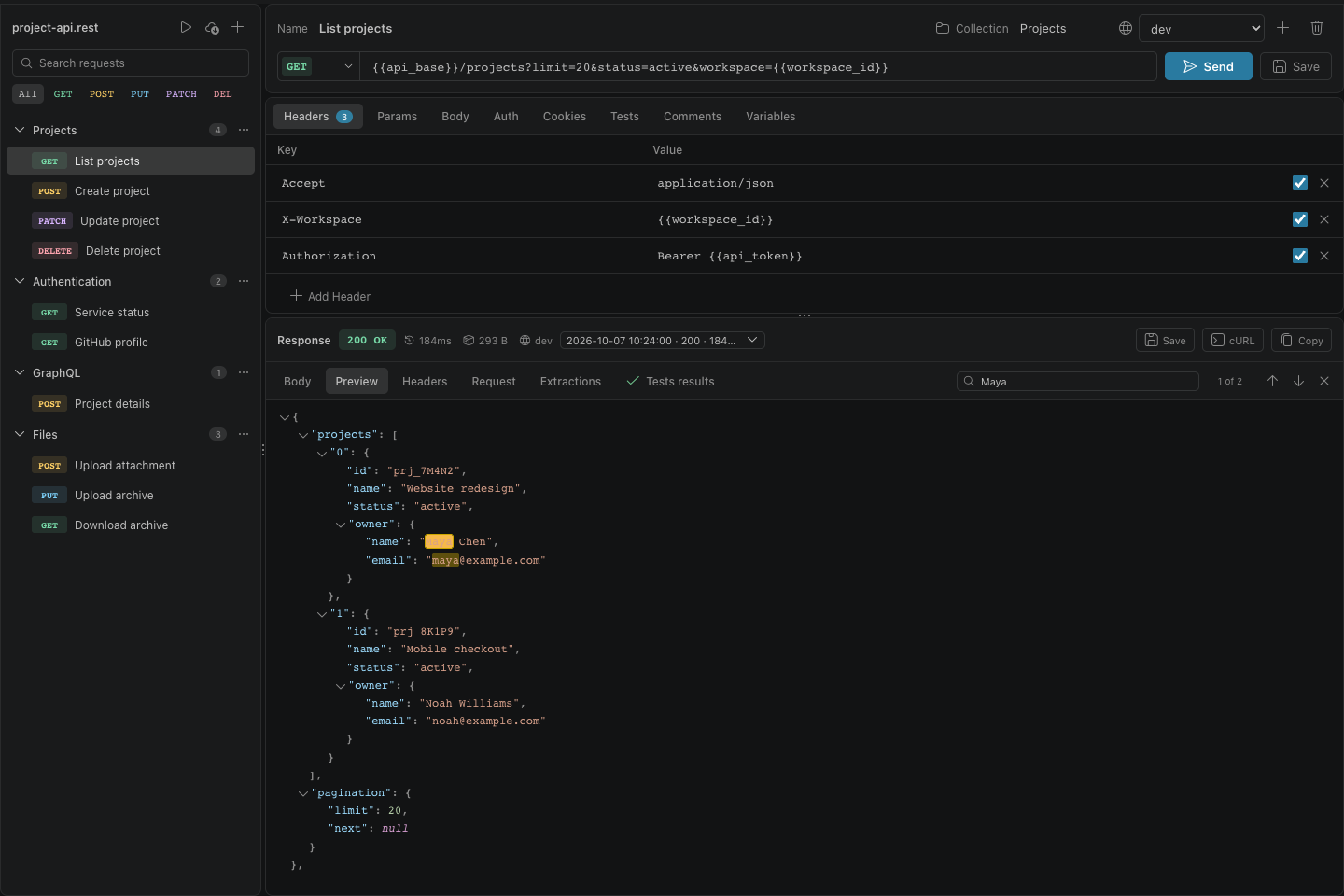
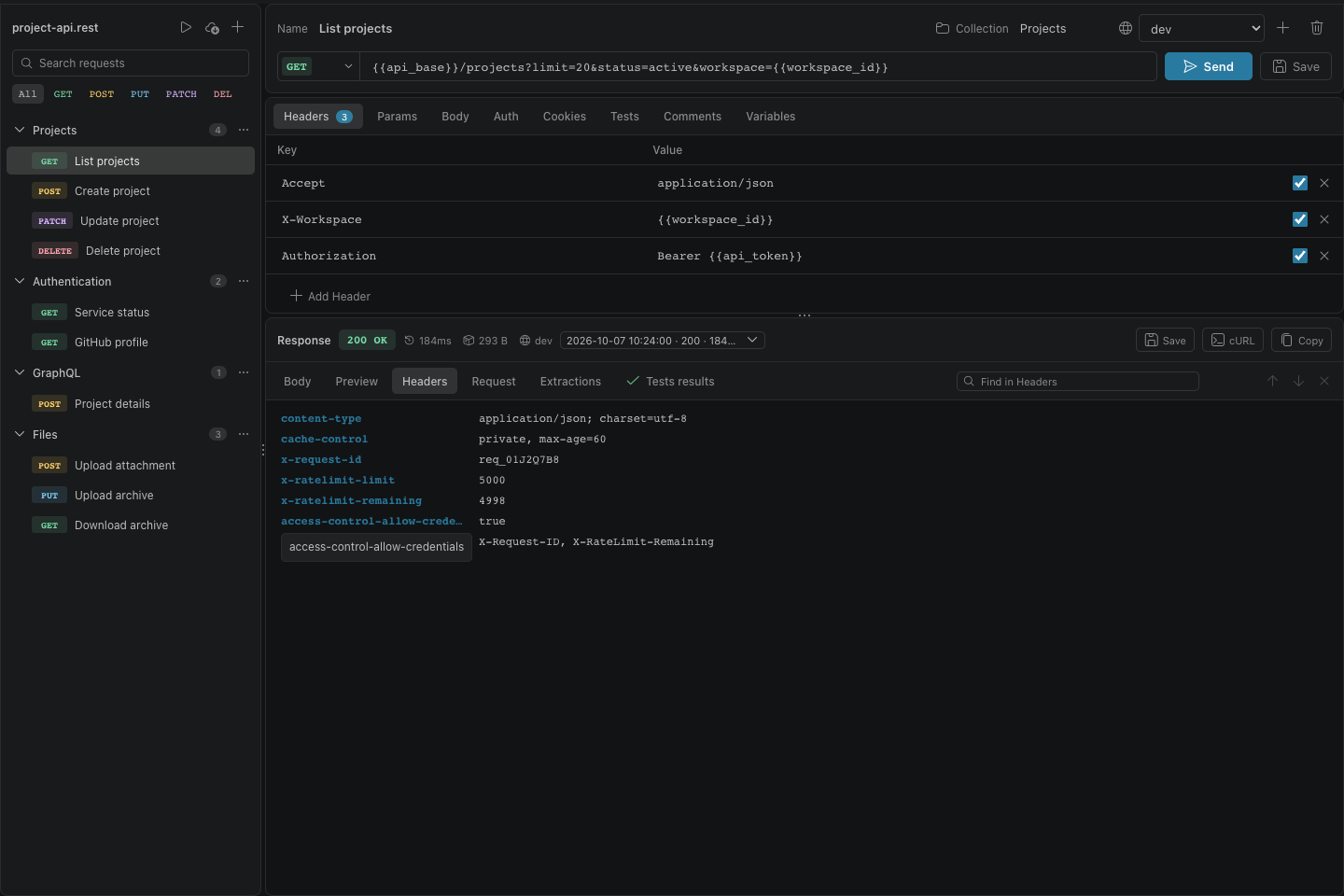
| Formatted body, JSON tree, headers, sent-request preview, and response history | ||
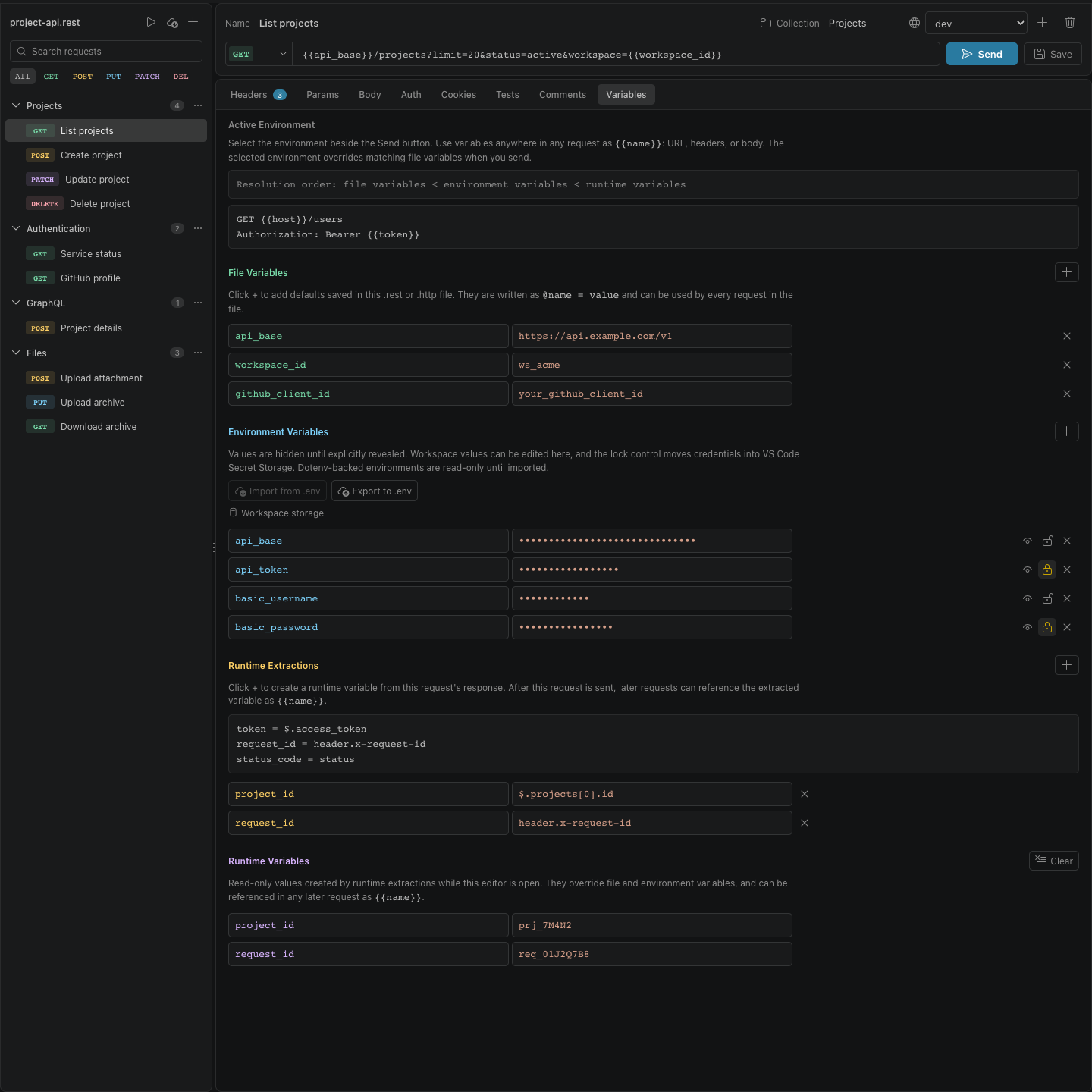
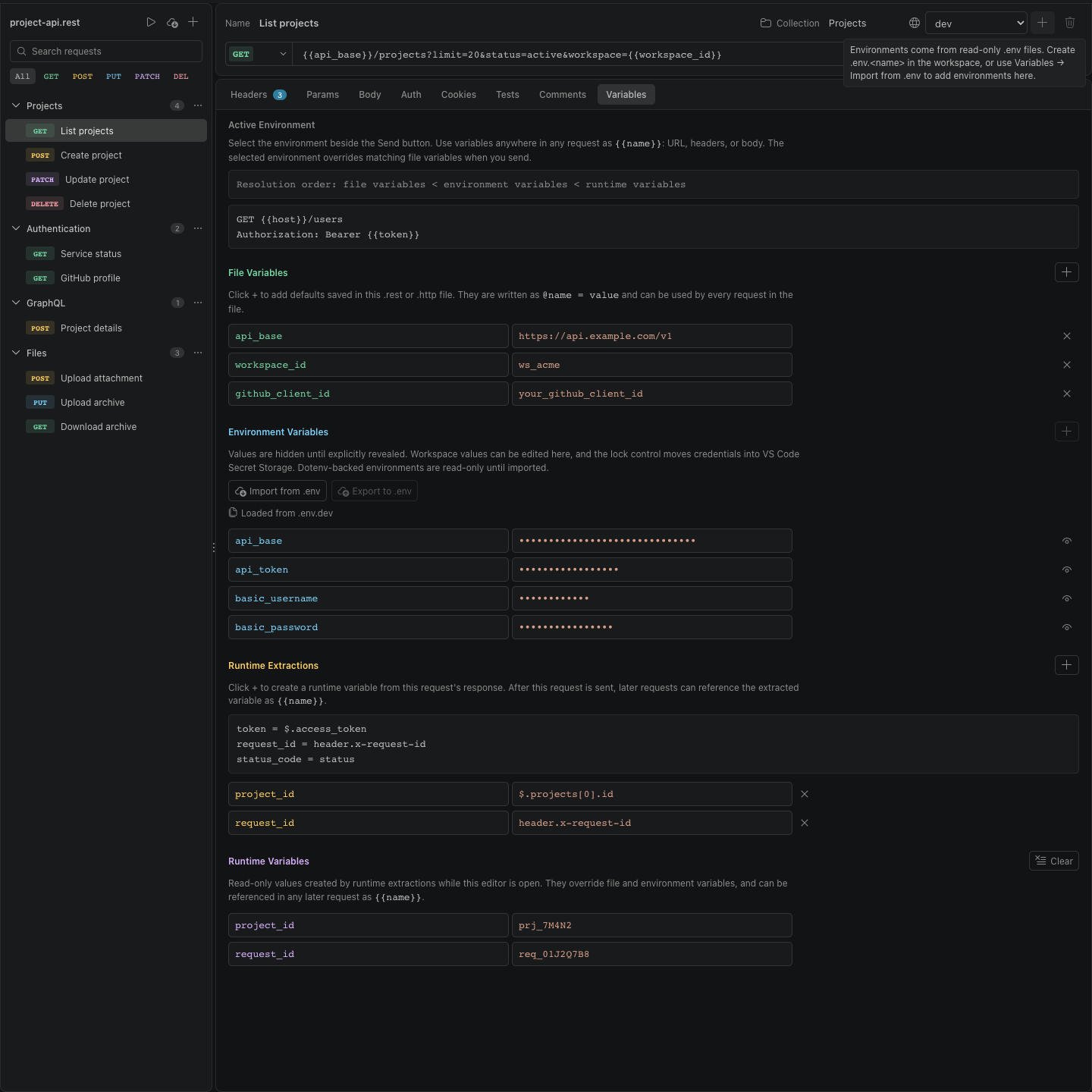
| File, environment, secret, and runtime variables with response extraction rules | ||
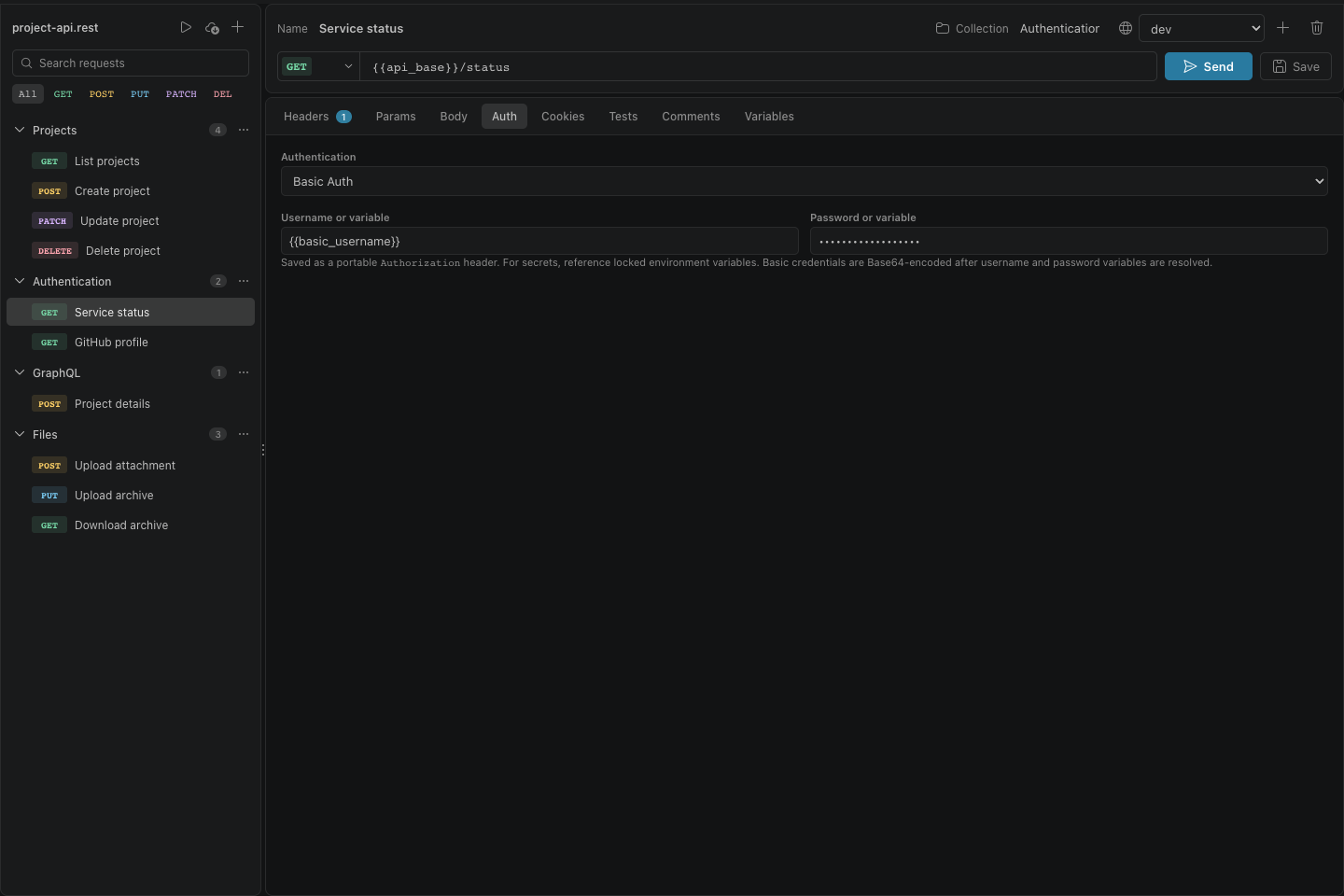
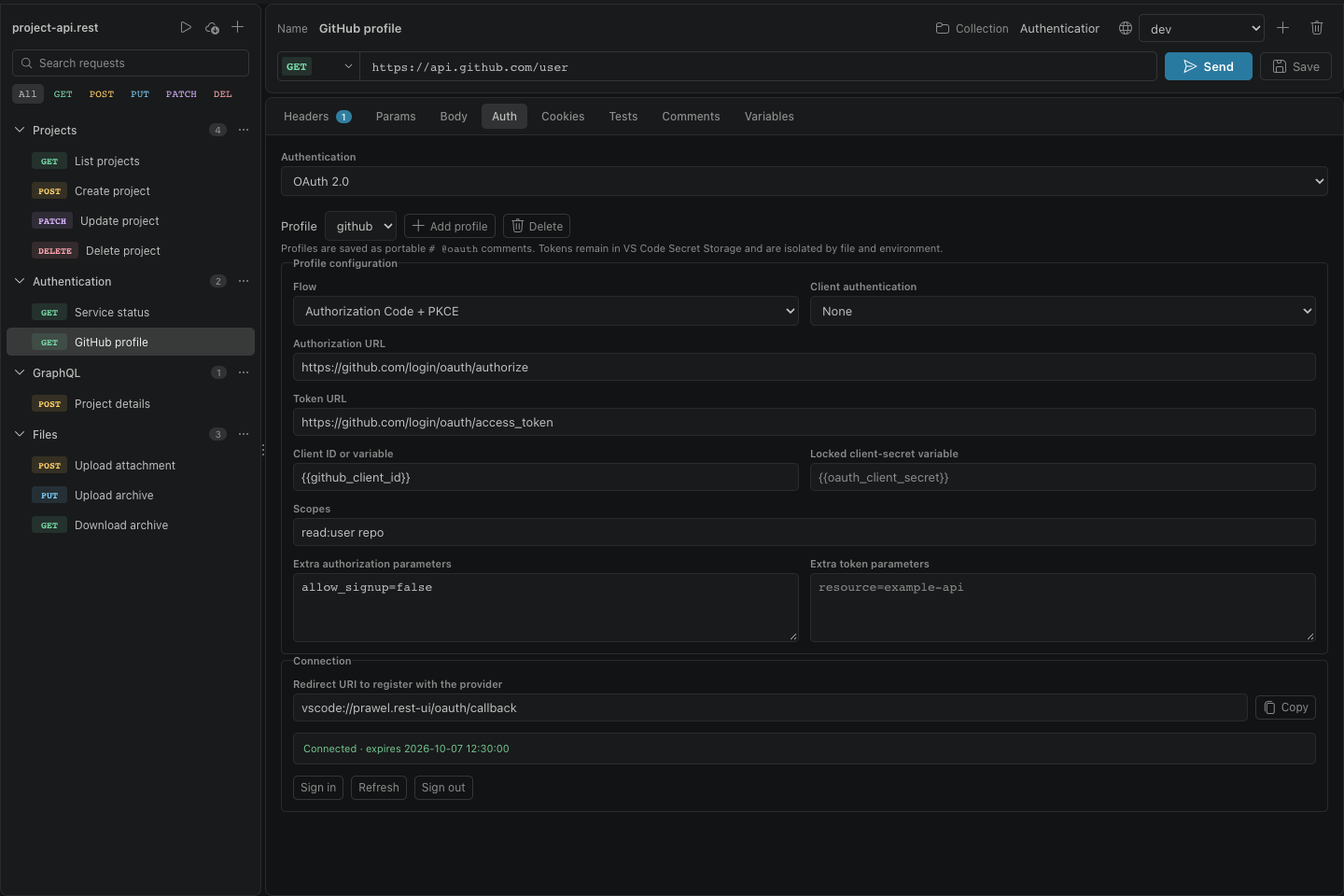
| Bearer, split-variable Basic Auth, and reusable OAuth 2.0 profiles with PKCE | ||
| Postman Collection v2.0/v2.1 and Hoppscotch import with automatic format detection, unsupported-feature reports, and resolved cURL export | ||
| Workspace-isolated secret storage and confirmations for production environments |
GET/guidesHTTP/1.1
200 OKContent-Type: text/html
GET/screenshotsHTTP/1.1
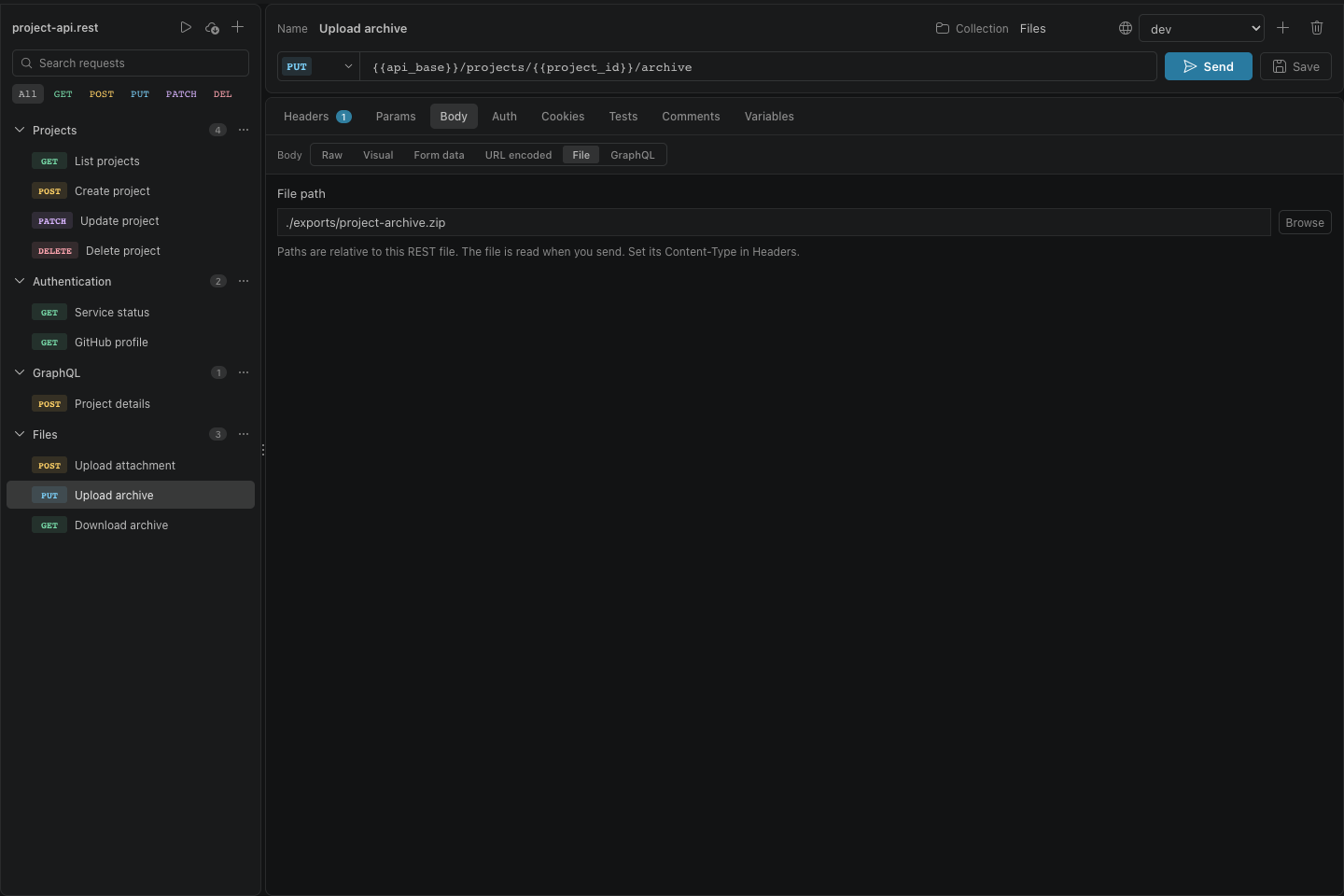
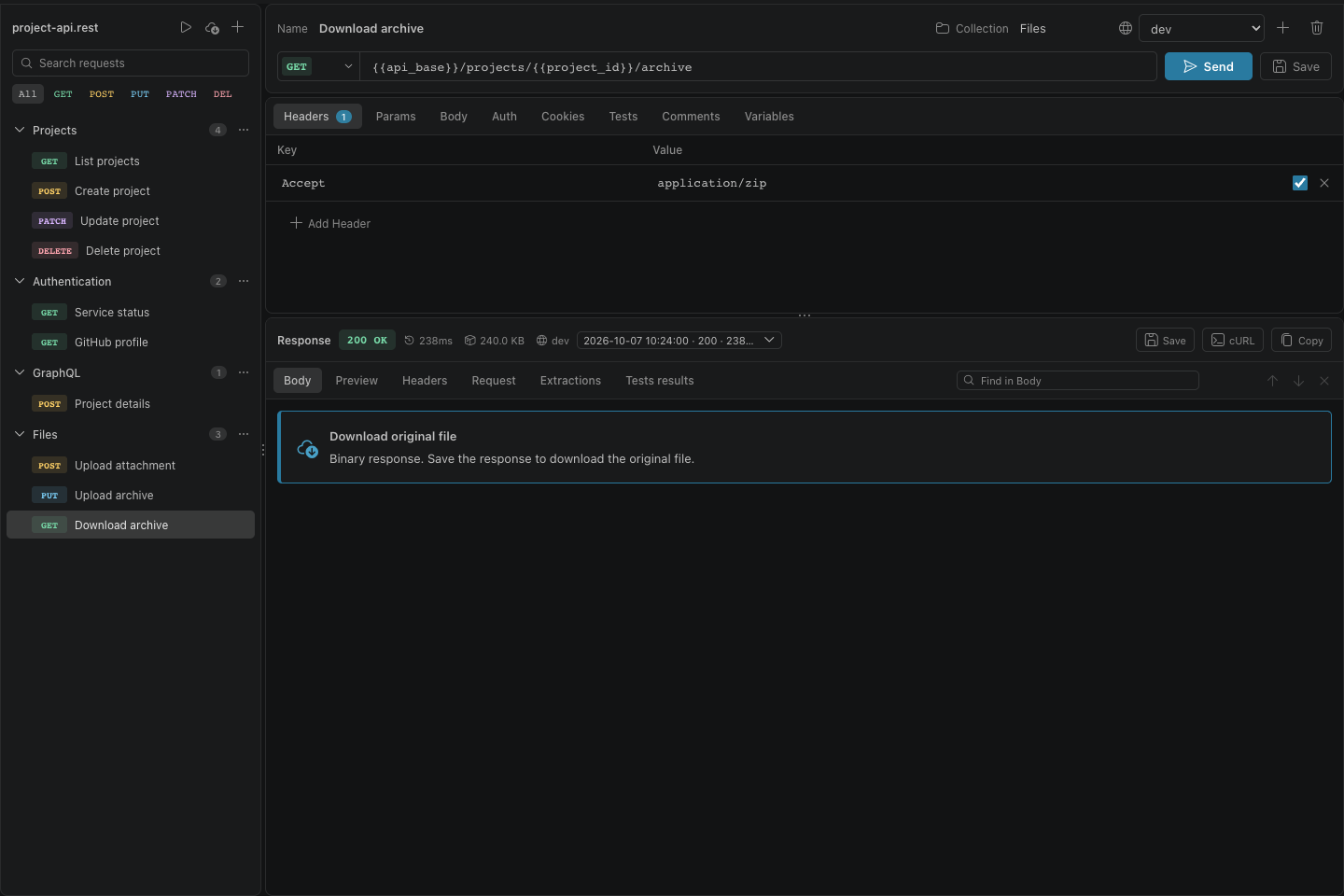
200 OKContent-Type: image/webpX-Count: 23
Screenshots
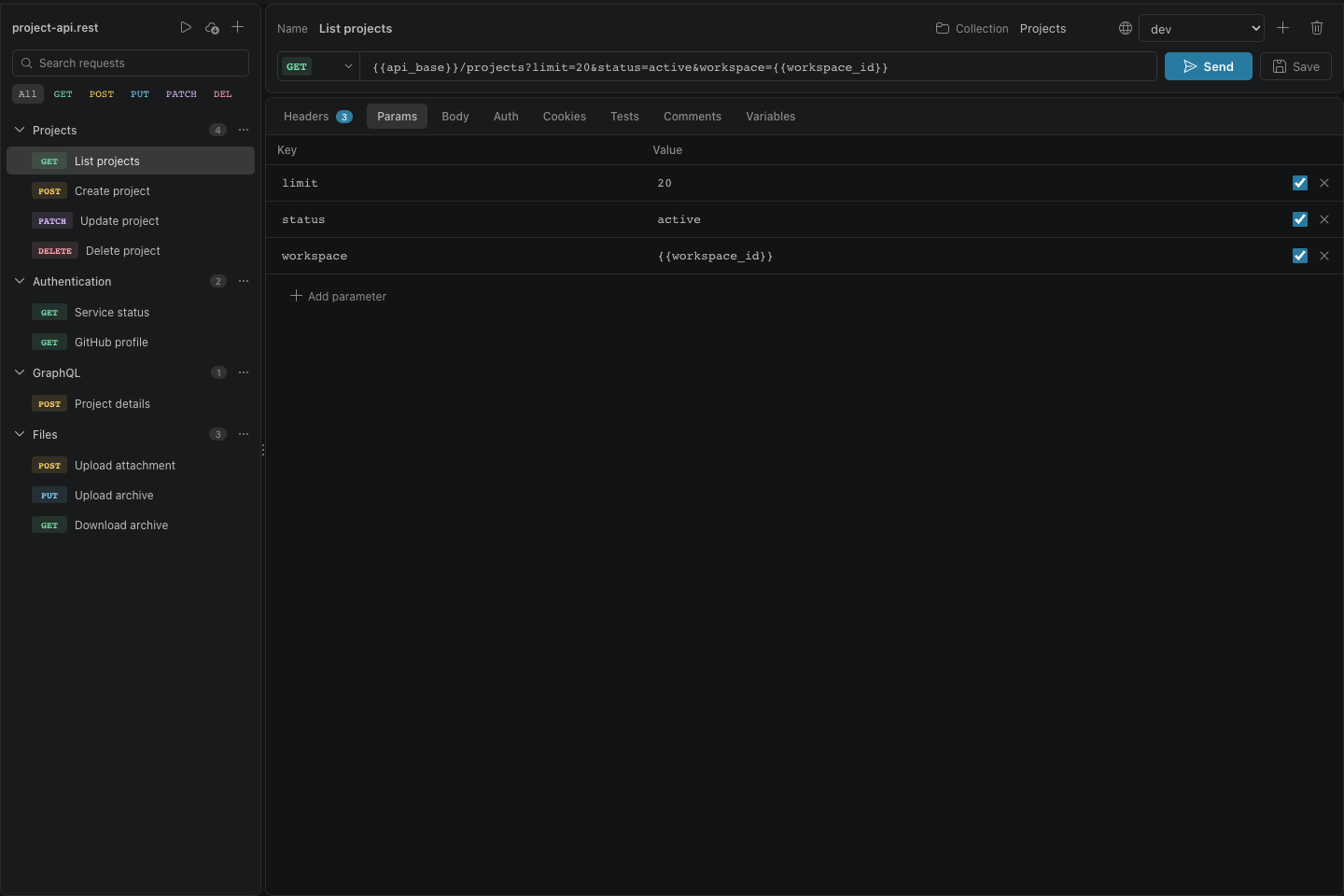
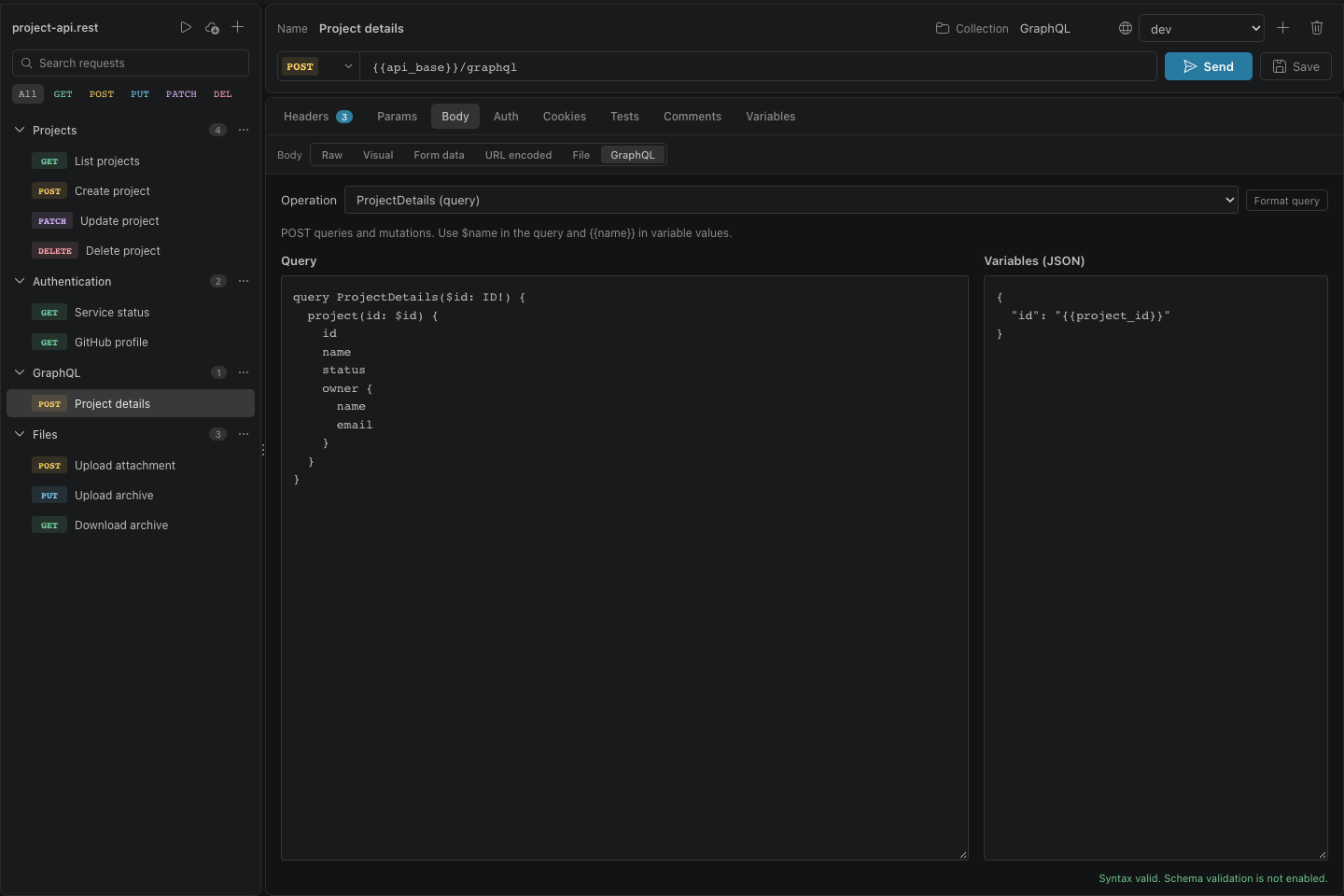
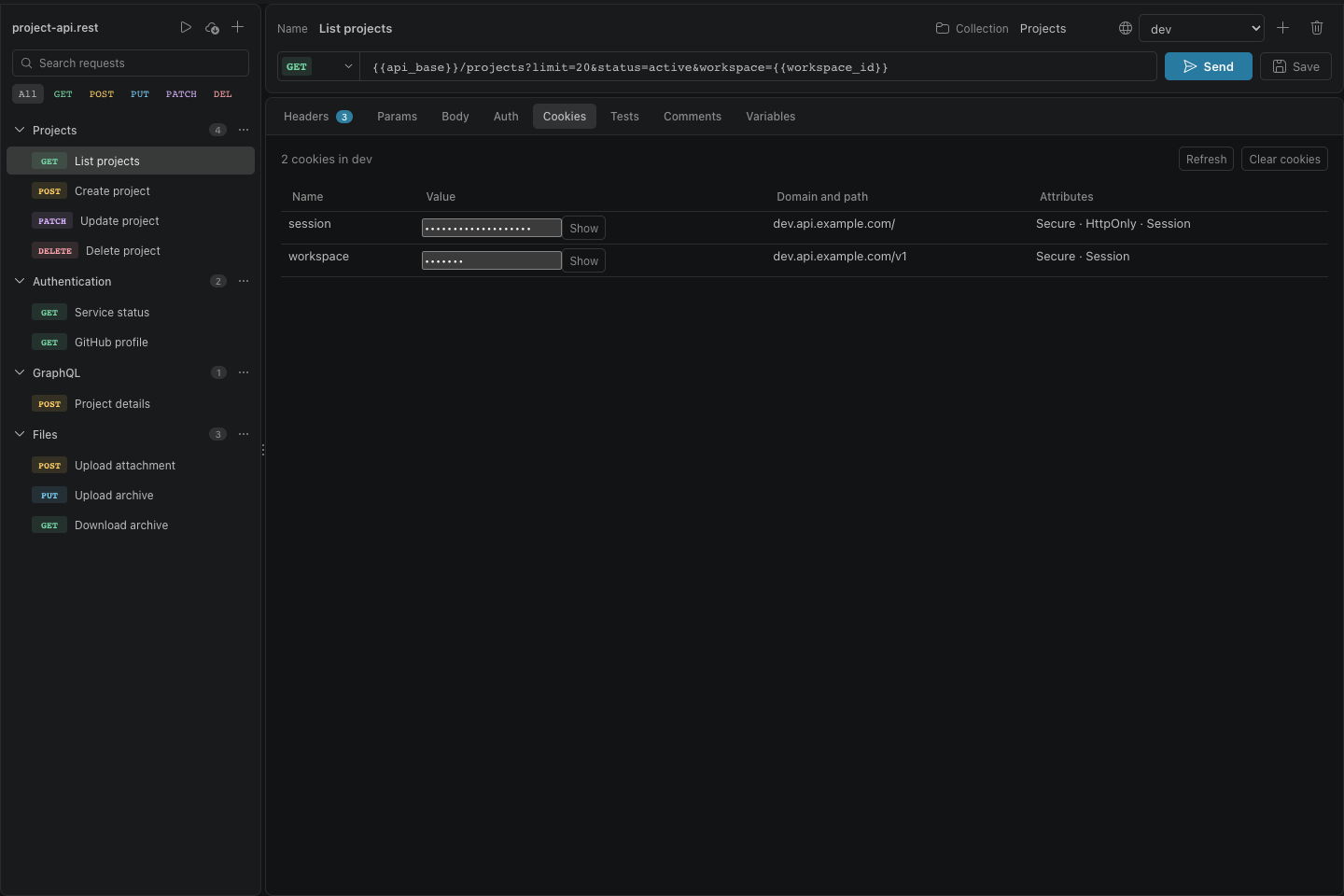
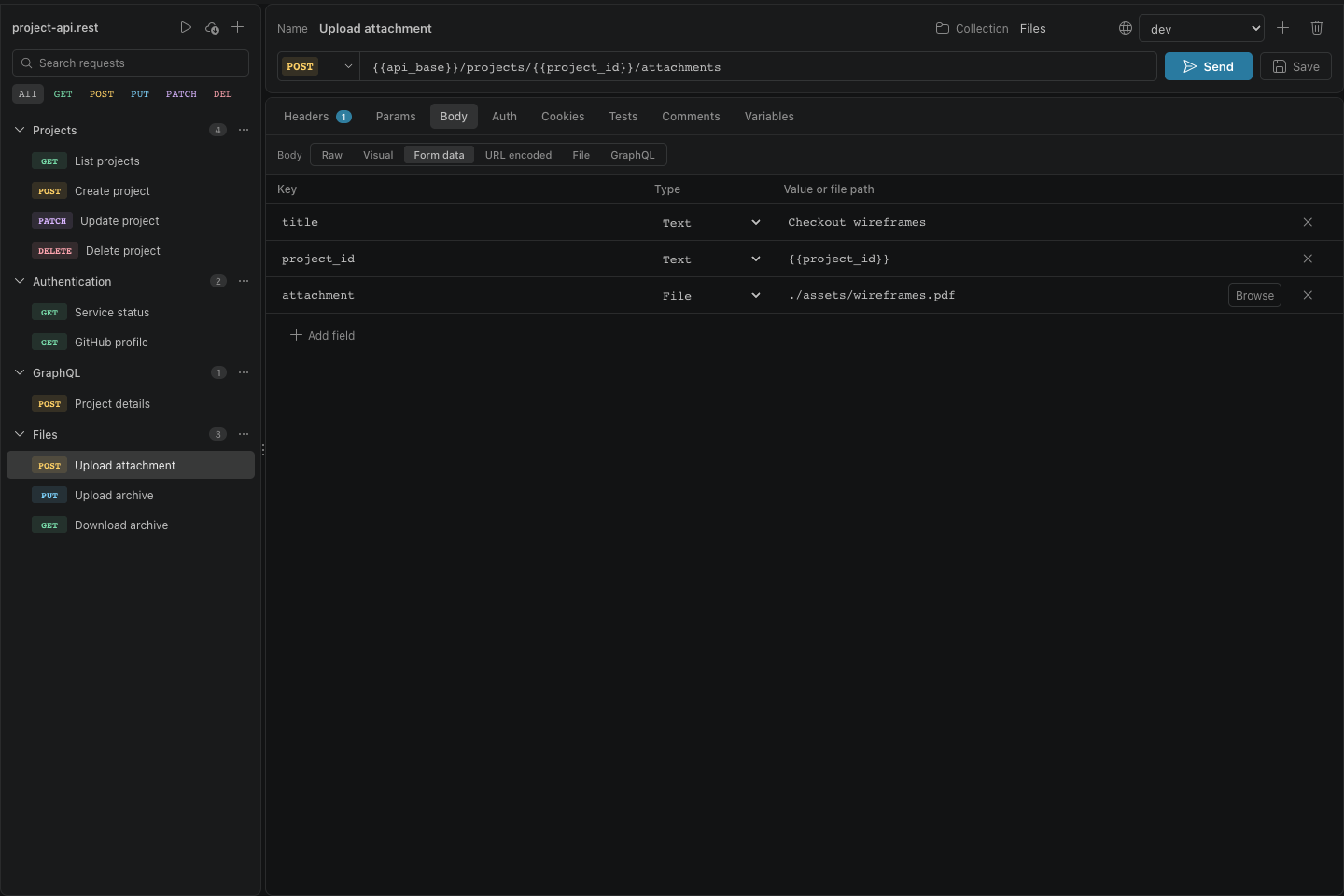
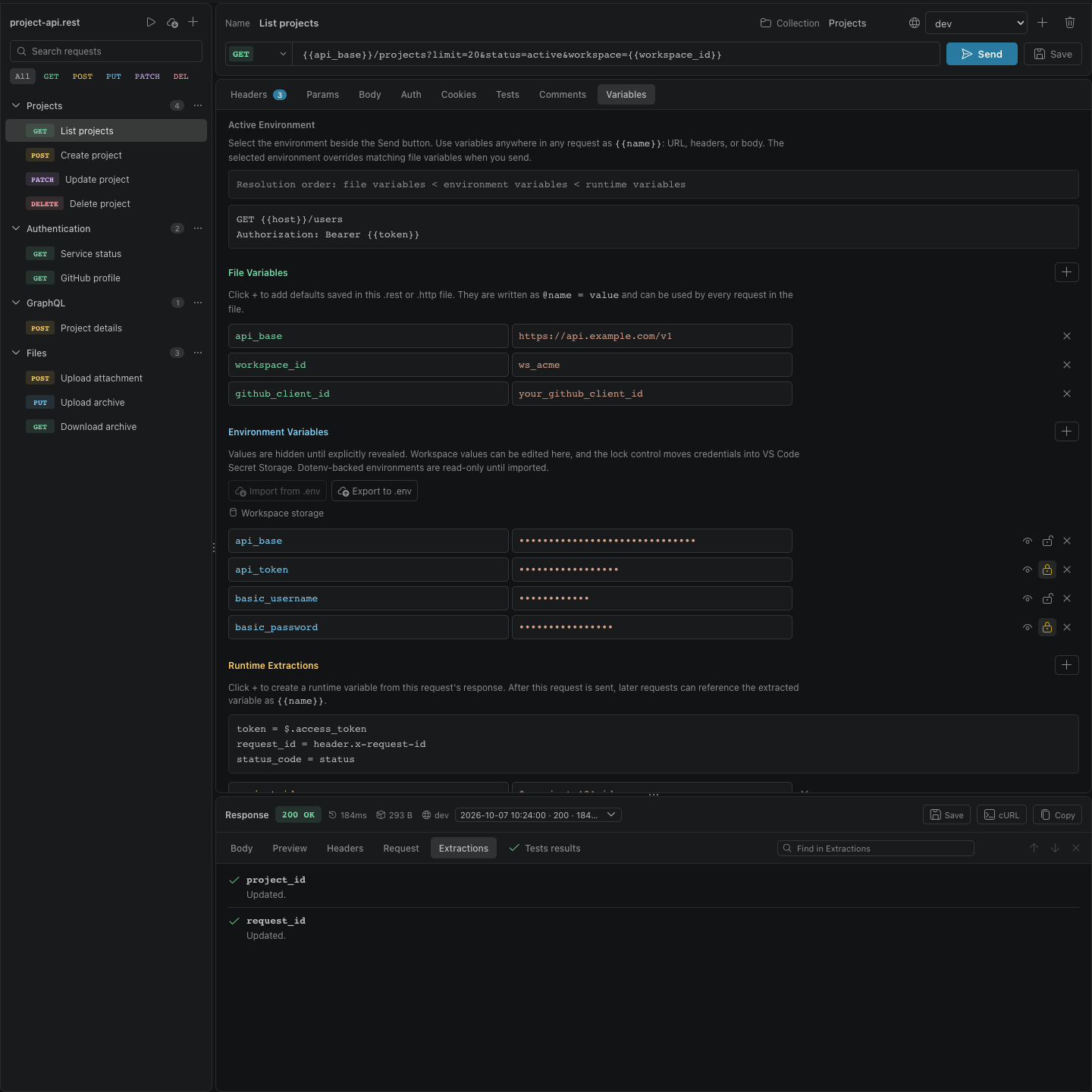
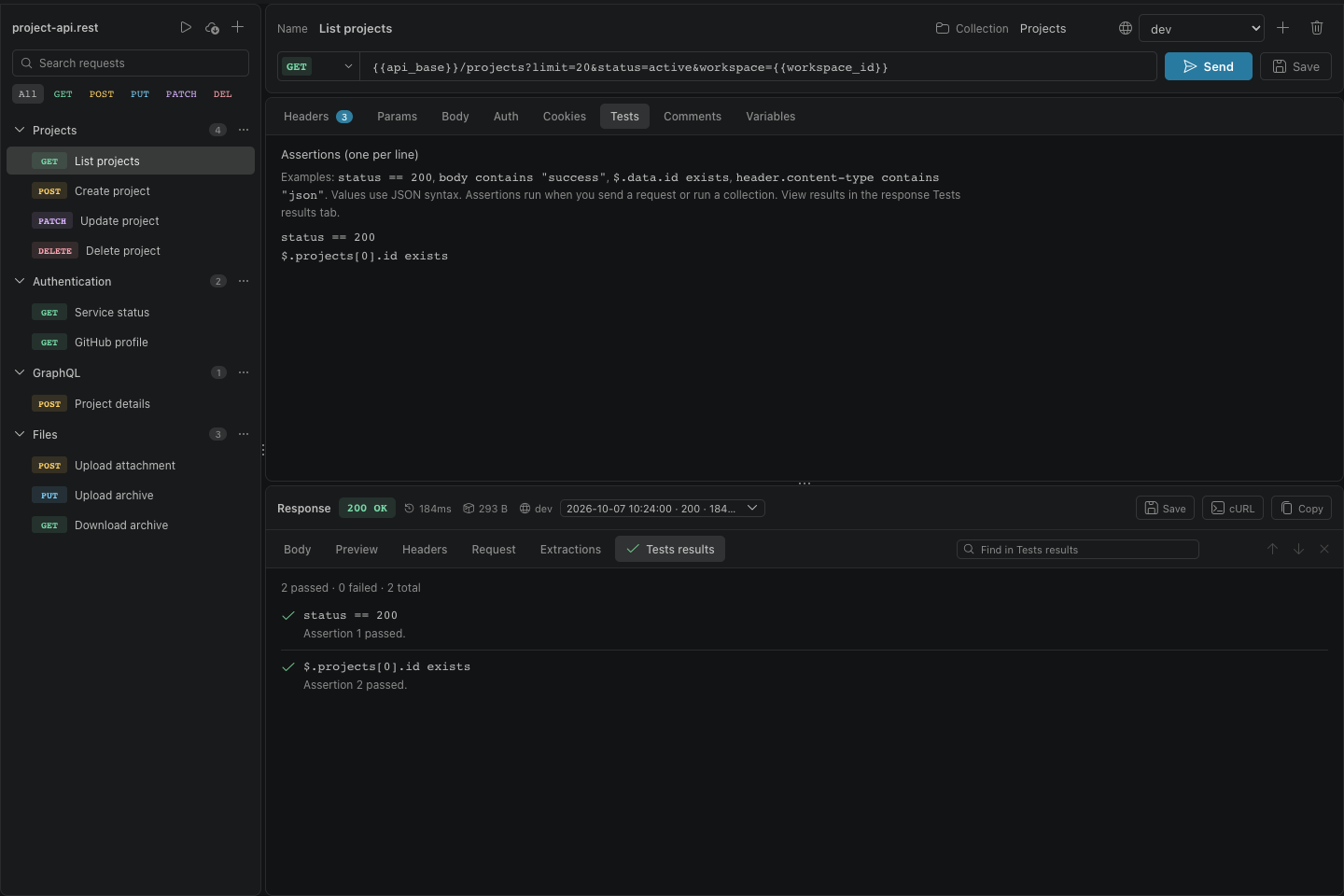
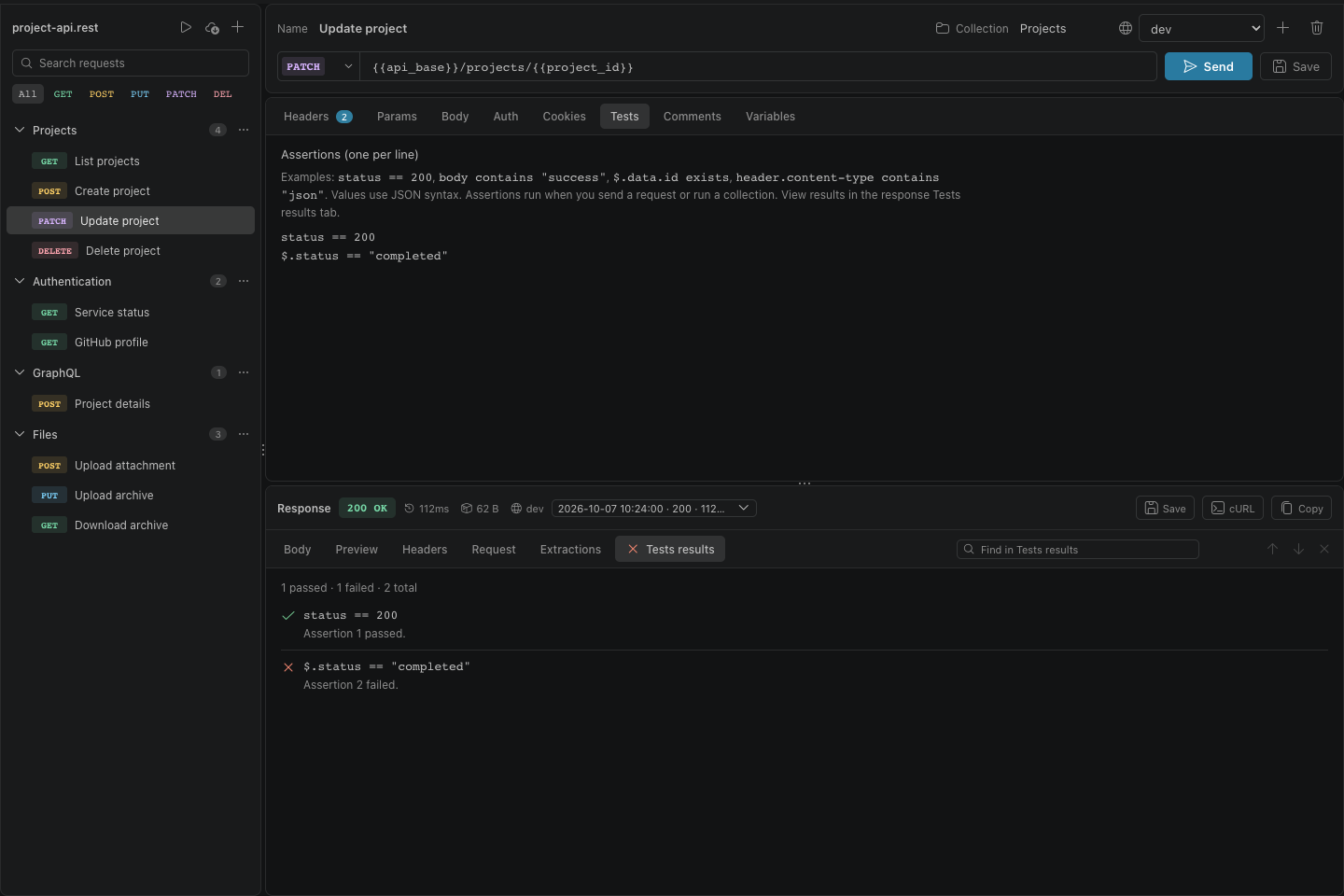
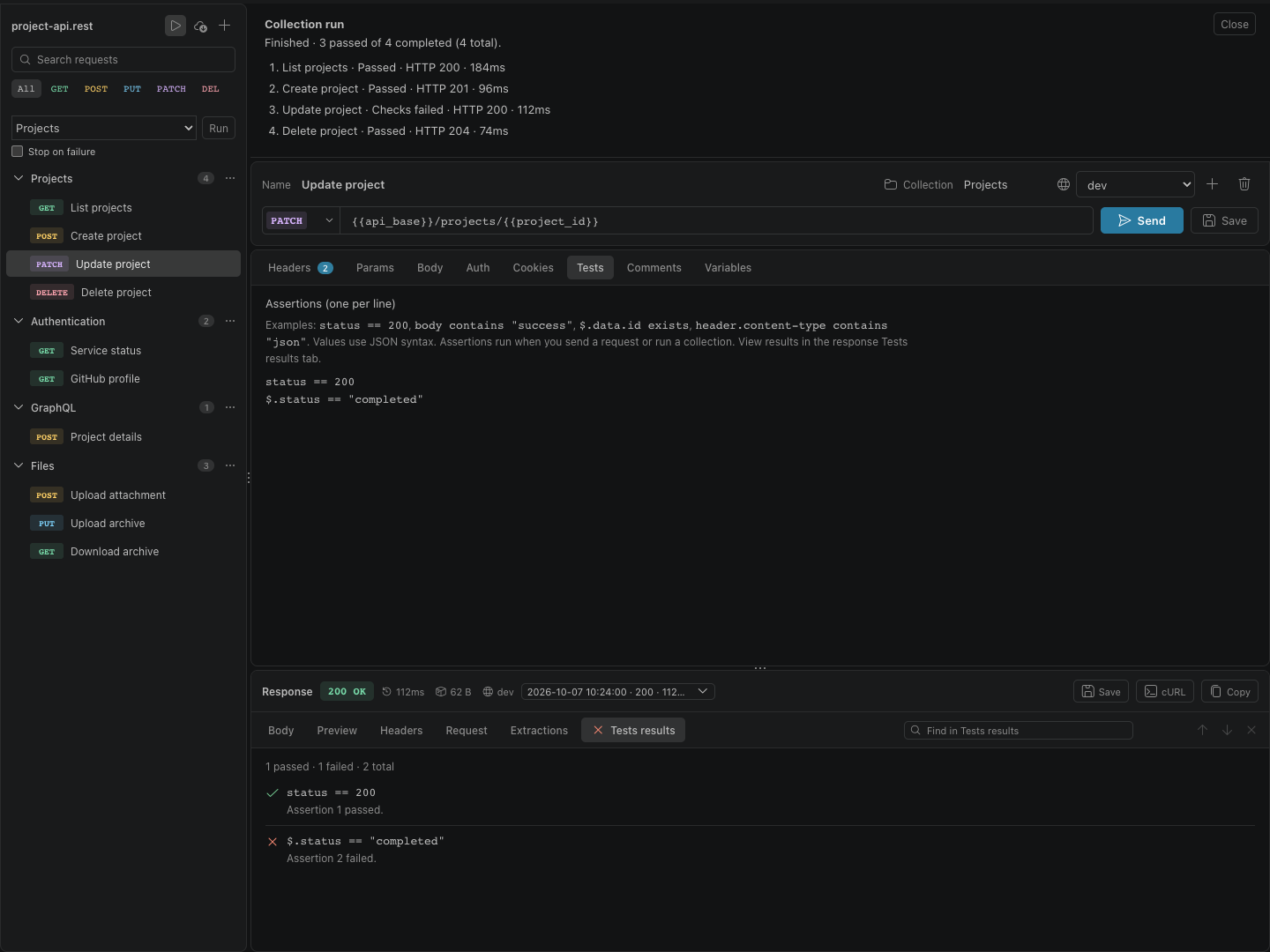
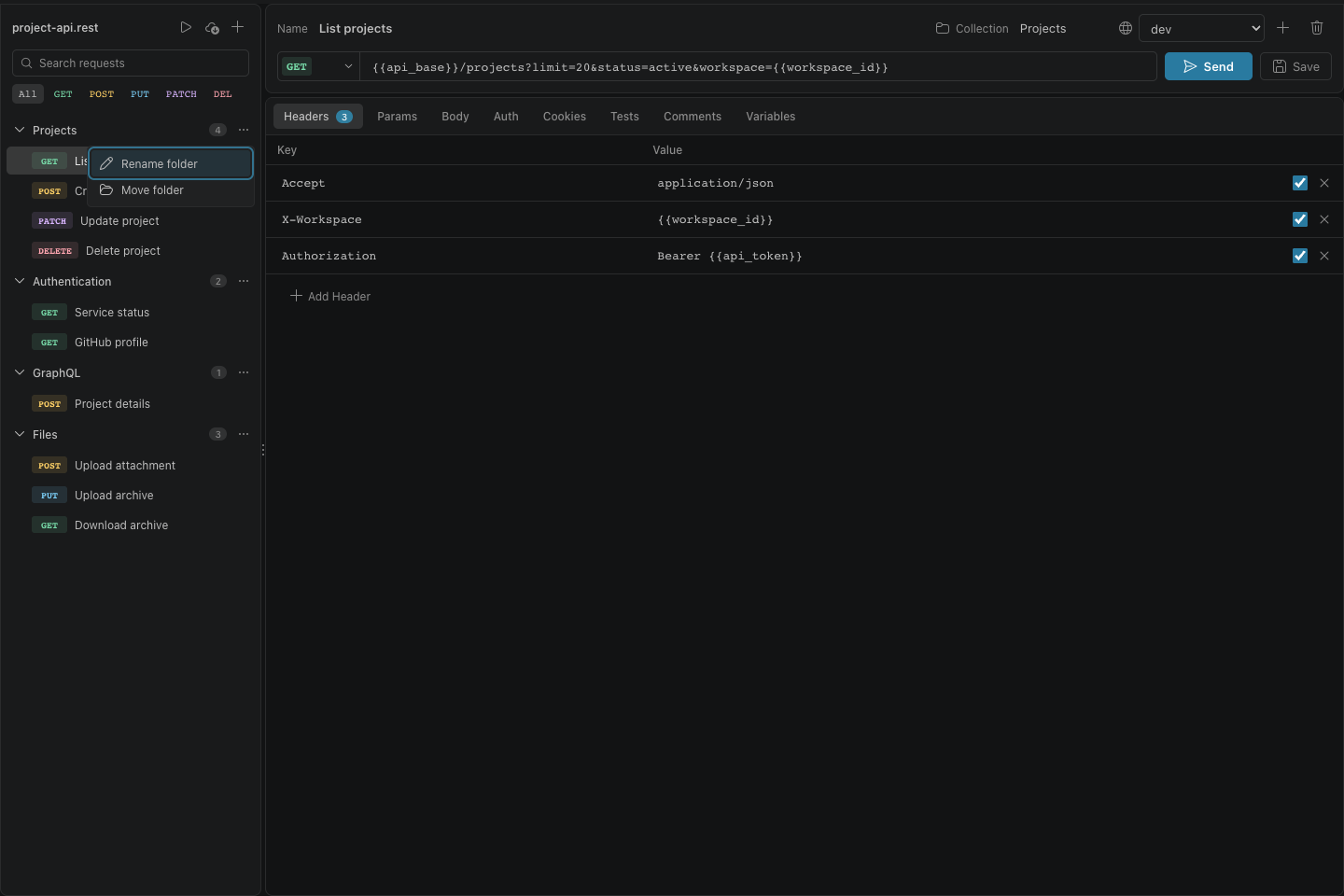
GET/decisionsHTTP/1.1
200 OK
Graphical API clients are convenient, but they often pull requests out of source control or hide how authentication, variables, and redirects are resolved.
source Preserve the source format
The interface edits REST Client-compatible .rest and .http files, keeping the portable text file as the source of truth.
secrets Isolate credentials and sessions
Secrets and OAuth tokens use VS Code Secret Storage, while response cookies stay in memory and are separated by REST file and active environment.
transport Make transport visible
Resolved requests, redirects, timing, headers, response limits, and production confirmations expose what the client actually sent.
GET/iosHTTP/1.1
200 OK Content-Type: ios-app X-Version: 1.4.0
Also on iPhone and iPad
A native HTTP and GraphQL workspace for iPhone and iPad, with visual JSON editing and portable .rest and .http files.

-
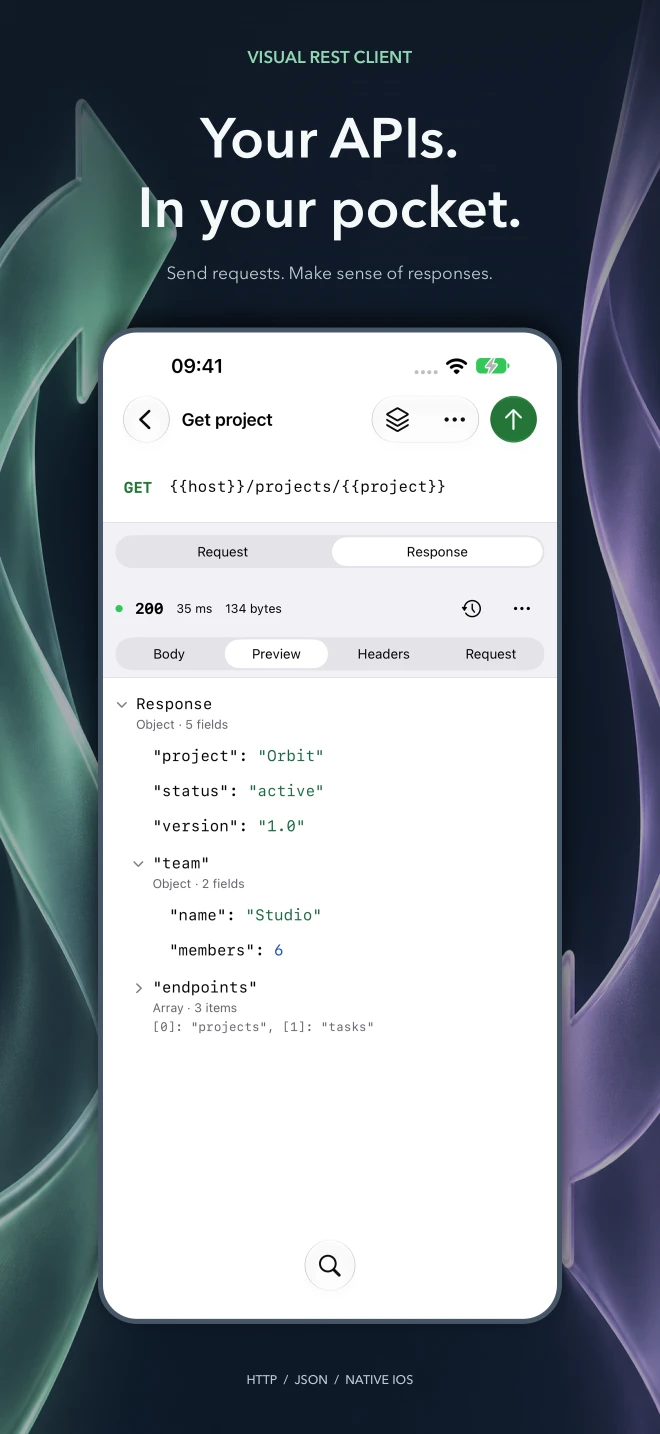 Your API workspace, wherever you work
 -
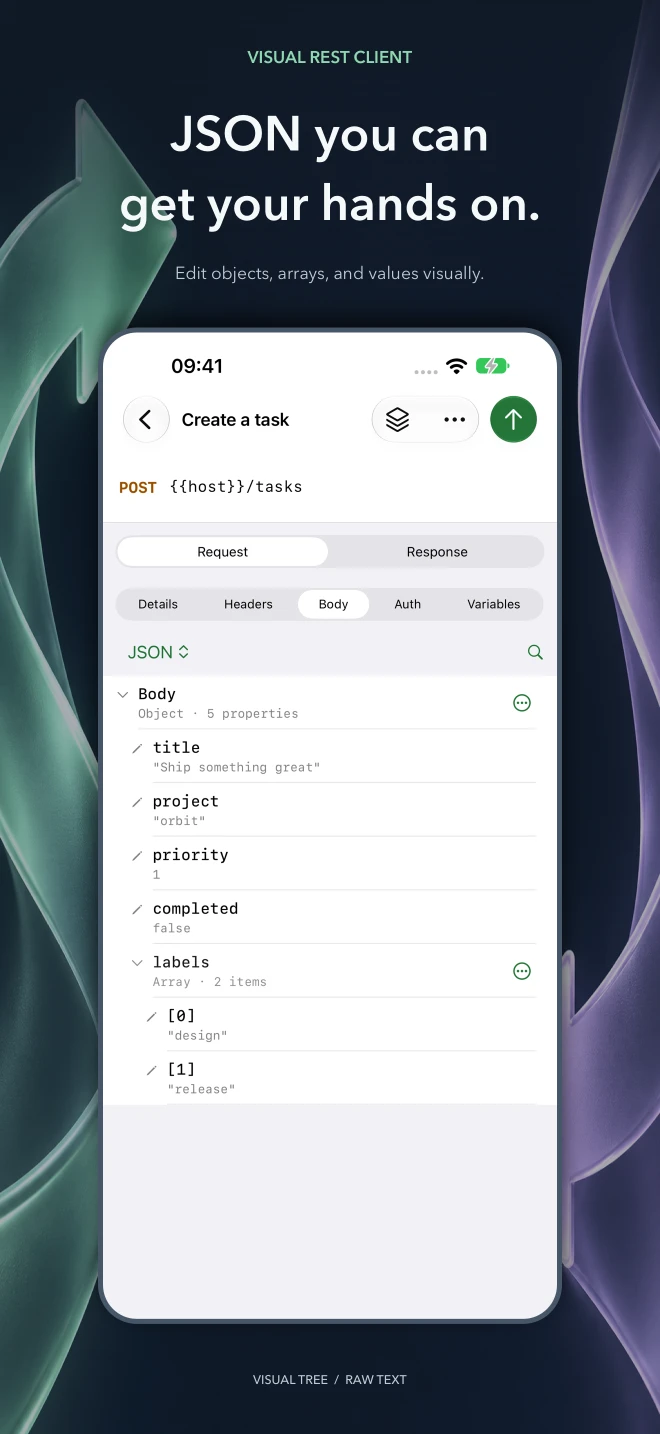 Edit JSON visually
 -
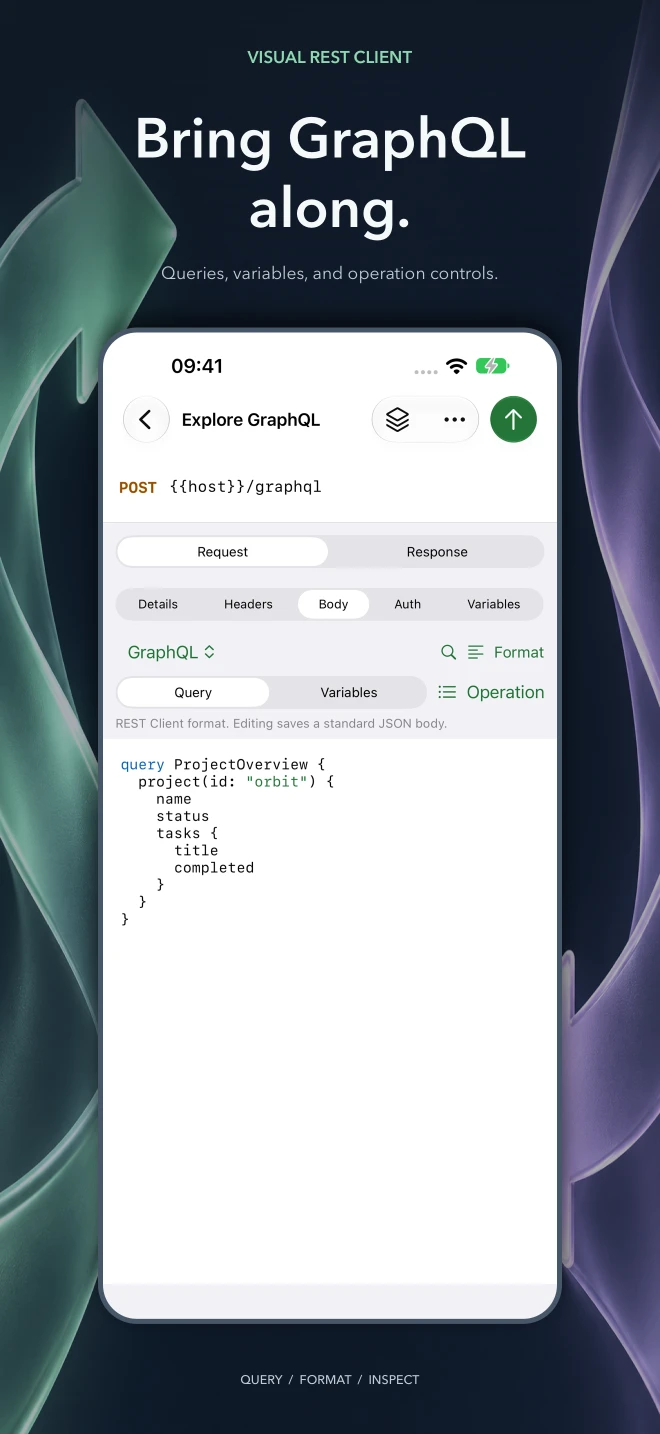 Bring GraphQL along
 -
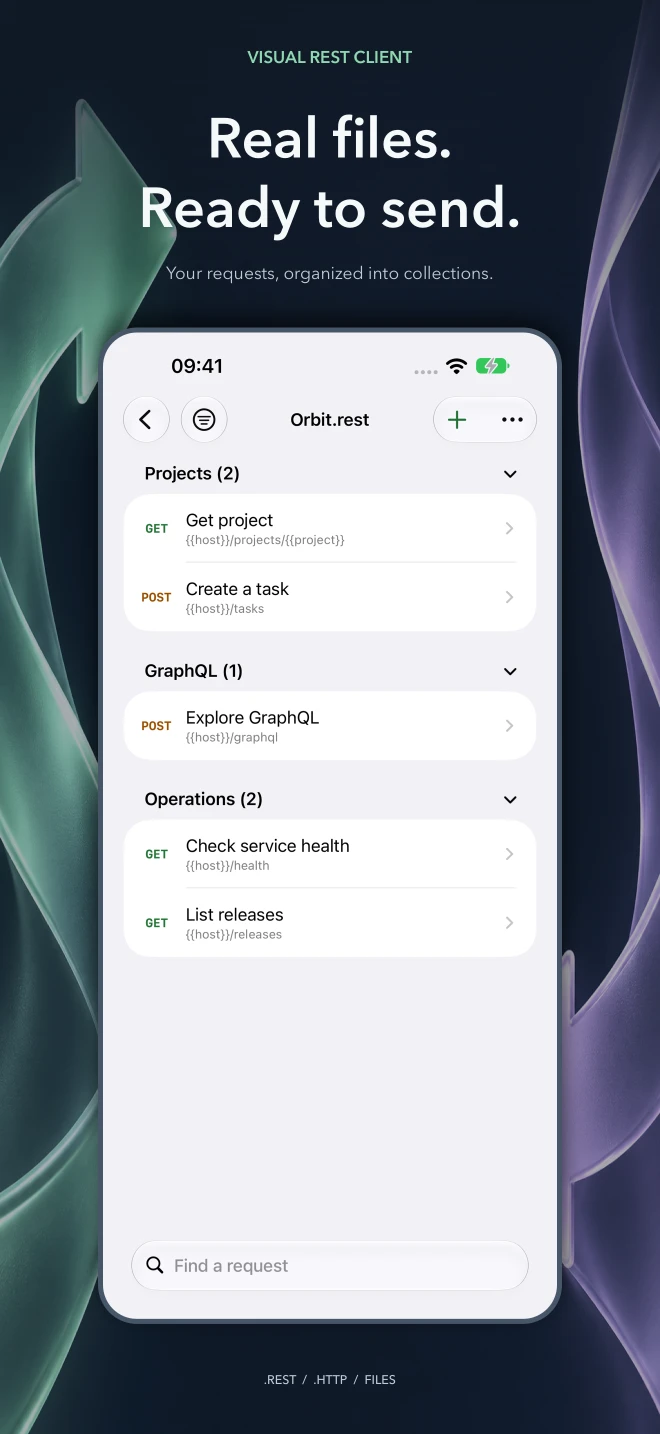 Keep your requests in real files
 -
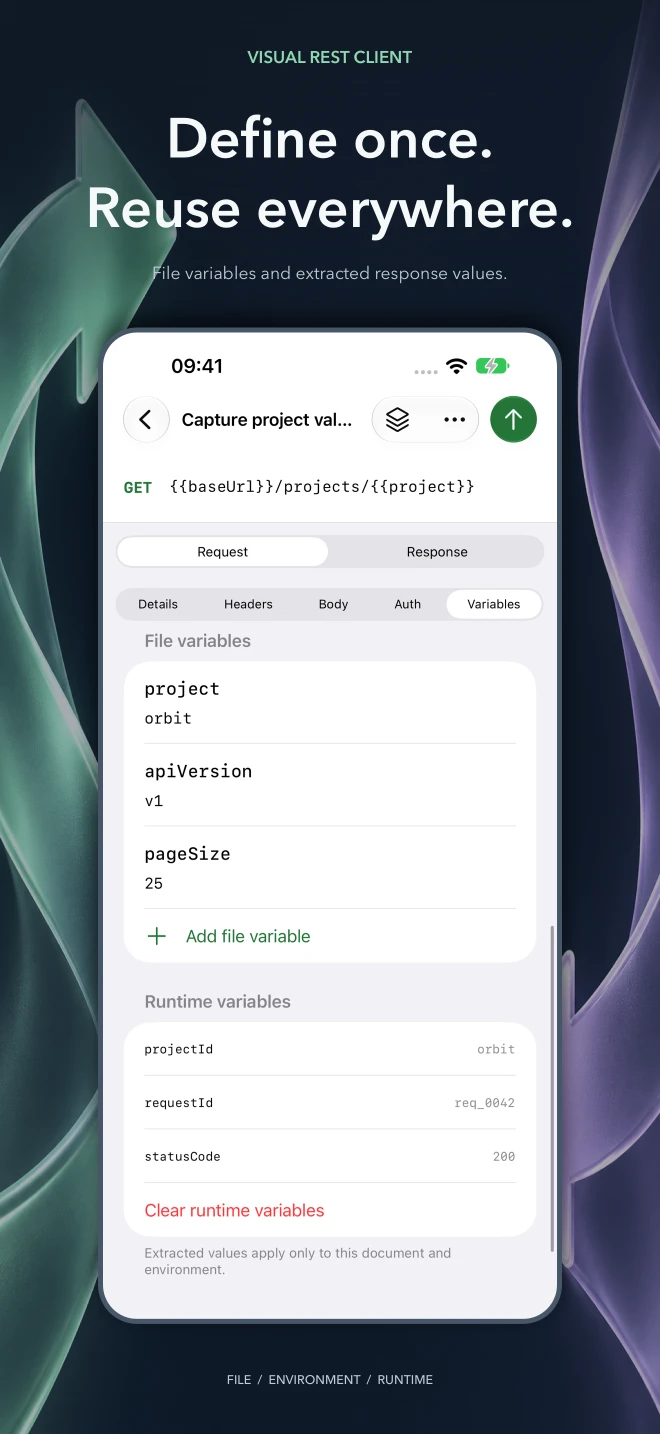 Reuse file and response variables
 -
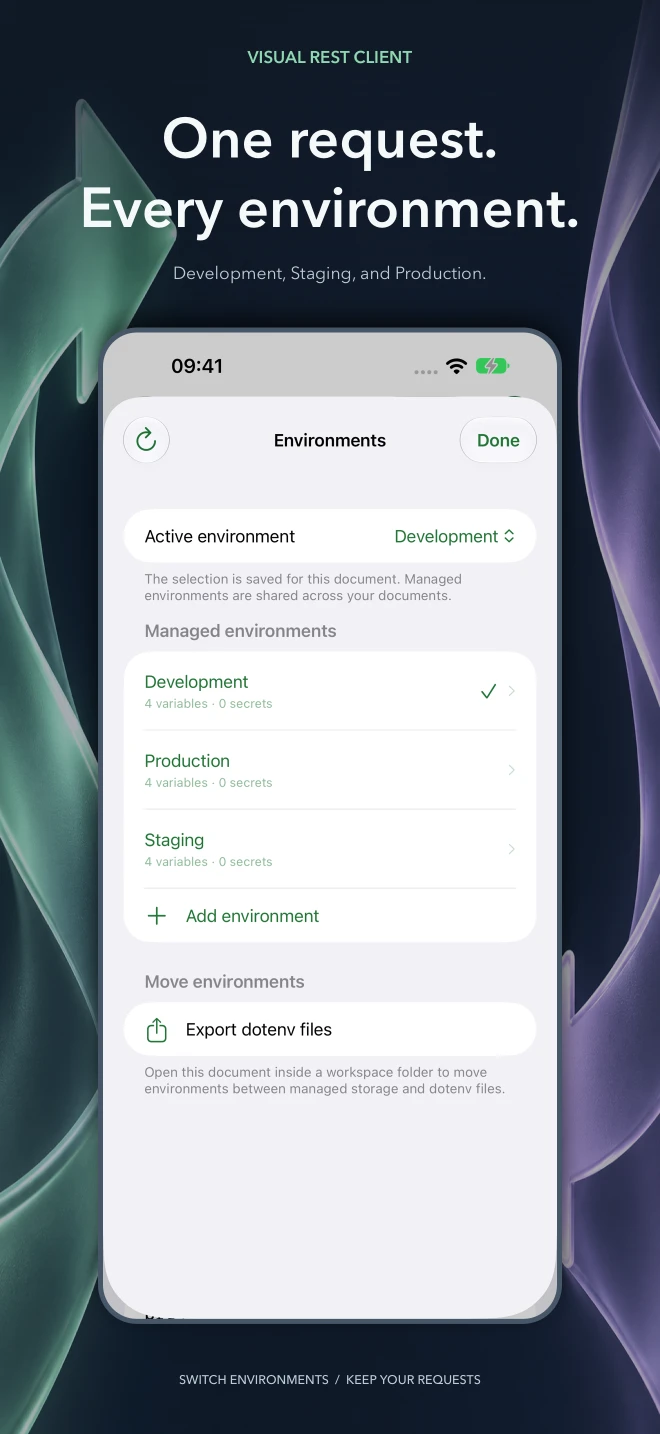 Switch environments without rewriting requests
 -
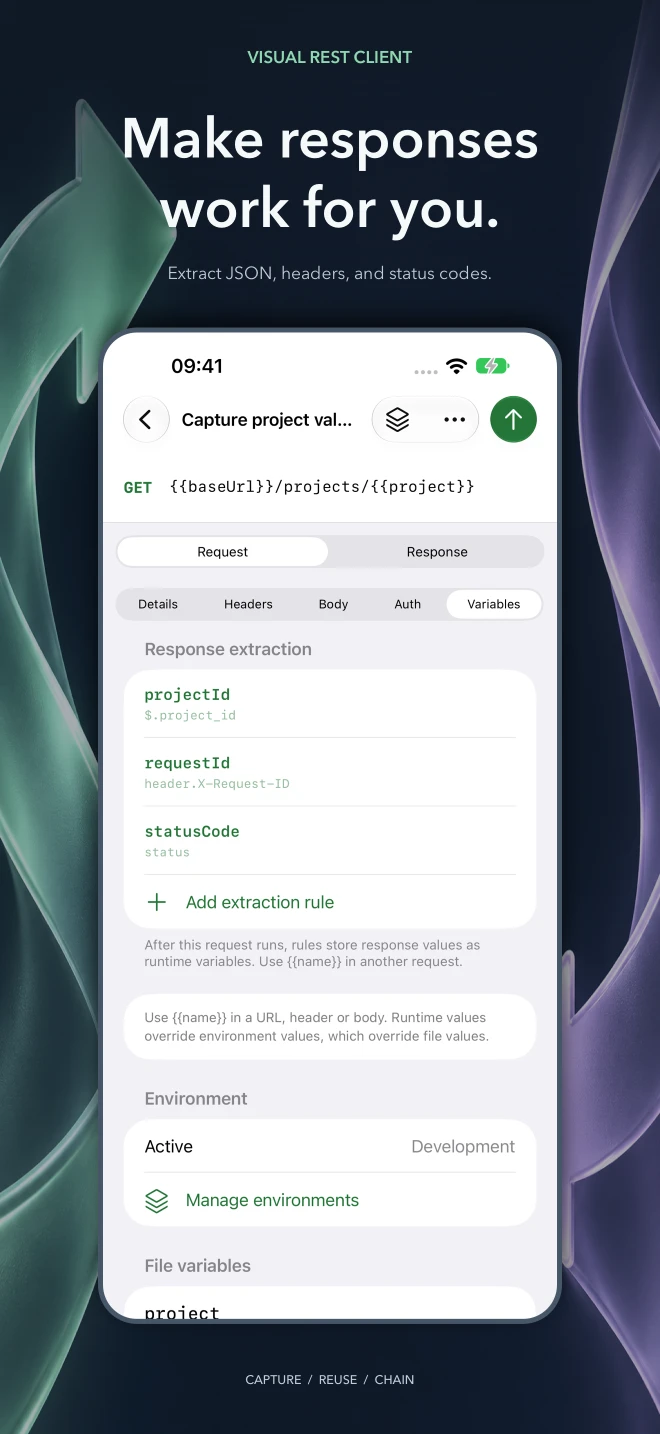 Turn responses into reusable values
| Key | Value | Included |
|---|---|---|
| Files | Open and edit .rest and .http documents through native Files and folder access | |
| Requests | Send HTTP and GraphQL requests with editable URLs, query parameters, headers, and bodies | |
| JSON | Edit JSON as a tree and switch to raw text when needed | |
| GraphQL | Format GraphQL queries, edit variables, select operations, and inspect data and errors | |
| Responses | Search response bodies, explore JSON previews, inspect headers, and revisit history | |
| Authorization | Use Basic, Bearer, and OAuth 2.0 authentication with PKCE and Keychain-backed secrets | |
| Variables | Reuse file and environment variables, extract response values, and manage cookies | |
| Import | Import Postman collections and environments, use .env values, and export cURL | |
| iPad | Work across three native iPad columns with keyboard shortcuts, autosave, and draft recovery |
Developers need to inspect APIs away from their desktop without rebuilding their request collection in a closed format or losing sight of what is sent.
Keep requests portable
Ordinary .rest and .http files remain the source of truth, with native Files access and imports for existing collections.
Use the whole device
Native navigation connects files, requests, and responses on iPhone; iPad shows all three columns together.
Make every exchange inspectable
Visual JSON editing, GraphQL diagnostics, response previews, history, and explicit authentication controls keep API work visible.
GET/privacyHTTP/1.1
200 OKCache-Control: private, no-store
Nothing leaves your workspace that you didn't send
VS Code extension
No telemetry, tracking, or advertising. Workspace data stays local, secrets use VS Code Secret Storage, and cookie sessions remain in memory.
Read the full privacy details
Visual REST Client does not include analytics, telemetry, tracking, or advertising.
Local-first operation
The extension runs inside your VS Code environment. Request files, editor state, ordinary environment values, and response history remain local to the relevant workspace.
Secrets
Values explicitly marked as secrets and OAuth tokens are stored with VS Code Secret Storage and isolated by workspace, REST file, environment, and profile.
Cookie sessions
Cookies returned by APIs are kept in memory and reused only for matching URLs in the same REST file and active environment. Cookie jars are not persisted and are cleared when the editor closes or the extension reloads.
Network requests
Network activity occurs only when you initiate an HTTP request or OAuth flow. Data is sent to the endpoints you configure; it is never sent to prawel.pl.
iPhone & iPad app
No account, advertising, or analytics. Request files stay in the locations you choose; secrets use Keychain and API traffic goes to the services you configure.
Read the full privacy details
Visual REST Client for iOS does not require an app account and includes no advertising, analytics, or tracking SDKs.
Requests and authentication
When you send a request, the app connects to the endpoint you choose and any redirect destinations permitted by your settings. Those services receive the request content and ordinary connection information, including your IP address. OAuth sign-in opens the configured provider in Apple's authentication browser. The provider's privacy policy applies.
Documents and local state
Request documents remain in the file locations you choose. Settings and recovery drafts are stored on device. Files in iCloud Drive or another file provider may synchronize through that provider according to its settings. Explicit secrets and OAuth credentials use the system Keychain.
Sharing
Exporting, copying, or sharing a request or response sends the selected content to the destination you choose. Visual REST Client does not send your workspace to a developer-operated cloud service.
GET/changelogHTTP/1.1
200 OKETag: "1.4.0"
Response history
-
200 1.4.0 VS Code Ignore named environment templates such as .env.sinco.example, .env.test.sample, and .env.dev.template in the environment selector.
- Ignore named environment templates such as
.env.sinco.example,.env.test.sample, and.env.dev.templatein the environment selector. - Prevent unfinished header rows from adding stray
:lines before request bodies when editing headers or saving repeatedly. - Keep extracted runtime variables available when switching tabs or closing and reopening a REST file during the same VS Code window session.
- Ignore named environment templates such as
-
200 1.4.0 iPhone & iPad Ignore named environment templates such as .env.sinco.example, .env.test.sample, and .env.dev.template in the environment selector, including case-insensitive template suffixes.
- Ignore named environment templates such as
.env.sinco.example,.env.test.sample, and.env.dev.templatein the environment selector, including case-insensitive template suffixes. - Save requests with unfinished header rows without adding stray colon lines or changing their bodies.
- Keep extracted runtime variables when switching documents or closing and reopening a REST file during the same app session. Values stay in memory, isolated by document and environment.
- Ignore named environment templates such as
-
200 1.3.0 iPhone & iPad Use the app in English, German, Polish, Hindi, Simplified Chinese, Spanish, French, or Japanese, including help, accessibility labels, and error messages.
- Use the app in English, German, Polish, Hindi, Simplified Chinese, Spanish, French, or Japanese, including help, accessibility labels, and error messages.
- Import native RapidAPI / Paw .paw collections with ordered folders, GraphQL requests, scoped variables, and a choice of bundled environments. Review unsupported features before saving.
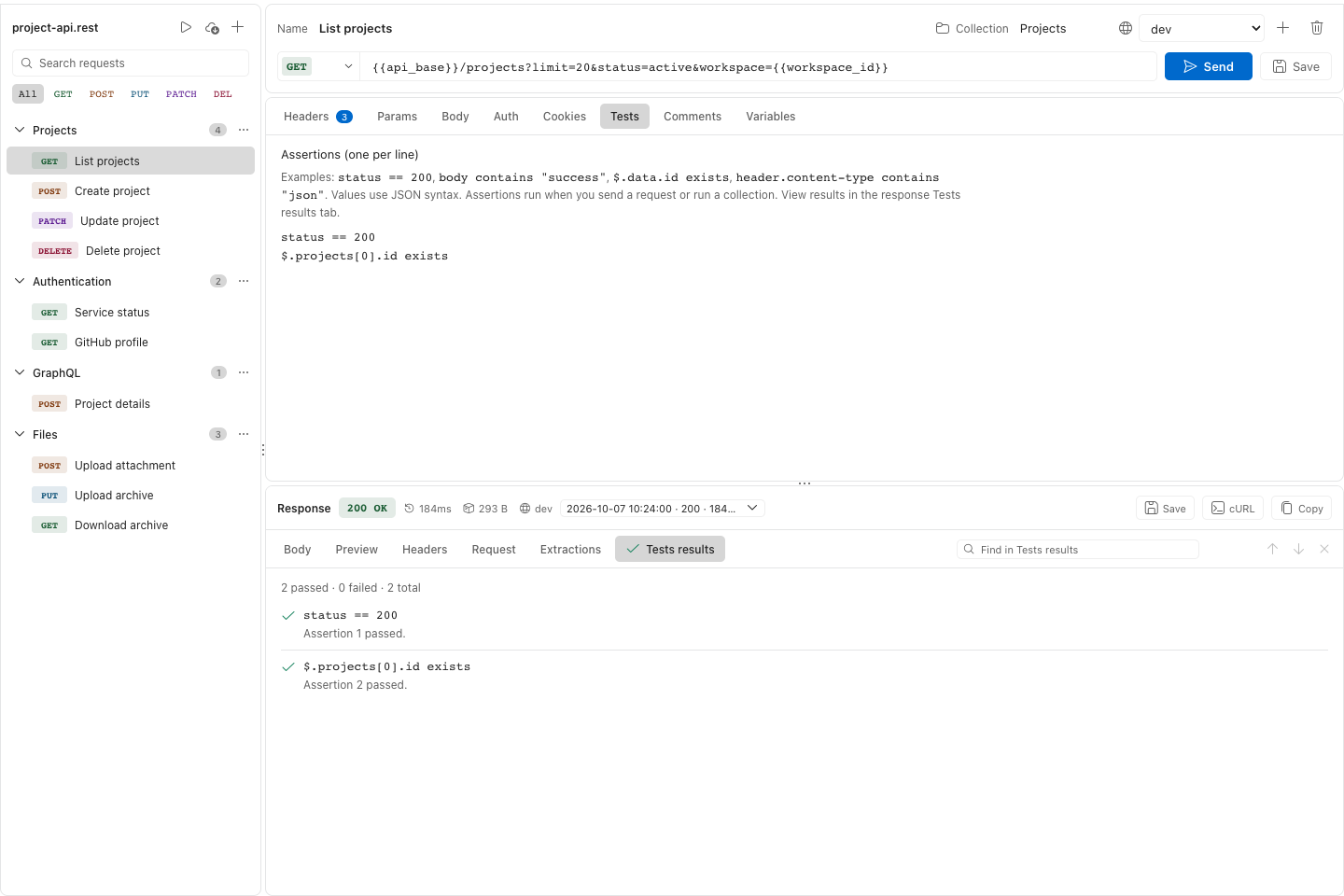
- Keep declarative assertion results with each response and its history, and review them in the response Tests section.
- Use case-insensitive assertion directives and array paths such as $.items.[0] in tests. Collection results explain unsuccessful HTTP statuses.
- Open nested requests reliably on iPad with a direct tap.
-
200 1.3.0 VS Code Import native RapidAPI / Paw .paw binary documents directly, including nested folders, headers, raw and GraphQL bodies, and a choice of included environment values. Unsupported dynamic values and request settings produce import warnings.
- Import native RapidAPI / Paw
.pawbinary documents directly, including nested folders, headers, raw and GraphQL bodies, and a choice of included environment values. Unsupported dynamic values and request settings produce import warnings. - Refresh the editor with rounded panels, inset tabs, and a compact request toolbar that follows the active VS Code theme, including light and high contrast themes. Move environment controls above the URL for more editing room.
- Access folder rename and move actions from an overflow menu, with descriptive tooltips for new requests and single or collection runs.
- Keep unchanged request files unmodified when sending requests or running a collection, preserving body line endings and comment directives.
- Inspect runtime extraction results in a dedicated response tab and keep the response header compact by removing the extra sent-environment message.
- View assertion results in each response's Tests results tab after sending a request or running a collection, with results retained in response history and a green tick or red cross showing the outcome.
- Show the environment used beside the response size and explain why adding an environment is unavailable when environments are loaded from dotenv files.
- Use a narrower HTTP method picker with a themed badge for the selected method. Add tooltips to response metrics and environment controls, and truncate long response header names while showing their full names on hover.
- Import native RapidAPI / Paw
-
200 1.2.0 VS Code Import native Thunder Client collections, with nested folders, inherited authentication and base URLs, enabled query parameters, GraphQL and form bodies, scoped static values, and warnings for features that need manual setup.
- Import native Thunder Client collections, with nested folders, inherited authentication and base URLs, enabled query parameters, GraphQL and form bodies, scoped static values, and warnings for features that need manual setup.
- Import Insomnia v5 YAML and legacy v4 JSON collections, with nested folders, inherited authentication, scoped variables, an explicit bundled-environment choice, GraphQL and form bodies, and warnings for unsupported features.
- Import collections into the currently open REST file or a new file. Current-file imports retain unsaved edits, support undo, and confirm variable conflicts.
- Run all requests, a folder, or selected requests sequentially with runtime variable chaining, declarative assertions, cancellation, stop-on-failure, and a result summary.
- Navigate nested collection folders and rename or move entire folder trees.
- Enable or disable individual headers and query parameters without deleting their values; switches persist when files are saved and reopened.
- Edit URL-encoded form bodies in a table, including repeated fields and safely encoded variable values.
- Configure HTTP/HTTPS proxies, custom certificate authorities, and host-scoped client certificates. Proxy credentials and encrypted-key passphrases are stored securely in VS Code.
- Show the environment and host that produced each response and history entry, with a notice when viewing results from another environment.
- Report failed runtime extractions and clear their previous values so later requests cannot silently reuse stale results.
- Explain unsupported CONNECT requests before sending and allow choosing a supported method while retaining existing source files.
-
200 1.2.0 iPhone & iPad Import Thunder Client and Insomnia v5 YAML/v4 JSON collections with nested folders, inherited authentication, scoped variables, forms, GraphQL, and import warnings. Choose the Insomnia bundled environment to import.
- Import Thunder Client and Insomnia v5 YAML/v4 JSON collections with nested folders, inherited authentication, scoped variables, forms, GraphQL, and import warnings. Choose the Insomnia bundled environment to import.
- Import collections into the open document while retaining edits, review conflicting variables, and undo the import.
- Run all, a folder, or selected requests sequentially with runtime chaining, declarative assertions, cancellation, stop-on-failure, and a result summary.
- Navigate nested collection folders and rename or move whole folder trees.
- Enable or disable headers and query parameters without deleting their saved values.
- Edit URL-encoded bodies as repeated fields and safely encode variable values when sending.
- Configure HTTP/HTTPS proxy tunnels, custom certificate authorities, and host-scoped PKCS#12 client identities, with credentials stored in Keychain.
- See the sending environment and host in responses and history, including a notice for another environment.
- Review extraction failures and clear stale runtime values before chaining later requests.
- Explain unsupported CONNECT requests before sending and offer supported methods while retaining existing source.
-
200 1.1.0 VS Code Import Bruno native and OpenCollection YAML collection folders, including mixed formats, nested groups, inherited authentication, scoped variables, GraphQL, form bodies, and local attachments. Import warnings identify unsupported features and missing environment or runtime values before sending.
- Import Bruno native and OpenCollection YAML collection folders, including mixed formats, nested groups, inherited authentication, scoped variables, GraphQL, form bodies, and local attachments. Import warnings identify unsupported features and missing environment or runtime values before sending.
- Greatly reduced the extension package size to about 460 KB.
-
200 1.1.0 iPhone & iPad Import Bruno native and OpenCollection YAML collection folders, including mixed formats, nested groups, inherited authentication, scoped variables, GraphQL, form bodies, and local attachments. Review warnings for unsupported features and missing values before saving a REST or HTTP document.
- Import Bruno native and OpenCollection YAML collection folders, including mixed formats, nested groups, inherited authentication, scoped variables, GraphQL, form bodies, and local attachments. Review warnings for unsupported features and missing values before saving a REST or HTTP document.
- Keep access to imported local attachments when reopening saved requests.
-
200 1.0.1 VS Code Import Hoppscotch collections with nested folders, scoped variables, inherited authentication, GraphQL, and form bodies. A shared Import Collection command detects Postman or Hoppscotch files and reports unsupported features.
- Import Hoppscotch collections with nested folders, scoped variables, inherited authentication, GraphQL, and form bodies. A shared Import Collection command detects Postman or Hoppscotch files and reports unsupported features.
-
200 1.0.1 iPhone & iPad Import Hoppscotch collections with nested folders, scoped variables, inherited headers and authentication, query parameters, forms, multipart text fields, and GraphQL requests.
- Import Hoppscotch collections with nested folders, scoped variables, inherited headers and authentication, query parameters, forms, multipart text fields, and GraphQL requests.
- A shared Import Collection menu detects Postman or Hoppscotch files, offers explicit format selection, and reports unsupported features before saving imported requests as REST or HTTP documents.
- Preserve additional Unicode whitespace in imported variables and request bodies when reopening saved documents.
-
200 1.0.0 VS Code Query parameter table that preserves repeated parameters, variable references, existing encoding, and URL fragments.
- Query parameter table that preserves repeated parameters, variable references, existing encoding, and URL fragments.
- Cookie inspector with masked values, reveal controls, refresh, and clearing for the active file and environment.
- Multipart form-data editor with text and file fields, and whole-file request bodies using portable
< ./filereferences. Uploads enforce request-size limits. - Postman Bearer, Basic, and API-key authentication import with collection/folder inheritance, request overrides, and warnings for unsupported auth and scripts.
- Reject stale visual updates after external document changes and retain pending browser edits in a recovery copy instead of overwriting external requests.
- Isolate extracted runtime variables by file and environment, including late responses after switching environments.
- Bind cached OAuth credentials to the resolved profile configuration; changing the client, endpoint, scopes, or credential parameters requires fresh tokens.
-
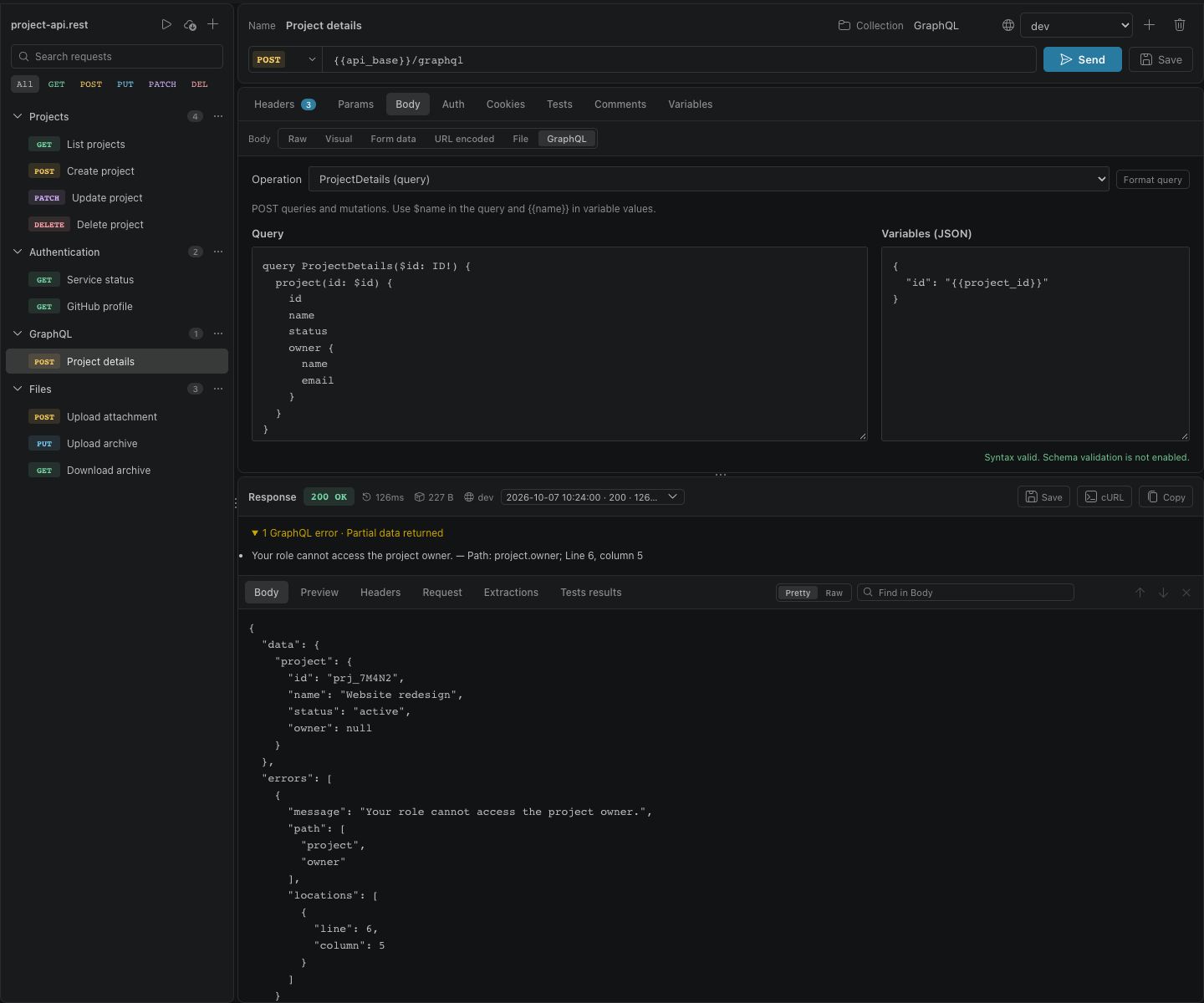
200 0.2.2 VS Code Added a GraphQL body editor with separate query and JSON variables, query formatting, syntax diagnostics, operation selection, and drafts retained across request switches.
- Added a GraphQL body editor with separate query and JSON variables, query formatting, syntax diagnostics, operation selection, and drafts retained across request switches.
- Enabled GraphQL queries and mutations over POST using existing authentication, environments, cookies, request history, and redacted cURL export, with JSON-safe variable interpolation.
- Added REST Client GraphQL-format compatibility: opening preserves the source, while visual edits save portable JSON request bodies.
- Added expandable GraphQL error details with messages, paths, and locations alongside the HTTP status and partial response data.
- Preserved GraphQL queries and variables when importing Postman collections.
-
200 0.2.1 VS Code Added an extensible opaque-postamble parser for httpyac scripts and assertions, IntelliJ-style response handlers, and other external .rest tooling.
- Added an extensible opaque-postamble parser for httpyac scripts and assertions, IntelliJ-style response handlers, and other external .rest tooling.
- Added standards-based, memory-only cookie jars that reuse response cookies during redirects and later requests while isolating sessions by REST file and active environment.
- Excluded external post-response syntax from displayed and transmitted request bodies while preserving it byte-for-byte during edits.
- Kept inline variables, malformed script blocks, and unrecognized body text in the modeled request body.
-
200 0.2.0 VS Code Added case-insensitive response search across Body, Preview, Headers, and Request, with highlighting, counts, wraparound navigation, and Ctrl/Cmd+F focus.
- Added case-insensitive response search across Body, Preview, Headers, and Request, with highlighting, counts, wraparound navigation, and Ctrl/Cmd+F focus.
- Expanded collapsed JSON parents and revealed matches inside long strings while retaining path context.
- Added automatic root-level .env environment loading with workspace-storage fallback and import/export migration controls.
- Masked environment values by default with accessible reveal controls independent of Secret Storage locking.
- Made dotenv environments read-only, workspace-root aware, and protected multi-root workspaces and plaintext migrations with explicit safeguards.
- Aligned the primary request controls to a consistent height.
-
200 0.1.9 VS Code Added reusable OAuth 2.0 profiles for Authorization Code with PKCE and Client Credentials.
- Added reusable OAuth 2.0 profiles for Authorization Code with PKCE and Client Credentials.
- Added VS Code callback handling, secure token persistence, automatic refresh, environment-isolated sessions, and connection controls.
- Added Bearer Token and split-variable HTTP Basic authentication with request-time encoding.
- Added a default User-Agent for providers such as GitHub.
- Made the Auth and Comments editors fill the available request pane.
-
200 0.1.8 VS Code Reissued the 0.1.7 release content so Marketplace clients refreshed the restored semantic colors and updated documentation.
- Reissued the 0.1.7 release content so Marketplace clients refreshed the restored semantic colors and updated documentation.
-
200 0.1.7 VS Code Added cancellation, redirect handling, gzip/deflate/Brotli decoding, total timeouts, request and response limits, and per-file concurrency controls.
- Added cancellation, redirect handling, gzip/deflate/Brotli decoding, total timeouts, request and response limits, and per-file concurrency controls.
- Added per-editor environment selection, encrypted secrets, runtime-variable clearing, production confirmations, and document-wide memory limits.
- Added keyboard reordering, adjustable panes, responsive and reduced-motion behavior, stronger focus states, semantic labels, screenshots, CI, and reproducible packaging.
- Moved request, response, pending, and history state to stable IDs; flushed visual edits before actions; and preserved source formatting and opaque blocks.
- Blocked unresolved variables before network activity, redacted sensitive previews and cURL exports, and hardened cross-origin redirect handling.
- Fixed environment races, stale request state, lost delayed edits, unsafe JSON element identifiers, and body framing for non-standard methods such as GET.
- Fixed stuck sending states, made large JSON previews lazy, restored semantic colors across themes, and aligned collection names.
-
200 0.1.6 VS Code Added REST Client-style file variables, request interpolation, named environments, and response-derived runtime extraction rules.
- Added REST Client-style file variables, request interpolation, named environments, and response-derived runtime extraction rules.
- Added a Variables panel with precedence guidance, plus sidebar search, method filtering, response history, response export, resolved cURL copy, and a sent-request view.
- Added keyboard shortcuts, VS Code Codicons, Postman collection-variable import, and source-preserving request-time variable resolution.
- Moved environment creation and deletion to native VS Code controls and aligned the webview with configured editor and UI fonts.
- Added automated compilation, linting, tests, packaging checks, and standardized local build scripts.
- Fixed the compile/build path, environment creation, history timestamps, generated-script escaping, and manifest version alignment.
POSTmailto:contact@prawel.plHTTP/1.1
Support
Subject: Visual REST Client support
Product: VS Code extension or iPhone/iPad app
Version:
VS Code or iOS version:
Steps to reproduce:
Exact error text:
# Redact tokens, private URLs, and other personal data.
https://prawel.pl/projects/visual-rest-client/